
A virtual dollar card that spends straight from a crypto wallet — cheap to open, thin on support
 Available in US
Grey is one of a growing family of cards that turn a crypto balance into something you can tap in a shop. The pitch is simple: keep dollars and stablecoins in an app, get a virtual Visa number, pay with it like an ordinary card. No bank account in the traditional sense, no plastic in the post, no monthly fee. On paper it solves a real problem for a lot of people — freelancers paid in dollars from abroad, contractors paid in crypto, anyone who finds their local banking system closed to them.
I went through Grey’s own public pages — the help centre, the fee and country lists, the terms — and read what people write about it on Trustpilot and in app-store reviews. Here is what I found, section by section: whether you get the card at all, what it really costs, how you top it up, what it is like to pay with every day, and the places it grinds. My overall mark is 4.9 out of 10. That is not a scathing score, but it is not a recommendation either, and I will explain exactly where the points went.
The conditions on this page are current as of October 28, 2026.
The verdict: 4.9 out of 10, and who it is really for
Grey is a competent product solving a narrow problem honestly. If you already hold a stablecoin balance, already pass identity checks without trouble, and want a dollar Visa number that spends that balance online and in stores without a monthly charge, it does that job for a one-off $5. That is genuinely useful, and for freelancers in Africa, Latin America and Asia paid in dollars it is the clearest use case I can see.
But the score is low for reasons that have nothing to do with the idea and everything to do with the finish. It is virtual-only, so there is no plastic to use where contactless fails. It has no ATM. It is a fintech rather than a bank, so there is no deposit guarantee and your balance is not a bank deposit. Support is a known weak point in reviews. And the whole product leans on the assumption that you can already get money in — because the card itself cannot be topped up, only the wallet behind it can. Take away your ability to move funds in easily and the card is inert. It suits a specific person with a specific setup. It does not suit most people looking for their first ordinary payment card.
Let me lay out the score criterion by criterion.
| Criterion | Mark | Why |
|---|---|---|
| Who can get it | 5 / 10 | Visa supported in 25 countries (Argentina, Australia, Brazil, Colombia, Ghana, Kenya, Nigeria, South Africa, Hong Kong, Singapore, UAE, United States and others); spending blocked in Cuba, Iran, North Korea, Russia, Syria, Ukraine, Venezuela |
| Cost | 6 / 10 | $5 to create the Visa, no monthly fee; cross-border up to 2% + $0.50; a currency conversion fee if the wallet is not in USD; chargeback $30 |
| Top-up options | 5 / 10 | The card is not topped up directly — it spends from wallets, USD first, then USDC/T, then any other balance; networks are not named |
| Reliability and complaints | 4 / 10 | Not a bank, issuer not named; Trustpilot 3.8 from 4,452 reviews citing fees, KYC failures, reversed incoming payments, slow support |
| Everyday use | 4 / 10 | Virtual only, created instantly; Apple Pay and Google Pay are there; no ATM, “payments only” |
| Total | 4.9 / 10 | Strong narrow idea, weak everyday finish |
Read that table as a shape, not a ranking. Cost is the best-scoring of the six, which is unusual and worth saying out loud: this is not an expensive card. What drags it down is the middle — reliability, complaints, everyday use — the unglamorous parts that decide whether a card becomes something you actually keep in your wallet or a thing you open once a month.
Who will they give you the card
This is the first gate, and it is worth being blunt about it: Grey is not open to everyone. The Visa is supported in a specific list of 25 countries — Argentina, Australia, Brazil, Colombia, Cote d’Ivoire, Ghana, Kenya, Morocco, New Zealand, Nigeria, Senegal, South Africa, Uganda, Zambia, Bangladesh, Hong Kong, Malaysia, Mexico, Peru, the Philippines, Singapore, Thailand, the United Arab Emirates, the United States, and Uruguay. That is a wide and interesting spread — Latin America, Africa, Asia-Pacific, and the Gulf — but if your country is not on that list, the Visa route is closed to you.
There is a second, harder list. Spending is blocked in Cuba, Iran, North Korea, Russia, Syria, Ukraine, and Venezuela. These are not grey areas. If you are in one of these countries, the card will not work for spending.
One thing the card’s public pages do not tell you clearly: whether these rules apply to where you live or where you are a citizen. Both lists are worded by country, and residence versus citizenship is not stated. That distinction matters. It is the difference between “we serve residents of Kenya” and “we serve Kenyan citizens,” and for a reader who holds one passport and lives in another, it is the difference between an open door and a closed one. I would not guess. If your situation is anywhere near the line, raise it with Grey before you go further, and if the answer matters to you, get it in writing.
Why is a country list so normal? Because of how card numbers work. A payment card number begins with an issuer identification number — six or eight digits — that tells the merchant’s bank which institution and which country issued the card. A shop can look that up in a second and, if the issuer country does not match the billing address you typed, apply extra scrutiny. This is why a card issued in one country can look “foreign” to a shop in another, and it is the single biggest reason a virtual card like this gets declined at a counter. The country list is not bureaucracy for its own sake; it is the network’s risk model.
How to get it
The signup runs in three steps, and the first one is the one that stops people.
- Sign up for an account.
- Complete identity verification (KYC).
- Top up any wallet, then create the card in the app under Cards.
There is no branch, no interview, no credit check mentioned. It is entirely in-app, on iOS and Android.
On KYC — the part everyone asks about — the US-dollar virtual card requires completed verification. The accepted ID differs by country, and this is where the friction lives: depending on where you are, it can be a passport, a national ID, a resident card, an ID card, or a driving licence, plus country-specific extras such as a Voter ID, a PAN card, or a NIN slip. The card’s public pages do not state what proof of address is needed or what the minimum age is. That is a real gap if you are trying to decide whether you qualify before you start.
Two more things about the card itself. It is virtual-only — created instantly in the app, with no physical or metal version mentioned. And the USD card can spend not only from a USD balance but from EUR, GBP and local-currency balances, which is more flexible than the headline suggests.
A note on why KYC is non-negotiable rather than a formality: KYC rules require regulated businesses to verify customers and assess risk as part of anti-money-laundering law, including ongoing transaction monitoring. In the EU, customer due diligence covers your name, address, date of birth, nationality and identity documentation, a sanctions check, the purpose of the relationship, and whether you are a politically exposed person. In the US, the customer identification programme requires your name, date of birth, address and an identification number, and electronic systems also check proof-of-address documents against records. This is also why nationality is screened separately from residence — sanctions and issuer risk policy are applied to citizenship and country of birth as well as to your address. And if due diligence cannot be completed, EU rules require the institution to hold off on the relationship and, where necessary, close it. Accounts getting frozen pending documents is not a grey area; it is the rules working.
So when reviews mention KYC failures, read them as the rules operating, not as a bug to be routed around. The card’s help centre does have articles on KYC verification and on why a verification failed, which tells you they get asked often.
What it really costs: Fees
Cost is where Grey looks best. This is a genuinely cheap card. Here is everything the pages state about money.

| Fee or limit | Value | Notes |
|---|---|---|
| Issuance — Visa | $5 one-time | Creation fee |
| Issuance — Mastercard | $4 one-time | $1 credited to the card balance |
| Monthly / maintenance fee | None | No monthly fee on Visa |
| Transaction fee | None | Stated as no transaction fee |
| Cross-border fee | Up to 2% + $0.50 | On non-US websites; charged by the merchant or processor |
| Currency conversion fee | Applies if the card is linked to a non-USD wallet | Rate not stated; not refundable |
| ATM withdrawal | Not available | “Withdrawals and transfers are not supported. The card is for payments only.” |
| Daily limit | Up to 10,000 USD | A page also says the card “has no limit” |
| Monthly limit | Not stated | |
| Chargeback fee | $30 | Upfront, Visa only |
| Minimum balance to create the card | $5 | |
| Mastercard funding per transaction | $2–$2,500 | |
| Tiers | Single tier | None listed |
Two entries deserve a second look because they look contradictory but are not. The daily limit is given as “up to 10,000 USD” on one page, and elsewhere the same card is described as having “no limit.” The safer reading is that 10,000 USD is the working ceiling for a day and “no limit” is marketing shorthand for “no fixed product tier limit.” Treat 10,000 USD as the number to plan around. The other is the Mastercard funding range of $2 to $2,500 per transaction — that is a per-transaction ceiling, not a card limit, and it applies to the Mastercard variant, not the Visa most people will be looking at.
Now let me walk three ordinary payments through this table, because the headline numbers flatter the product less than they seem to.
Buying a $20 subscription from a US-only website. This is where the cross-border fee lives. The merchant or processor may add up to 2% plus $0.50. On $20 that is up to $0.90 added. Not ruinous, but it is charged on something you cannot avoid once you have decided to buy — and note the card’s own wording: it is the merchant or processor that charges it, not Grey. You are relying on a third party’s behaviour.
Paying for lunch in a local currency from a USD balance. Your wallet is not in USD for this purchase, so the currency conversion fee applies, at a rate the pages do not state and which is explicitly not refundable. This is the everyday cost that will quietly eat into small purchases, and it is the one number on this card I would most want to see disclosed, because it is not.
Paying a foreign merchant from a USD balance on a normal in-country purchase. Here the card is at its cheapest — no transaction fee, no cross-border fee. This is the case Grey is actually good at, and it is worth recognising that.
The category lesson under all of this: on-chain network fees for your deposit are charged by the blockchain, not by the card provider, so they are a separate line from anything in this table. And a card that converts at the moment of payment is doing currency work on every single transaction, so the conversion terms matter more here than on a normal debit card.
How to Top up the card
This is the part that surprises people, and it is the single most important thing to understand about how Grey works. The card itself cannot be topped up. There is no “add funds to card” button, no bank transfer to the card, no card-specific top-up. What happens is that the card spends directly from your wallets. And it spends them in a set order: your USD balance first, then USDC/T, then any other balance that holds funds. You top up a wallet; the card just reads whatever is there when you tap.
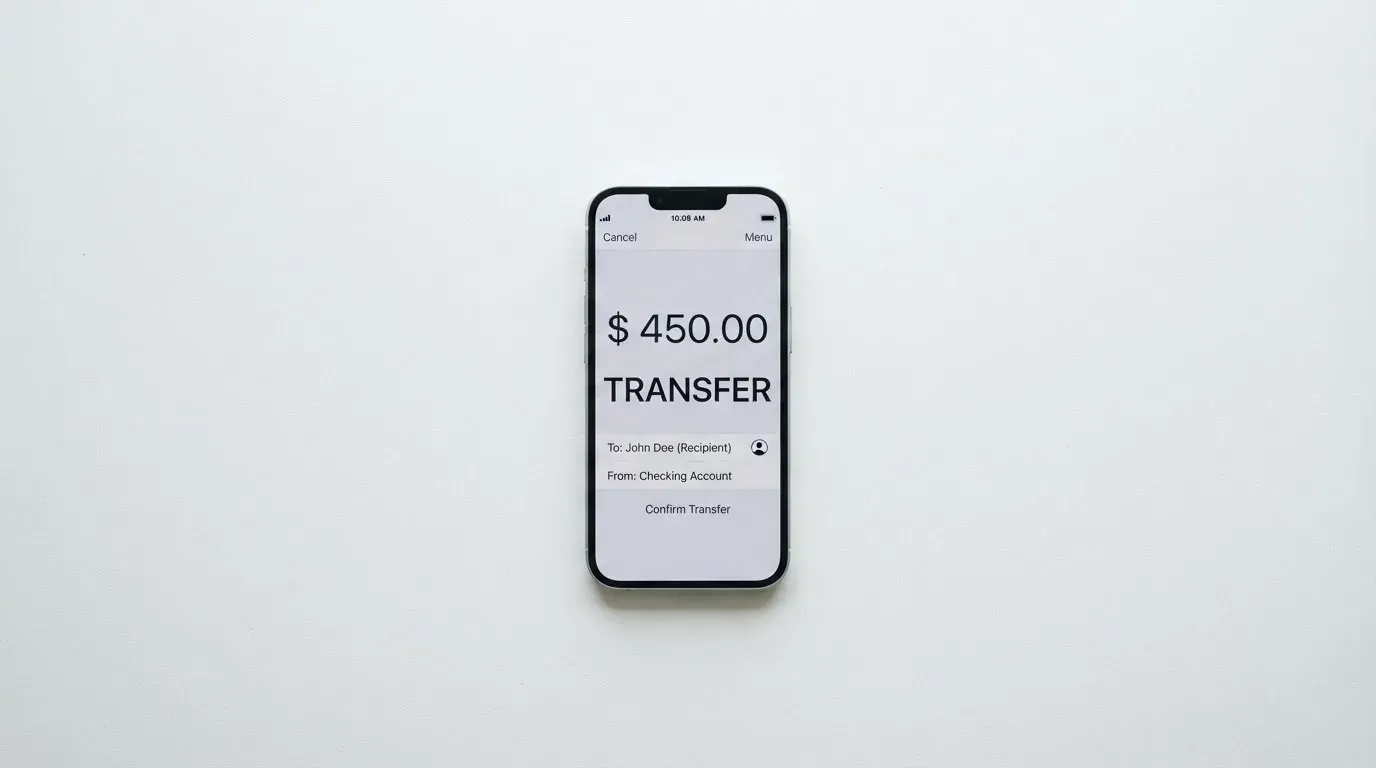
There is no funding fee on the card itself, and you need a $5 balance to create it in the first place. Beyond that, the details of moving money in — deposit fees, which fiat routes are available — are not laid out on the card’s own pages. The networks you can deposit over are not named either. So the practical question “what does it cost me to get dollars into Grey, and how long does it take” is one the card pages do not answer; you would be depending on the wallet’s own deposit options.
Two consequences follow from the spend-order design, and both matter.
The first is that the card is not a fixed container you control; it is a view onto a wallet you control. If your USD balance runs down, the card starts drawing on USDC/T, and if that runs down too, it starts drawing on your other assets — at whatever conversion applies. If you are not tracking your balances manually, the card can quietly spend an asset you did not mean it to spend.
The second is deletion. The card’s own words: on deleting the Visa card, “no funds will be returned upon deletion,” because the card was drawing from your wallet all along. If you are picturing a prepaid card with a pot of money on it, that picture is wrong, and it is worth unlearning before you fund anything. (The Mastercard variant behaves differently — its balance is refunded to your Grey USD balance. Two products, two behaviours, under one brand.)
A warning that applies to the wallet layer rather than the card, but hits this product hard: blockchain transfers are irreversible. A deposit sent on a network the provider does not support, or to an address belonging to a different network, can be lost or need manual recovery with no guarantee. Since Grey’s card pages do not name the networks, this is a question to resolve before your first transfer, not after.
Paying with it every day
Everyday use is where the 4 out of 10 lives, and it is not because the card fails — it is because of what it deliberately leaves out.
What you get: a virtual Visa you create instantly in the app, and Apple Pay and Google Pay for supported online and in-app payments. That pairing matters more than it sounds. A virtual card number added to a phone wallet is genuinely convenient — the number is replaced by a device-specific token stored in the phone’s secure hardware, never on Apple’s servers, with a fresh one-time security code for each payment. In practice, tapping to pay with a virtual card works well at terminals that accept contactless. So for someone who lives their life on their phone, this is not a compromise card; it is a normal one.
What you do not get: no physical card, and no ATM. The card is explicitly “payments only” — “Withdrawals and transfers are not supported.” So cash is off the table entirely. If a place only takes cash, or if you need to get to a bank, Grey does not help.
Blocked categories are another gap in what I can tell you. The card’s help centre has an article titled “Where You Can’t Use Your Visa Card,” but its contents are not something I can summarise honestly, so I will not guess. What I can tell you about the category generally: merchants classify their business with a four-digit merchant category code assigned when they start accepting cards, and code 7995 covers gambling. Issuers often block specific categories by policy rather than by law, and the blocked list varies from issuer to issuer. Assume some things will be declined and check the article yourself.
There is no regular cashback stated. Cashback campaigns do exist — the help centre carries “Visa Card Cashback Campaign FAQs” and a UCL-specific one — but campaign terms are not something I can report on, and campaigns are temporary by nature. Do not build a spending plan around them.
The app is on iOS and Android. The iOS App Store listing in the United States shows 4.59 from 5,754 ratings. The Google Play listing I did not read, so I am deliberately not giving you a number there.
One everyday mechanic worth understanding, because it explains declines that look random: a declined authorisation can leave a hold on your funds that stays for several days, typically up to 7. And address verification — the check that compares the numeric parts of the billing address you typed against the issuer’s records — is mainly offered in the US, Canada and the UK and is generally unavailable for foreign-issued cards, which causes declines. Some merchants decline prepaid or foreign-issued cards outright, because the BIN lookup reveals exactly what you are holding.
What can go wrong
Four things, and I want to be specific about each.
Fees you did not expect, and conversion you cannot see. The card pages say there is no transaction fee, but the cross-border charge of up to 2% plus $0.50 sits with the merchant or processor, and the currency conversion fee applies when your wallet is not in USD at a rate not stated and not refundable. Reviews on Trustpilot and in the app store repeatedly mention fees. App-store reviews specifically mention a deposit fee of at least £2 on deposits under £250 — that is a deposit-side cost, not a card-side one, and worth noting separately because it lives in the wallet layer where the card pages are quiet.
Identity checks that fail or stall. Reviewers report KYC and verification problems. This is partly the rules and partly the per-country ID list, which is not simple. If your documents do not fit the category for your country, expect friction.
Incoming payments that get reversed. Reviewers report incoming payments being reversed or refunded. If you are expecting a client to pay you into Grey, that is a payment risk before it is a card risk.
Support that is slow or missing. This is the most common thread in the negative reviews. Grey’s own pages say support is 24/7 with a help centre and an email address. The stated hours are not the same as the experienced responsiveness, and this is exactly the kind of thing that matters most when a payment is stuck and you cannot get an answer.
The company behind all this is a fintech, not a bank. The registrations are Grey Finance Inc. in Vancouver, British Columbia (FINTRAC) and Grey Inc. in Middletown, Delaware (FinCEN), and banking runs through licensed partners — though the issuer itself is not named on the page. Two regulatory regimes, two registrations, one product. And the security posture: a PIN set in the app, one-time codes for transactions, and a help-centre article on freezing and unfreezing the card. What is not stated is who holds custody of your balances. Grey being “not a bank” tells you the answer is not a deposit guarantee.
This is worth holding against the category’s own history. Custodial platforms have failed spectacularly: Mt. Gox (around US$350 million reported stolen, 2011–2014), Coincheck (around US$400 million, 2018), and Ronin Network (US$625 million, 2022). Card programmes have been switched off from above too — Visa terminated its global agreements with FTX on 13 November 2022, and WaveCrest, a Visa issuer that supplied crypto card brands, was suspended by Visa in Europe in 2018, closing every programme it had issued. Programme closures typically give notice, then stop spending and loading, then ask you to withdraw what is left.
If something does go wrong financially, the route is a chargeback — a refund ordered by the card issuer to settle a dispute, with reason codes for fraud, duplicate billing, or goods not received. On Grey’s Visa that route has real friction: it is available only after settlement, costs $30 upfront, Visa’s investigation runs 30–60 business days, a reversal can take up to 30 days after approval, and if the claim is denied you keep the fee. So a $30 chargeback to recover a smaller amount is not a decision you make lightly. Worth knowing that US debit card reversal rights come from Regulation E and credit card rights from Regulation Z, while prepaid-card coverage varies and should not be assumed — a virtual Visa is not obviously in the category you expect.
I found no dated corporate news on the pages, and nothing in the record that changes the picture materially beyond what is above.
What to take instead
If Grey is not quite right for you, these are the three I would look at next, with the same materials behind them.
Morse — 7.5 / 10. The strongest of the three, and the closest in spirit to what Grey is trying to be. The card is a fully virtual Visa prepaid debit that spends from a Morse Balance in any currency. What it does well is fees: zero foreign-exchange fees or markups, the real-time Visa exchange rate, conversions at the real rate with no markup, and paying online and contactless is free. You can deposit by debit card, stablecoin transfer, or account details (USD, EUR, MXN, COP; BRL needs a Brazilian CPF); USDC, USDG and EURC over Solana are free while other tokens and blockchains carry a fee; and Bitcoin, USDT and Ethereum can be deposited too. The wallet is self-custodial, which is a meaningfully different risk posture from a custodial fintech. On eligibility it is by residence, not citizenship — you must be at least 18 and a resident in a supported country, with the app in over 140 countries and local add/withdraw in over 70 — and it cannot serve customers subject to US sanctions (also UK, EU, UN). Certain countries are closed-beta and need an invite code, including Australia, Hong Kong SAR China, Japan, New Zealand, Singapore, Switzerland, the United Kingdom, and others, so check the app. Issuance and monthly fees are not stated on the card page; it says fees may apply, see the Cardholder Agreement.
International Visa Card — 6.7 / 10. A US-issued Platinum Visa, virtual, paying in USD; the physical card is listed as “coming soon.” It is more transparent about its structure: $5 one-time issuance, no maintenance fee, and named plans — Classic free, Pro $9.00/month, Max $19.00/month. Use in USD is free on all plans; foreign currency costs the Visa exchange rate plus a 2% FX fee; deposits of any kind are free, and you can fund with USDC or USDT into the USD account, plus USD, EUR, SEPA, SWIFT and FedNow deposits. The catch is a much longer exclusion list — the account and card are not available to residents or legal registrants of Belarus, mainland China, North Korea, Cuba, India, Iraq, Iran, Israel, Myanmar, Nepal, Nicaragua, Russia, Syria, Turkey, Ukraine, Venezuela and Vietnam, with FATF grey-list countries reviewed case by case; and purchases are blocked in North Korea, Cuba, Iran, Russia, Syria, Ukraine and Venezuela. The rule is by residence or registration, not citizenship. If you are in a market Grey does not serve but this one does, the trade is a monthly fee for a wider, clearer fee schedule.
UNi Card — 6.1 / 10. A multicurrency card on the Mastercard network spending from your UNi.Global balance. The fee story is clean: no annual fee, no foreign transaction fee, no hidden exchange fees, and assets converted at live OTC rates. It also has something Grey does not state — spend-to-earn rewards up to 3%. On the other side, the card pages do not state eligibility, how you fund it, or an issuance fee, and they do not say whether it is physical or virtual. So this one I would rate on the strength of its fee and rewards structure, not on verified access details.
A comparison across all three plus Grey, which is what I would actually want on one screen:
| Grey | Morse | International Visa | UNi | |
|---|---|---|---|---|
| Score | 4.9 / 10 | 7.5 / 10 | 6.7 / 10 | 6.1 / 10 |
| Network | Visa | Visa | Visa | Mastercard |
| Physical card | No | No (for now) | Coming soon | Not stated |
| FX fees | Applies on non-USD wallet; rate not stated | Zero, no markup | Visa rate + 2% | No FX fee, live OTC rate |
| Issuance | $5 (Visa) | Not stated | $5 one-time | Not stated |
| Monthly | None | Not stated | Classic free / Pro $9 / Max $19 | No annual fee |
| Self-custodial | No | Yes | No | Not stated |
| Cashback | Campaigns only; no regular cashback stated | Not stated on card pages | None stated | Up to 3% |
| ATM | No | Not stated | Not stated | Not stated |
Two honest caveats on this table. First, “not stated” is doing a lot of work — several of those cells I simply could not confirm from the public pages, and I have left them blank rather than fill them with a guess. Second, a blank is not a bad mark; it is an absence of information, and for a reader choosing between products, an absence of information is itself a risk you are taking.
Who I would recommend it to
I would recommend Grey to someone in this specific position: you are in one of the 25 supported countries, or already pass the checks easily, you are paid in dollars or hold stablecoins already, you are comfortable managing your own balances in an app, and you want a dollar Visa number for online spending with no monthly fee. If that is you, $5 gets you a working virtual card and Apple Pay and Google Pay, and that is a good trade.
I would steer you away if any of these are true. If you need cash, Grey will not do it. If you want a card that you can hand to someone else or that survives a lost phone without a fuss, a virtual-only, wallet-spends-anything design is the wrong shape. If you are in a country on the blocked-spending list, or in a supported country but holding a passport from one of the blocked countries and the citizenship-versus-residence question matters to you, get that clarified before you commit. If you are planning to lean on chargebacks, the $30 fee and 30–60 business day investigation are a poor safety net. And if you are nervous about a fintech holding your balance, or you would rather hold your own keys, a self-custodial product like Morse fits that instinct better.
The honest summary is that Grey is a good card for someone who already has the hard part solved — getting money in — and wants a cheap, clean way to spend what is there. For everyone else, the first problem is not the card.
Frequently asked questions
What is Grey card?
Grey is a crypto card that turns a balance you hold in its app into a virtual Visa you can pay with online and in stores, and add to Apple Pay or Google Pay. It is virtual-only — there is no physical card — and it is explicitly payments-only: no ATM withdrawals and no transfers. Grey is a fintech, not a bank, registered as Grey Finance Inc. in Vancouver, British Columbia and Grey Inc. in Middletown, Delaware, with banking through licensed partners.
Is Grey a bank?
No. Grey is a fintech company, not a bank. That matters for your expectations about protection: your balance is not a bank deposit, so a deposit guarantee scheme does not apply to it. Regulated EU e-money institutions must safeguard customer funds by segregating them in dedicated accounts or insuring them, but such funds are not the same as bank deposits and may not be covered by deposit guarantee schemes. Grey does not state on its public pages who holds custody of your balances.
Which countries is the Grey card available in?
The Visa is supported in 25 countries: Argentina, Australia, Brazil, Colombia, Cote d’Ivoire, Ghana, Kenya, Morocco, New Zealand, Nigeria, Senegal, South Africa, Uganda, Zambia, Bangladesh, Hong Kong, Malaysia, Mexico, Peru, the Philippines, Singapore, Thailand, the UAE, the United States and Uruguay. Spending is blocked in Cuba, Iran, North Korea, Russia, Syria, Ukraine and Venezuela. The pages do not make clear whether the rules follow your residence or your citizenship.
Does the Grey card require KYC?
Yes — the USD virtual card requires completed identity verification before you can hold it. Accepted ID varies by country and can mean a passport, national ID, resident card, ID card or driving licence, with extras like a Voter ID, PAN card or NIN slip. Grey’s pages do not state proof-of-address requirements or the minimum age. Reviews mention verification failures, which partly reflects how much the document list varies by country.
How do I top up the Grey card?
You do not top up the card — it cannot be. The card spends directly from your wallets, in a set order: USD first, then USDC/T, then any other balance with funds in it. So you add money to a wallet and the card draws on it at payment. There is no funding fee on the card, and you need a $5 balance to create it. Because networks are not named on the card pages, check before your first transfer — blockchain sends are irreversible.
What does a Grey card payment cost?
Card use in USD has no transaction fee, and there is no monthly or maintenance fee — just a one-off $5 to create the Visa (the Mastercard is $4 with $1 credited). Two costs apply in specific situations: up to 2% plus $0.50 cross-border on non-US websites, which the merchant or processor charges, and a currency conversion fee when the card draws on a non-USD wallet, at a rate not stated and not refundable. For disputed transactions, a chargeback costs $30 upfront.
Is the Grey card safe to use?
It carries normal card safeguards — a PIN set in the app, one-time codes for transactions, and an option to freeze the card — and Grey’s support is stated as 24/7. What tempers that is the type of company: a fintech rather than a bank, with custody of balances not stated, and a Trustpilot score of 3.8 from 4,452 reviews mentioning fees, verification failures, reversed incoming payments and slow support. Balance amounts are not bank deposits.
Can I withdraw money from a Grey card?
No. Grey’s own words: “Withdrawals and transfers are not supported. The card is for payments only.” Cash is simply not part of this product. If you need to reach physical cash you will need something else. Wallet-level withdrawals to a bank or on-chain are a separate question that the card pages do not cover, so you would need to check the wallet’s documentation.
Is the Grey card free?
The Visa card is effectively free to keep: a one-off $5 creation fee and no monthly or maintenance charge, with no transaction fee on USD spending. Money can still get taken by things the card does not charge — up to 2% plus $0.50 cross-border at the merchant, an unstated conversion fee on non-USD wallet balances, network fees on the blockchain when you deposit, and a $30 fee if you file a chargeback. App-store reviews also mention a deposit fee of at least £2 on deposits under £250.
Is the Grey card worth it?
Worth it if you are in a supported country, already have dollars or stablecoins to move in, pass identity checks without trouble, and want a dollar Visa number for online spending with no monthly fee — a $5 setup cost for Apple Pay and Google Pay payments. Not worth it if you need cash, a physical card, dependable support, or a real safety net on disputed payments, or if you are nervous about a non-bank fintech holding your balance. The card is not the hard part; getting money in is.
App and neobank card verdicts – cryptocardverdict
Content created by the «cryptocardverdict» team