
A new Visa debit card that draws on USDT and USDC, aimed first at Asia
 Available in US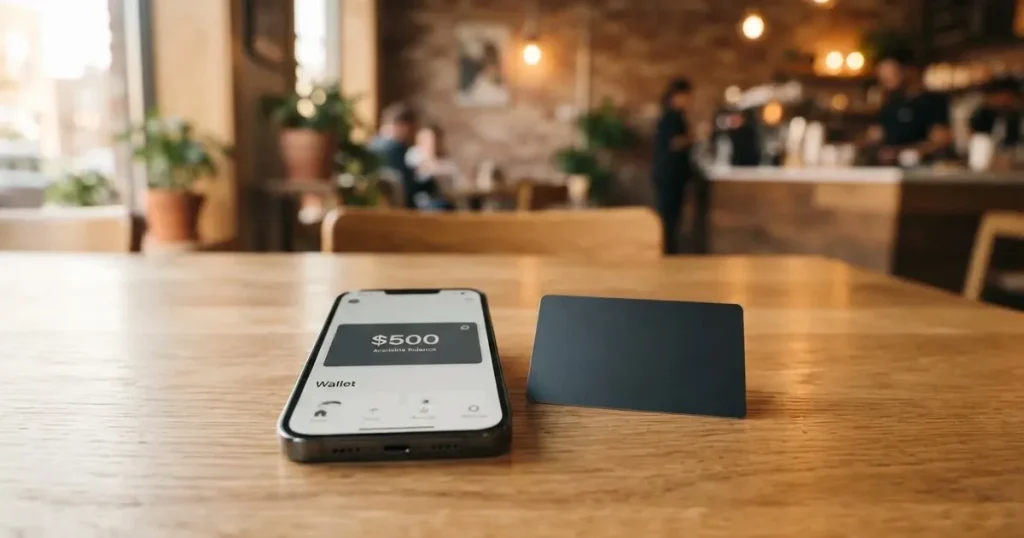
Anytap is a Visa debit card, available as virtual or physical, that you fund with stablecoins such as USDT and USDC. The company behind it is a U.S.-headquartered fintech; per the press materials it is rolling out first across Asia, beginning with South Korea, Japan and Indonesia. If you hold stablecoins and want a card that converts them to fiat at the till, Anytap is one of the more straightforward options I have come across, though several everyday details are still not stated publicly.
Conditions are current as of October 28, 2026.
Verdict
Anytap earns 7.7 out of 10 in my scoring. That score is built from how easy it is to get on board, what it costs, how flexibly you can fund it, what the company behind it looks like, and how it works day to day. Crypto holders who already park funds in USDT or USDC and want to spend them across Asia get the most out of it. If you are looking for a fully regulated European card with named licences and a public complaints page, Anytap is not there yet.
| Criterion | Mark | Why it scores this way |
|---|---|---|
| Who can get it | 9 / 10 | Per the application form, almost everywhere except OFAC-sanctioned countries; the list of supported regions includes the United States, Singapore, the UAE, the United Kingdom, Vietnam, Japan, with an Other option. |
| Cost | 6 / 10 | Issuance is paid up front and the figure is not disclosed publicly; unofficial press figures put a 1% plus $0.30 cross-border fee and a 2% (min. $1) ATM fee, plus a reported 30 USDT minimum top-up. |
| Top-up options | 9 / 10 | USDT and USDC, with USDT on TRC-20 marked as faster and cheaper; over 350 supported coins. |
| Reliability and complaints | 6 / 10 | Headquartered in the U.S. per starting data, but the issuer and licences are not named; no reviews, no Trustpilot page, no Reddit threads. |
| Everyday use | 9 / 10 | Virtual or physical Visa, Apple Pay, Samsung Pay, Google Pay, ATM withdrawals; the press materials say wallet support is being rolled out gradually by card type and market. |
| Total | 7.7 / 10 | A focused product for stablecoin holders in Asia that still needs more public detail on fees, licence and customer support. |
The audience note that sits behind that score is narrow on purpose. If you are paying for lunch in Seoul, a train ticket in Tokyo or a coffee in Jakarta from a USDT balance, Anytap is built for that flow. If you are a European user who wants a card under MiCA, with named issuer licences and a published fee schedule, the picture is murkier and you may prefer one of the alternatives I look at later.
Who they will give the card to
Anytap positions itself as a global card. Per the application form on the site, you can start the sign-up from the United States, Singapore, the United Arab Emirates, the United Kingdom, Vietnam or Japan, and there is an Other option if your country is not in that list. The headline rule, taken from the same starting data, is that the card is open everywhere except countries under OFAC sanctions. That is a meaningful distinction: if you are in a fully sanctioned jurisdiction, you should not expect to be approved, and trying to apply from one would not be sensible.
A few caveats matter for you as a reader. First, the public material does not list the exact countries that are blocked beyond the OFAC reference, so the only honest answer to “is Anytap available in my country” is to start the application and see which country options the form offers. Second, the launch is reported in the press materials as Asia-led, starting with South Korea, Japan and Indonesia. I read that as a signal of where the company is investing in onboarding and support first, not a hard ban on signing up from elsewhere. If you are not in those three, your experience may lag a few months behind.
A second layer worth flagging: any country rules you are subject to as a resident still apply. Anytap may say yes, but your local tax or reporting rules on crypto disposals are yours to manage, and the card does not change them.
How to get the card
The sign-up is built on steps on the web: enter your email, name and address; pay the issuance fee; complete KYC with a passport or national ID plus a selfie; and activate the card. The application says KYC is approved in minutes, which is fast by industry standards — many crypto cards take a working day or more.
Two things the public material does not tell you. The minimum age, proof of address and any tiered verification (basic versus enhanced) are not stated on the page I could read. In practice, if you only have a passport and a clear selfie, that is enough for a first approval; if the issuer later asks for a utility bill or a source-of-funds document, treat that as normal and not as a sign anything is wrong.
The card itself is a Visa debit card, virtual or physical. Unofficial press material describes both card types as Visa-network products and says a user can hold up to three cards. Card currency is not stated. Delivery times for the physical card are not stated either, so it is worth treating the virtual card as the working card and the physical one as a back-up until the letterbox fills.
Fees and what a real payment costs you
Issuance costs money and the amount is not stated publicly. There is also no published monthly or annual fee in the official material. Press material reports a 1% plus $0.30 cross-border transaction fee, a 2% ATM cash withdrawal fee with a $1 minimum, and a 30 USDT minimum top-up. These are not on the Anytap page, so I am giving them to you as unofficial figures, not as terms you have agreed to. Treat them as the order of magnitude you should expect, not as a quote.

| Fee or limit | Amount | Notes |
|---|---|---|
| Issuance | not stated | Paid before activation; amount varies, undisclosed. |
| Monthly fee | not stated | None mentioned in the public material. |
| Conversion / FX | unofficial 1% + $0.30 per cross-border transaction | Press release, not on Anytap’s page. |
| ATM withdrawal | unofficial 2%, min. $1 | Press release, not on Anytap’s page. |
| Top-up fee | starting data: 3% | Per initial data, not independently verified. |
| Minimum top-up | unofficial 30 USDT | Press release, not on Anytap’s page. |
| Daily and monthly limits | not stated | Not on the public page. |
| Card currency | not stated | Not disclosed in the official fee schedule. |
To put that into a real day. Imagine you are in Tokyo and you tap to pay for a coffee, billed in JPY. The card converts USDT to fiat, then settles in JPY, so you are crossing both a crypto-to-fiat and a fiat-to-fiat border. If the cross-border fee of 1% plus $0.30 applies, that coffee just cost you a few dollars in fees once you stack conversion and FX. If you are paying in a currency that matches the card’s base currency (USD is the most likely candidate, given USDT and USDC are the funding tokens) the cross-border line should not apply and your cost is just the conversion.
A second example: you take 200 USDT out of an ATM in Jakarta. The 2% (minimum $1) cash withdrawal fee on a $14-ish withdrawal is meaningful, and most ATMs add their own surcharge on top. Cards like this are usually better for paying at a terminal than for pulling cash.
A third: you top up the card with 100 USDT. The unofficial 30 USDT minimum does not bite, but the 3% top-up fee (per starting data) means $3 of value disappears before you have spent anything. Plan your top-ups so you are not paying that fee every week.
Fees for this card can vary by market and card type. Always check the official fee schedule shown in the Anytap app or website at the time of your transaction, as that is the final and binding rate.
Top up: how to fund the card
The funding model is the strongest part of the product. Anytap takes USDT and USDC, the two largest dollar stablecoins, and explicitly says USDT on the TRC-20 network is faster and cheaper than USDT on ERC-20. That matters in real money. A TRC-20 transfer typically costs a fraction of a dollar in network fees; an ERC-20 transfer of USDT can run several dollars when Ethereum is busy. If you have a choice and the receiving address on Anytap supports TRC-20, use it.
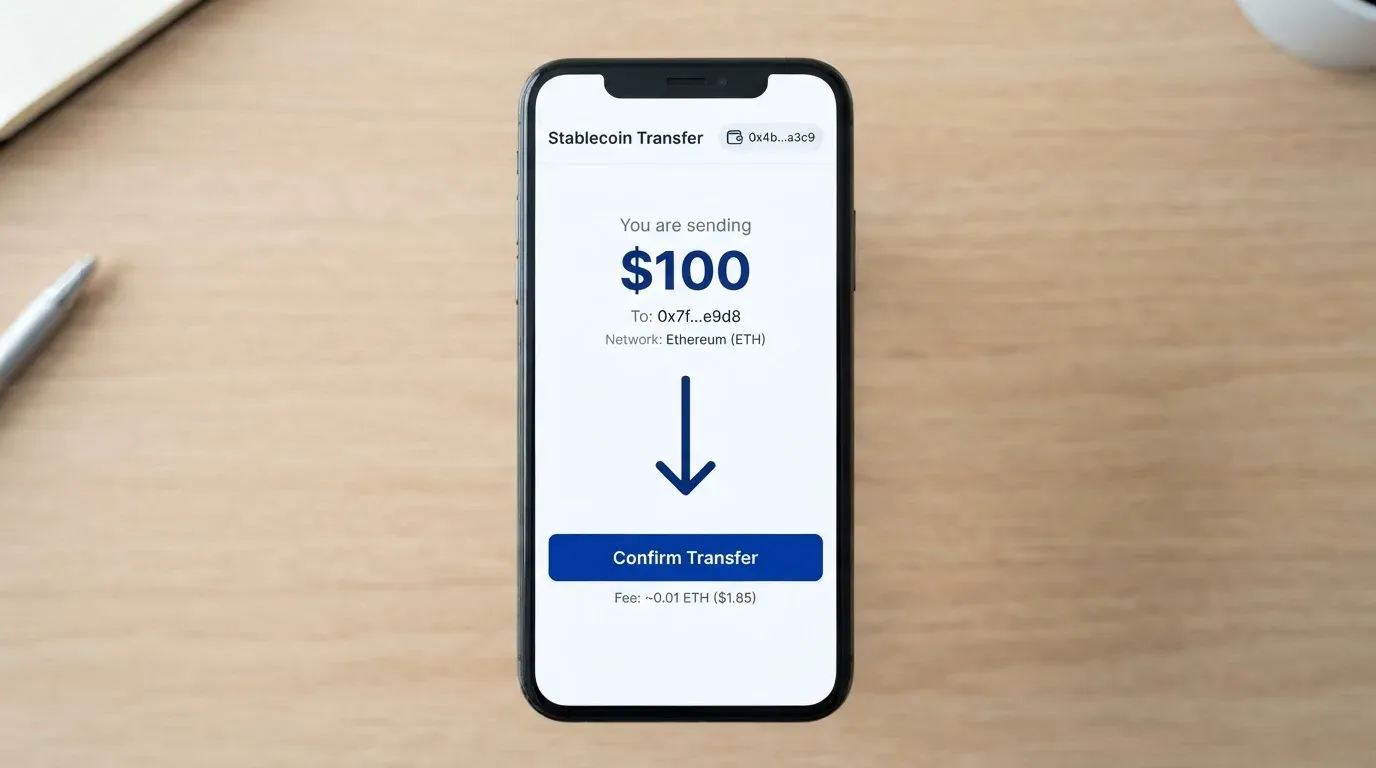
Beyond those two, the press material says more than 350 coins are supported. The list of which coins route through which networks is the part I could not find stated cleanly on the public page, so do not assume a coin is supported just because you hold it. The rule of thumb is: stick to USDT or USDC on a network the page tells you is supported, and treat the long tail of 350+ coins as marketing until you have seen the actual funding screen in the app.
The starting data also reports a 3% top-up fee, and a press-release figure of a 30 USDT minimum. The network fee for the transfer itself is paid on-chain, not by Anytap; that is the gas or bandwidth that the blockchain charges. Anytap’s own top-up fee, if the 3% figure is correct, is on top of that. Nobody else pays the network fee for you, and the wrong network is not something the support team can refund — blockchain transfers are irreversible, so sending USDT on a chain Anytap does not support is a real risk of losing the funds.
One practical point about the alternative funding routes. The press release also mentions that balances can move between a user’s own cards and that loaded funds can be withdrawn to an external wallet. I would not lean on the second half of that for day-to-day cashing out; treat it as a fallback, and assume a delay or a fee on the way back out, because the public page does not spell it out.
Paying with it every day
A Visa debit card is one of the more useful things to carry, because almost any shop, restaurant or online merchant that takes cards will take a Visa. The headline is that Anytap is virtual or physical on the Visa network, supports Apple Pay, Samsung Pay and Google Pay, and lets you withdraw cash at ATMs.
A few honest caveats. The press material says mobile wallet support is “rolled out progressively depending on card type and local market conditions”, so I would not assume Apple Pay works on day one on the card you receive. If the wallet add fails, try again a few weeks later, or use the physical card at a terminal. Blocked merchant categories are not stated. In the wider category, gambling (MCC 7995) is the most commonly restricted category across prepaid and crypto cards, and the same is likely to be true for Anytap, but I cannot confirm it from public material.
A second practical point. If you pay online, expect 3-D Secure challenges (Visa Secure on this card) and address verification on some merchants. AVS works for US, Canadian and UK addresses and is unreliable for foreign-issued cards, so you may see a few declines at smaller online shops that rely on AVS. That is a category issue, not an Anytap-specific issue, and a virtual card often sidesteps it by being in the same country as the merchant.
A third, and slightly awkward, point: I could not find an Anytap card app in the App Store or Google Play at the time of writing. The only “AnyTap” result was an unrelated accessible-camera app. If you are reading this later, that may have changed; if not, expect a web-based control panel rather than a native app, and plan your card management around that.
What can go wrong
Three risks stand out for a reader weighing this card.
The first is the licence and issuer picture. Anytap is described as a U.S.-headquartered fintech, but the press material does not name the issuing bank or e-money institution, and does not list the licences under which the programme operates. In a category where Visa itself has terminated programmes (FTX in November 2022, WaveCrest in Europe in 2018), the identity of the issuer is a meaningful part of the answer to “what happens if the company runs into trouble”. With Anytap that answer is not in the public material, and you should take that into account.
The second is the complaints picture, which is simply empty. There is no Trustpilot page, no Reddit thread, no review site with any volume. That can mean two things: either the card is too new to have generated a body of user feedback, or it is not being used widely enough for that feedback to exist. Either way, the practical effect is the same — you are buying into a product where the social proof is not yet there. If you put a small amount on it as a test, you learn the same things the early reviews would have told you, with less money at risk.
The third is the stablecoin side of the model. USDT and USDC are designed to track the dollar, but they are not bank deposits. TerraUSD collapsed in May 2022, and USDC briefly lost its peg in March 2023 during the US banking stress. Tether has also frozen wallets tied to sanctioned activity, which means the asset is not uncensorable. None of that is Anytap’s fault, but the card inherits it. The press material’s line that balances can be moved between a user’s own cards and withdrawn to an external wallet is your escape hatch — and, like all escape hatches, it is most useful before you need it.
Finally, the small operational risks. A wrong-network deposit can be lost because blockchain transfers are irreversible. A merchant decline can put a hold on your balance for up to about a week. Support is not described publicly, and I could not find an app to use as a back-up, so if something goes wrong, you are working through email or a web form.
What to take instead
Anytap is not the only card in this lane, and the honest comparison is between three other products. None of them is a perfect substitute, and the one you pick depends on whether you care more about price, geographic reach or coin choice.
- CardFlow — 4.9 / 10. A virtual USD Mastercard aimed at Nigeria, with the headline “Nigerians and global users”. Creating a virtual card is free in the site FAQ, but country eligibility is not stated, fees are not stated, and funding is in Bitcoin, USDT, ETH or Naira bank transfer. If you need a free virtual USD card and you are in or close to the Nigerian market, it is a real option. If you are not, the lack of disclosed fees is a problem.
- HyperCard — 4.7 / 10. A prepaid card whose App Store page says it works in 176+ countries (which is acceptance, not eligibility). Card balance is in USD or EUR, funding is in USDT, BTC or ETH in the app, and the App Store listing does not show fees. The lower mark reflects the absence of a published fee schedule, an unclear eligibility list and a thin public footprint.
- Card.fi — 6.6 / 10. Ships to 200+ countries with a sanctions clause rather than a country allow-list. Virtual Classic ($49) and Virtual Premium ($249), with physical and metal variants; a Classic top-up fee of 1.5% plus $1, a Premium top-up fee of 1%, FX of 3.5% on Classic and 2.5% on Premium. Funding is 32 coins across 5 networks. Cashback on card spending runs from 0.8% (Classic, capped at 10 USDT a month) up to 2% on Metal; balances earn up to 18% on the Metal tier. Card.fi is the most explicit of the four on what you pay and what you get, which is the main reason it scores above the others.
| Card | Score | Best fit | Honest weakness |
|---|---|---|---|
| Anytap | 7.7 / 10 | Stablecoin holders in Asia paying in USDT or USDC | Issuer, licence and detailed fee schedule not stated publicly |
| CardFlow | 4.9 / 10 | Free virtual USD card, Nigeria-leaning | No country list, no fee disclosure |
| HyperCard | 4.7 / 10 | Broad acceptance, USD/EUR balance | Unclear eligibility, no published fees |
| Card.fi | 6.6 / 10 | Transparent fees, 32 coins, cashback | Up-front issuance price on virtual tiers |
If you want the most open-ended product and you are happy to live with not seeing every fee on a webpage, Anytap is the one to start with. If you want the most explicit fee schedule and broader funding, Card.fi is the safer second look. If you want a free virtual USD card and you are in or near Nigeria, CardFlow is the cheapest entry. HyperCard is the fallback for broad acceptance with thin public detail.
Who I would recommend it to
I would recommend Anytap to a stablecoin holder in South Korea, Japan, Indonesia, Vietnam, Singapore, the UAE, the UK, the United States or another supported country who wants to convert USDT or USDC at the point of sale without going through a centralised exchange first. If your monthly spend is modest, your main use is in-person payments, and you are happy to use USDT on TRC-20 to keep network fees low, this card fits the use case.
I would not recommend it to a reader who needs a fully named issuer and a clear regulatory licence, who wants a published fee schedule before they sign up, or whose main use case is online shopping in markets that lean on AVS. I would also be cautious if you are a European user, because the card does not present itself in terms of MiCA, an EU e-money licence or any CASP authorisation I could read in the public material, and that is the framework under which most regulated European crypto cards operate today.
A practical way to start: load a small amount of USDT on TRC-20, set the card up with a virtual number, add it to your phone wallet if the roll-out has reached your market, and spend it for two weeks. If the experience is solid, scale up. If not, you have a small, recoverable loss and a useful comparison point for the next card you try.
Frequently asked questions
What is the Anytap card?
The Anytap card is a Visa debit card, available as virtual or physical, that you fund with stablecoins such as USDT and USDC. The crypto is converted to fiat at the point of sale, and the card settles through the Visa network anywhere Visa is accepted.
How does the Anytap card work?
You sign up on the web with your email, name and address, pay the issuance fee, complete KYC with a passport or national ID plus a selfie, and activate the card. You then top up the card with USDT or USDC (USDT on TRC-20 is described as faster and cheaper), and you spend at any Visa-accepting merchant or ATM.
Is Anytap a bank?
The public material describes Anytap as a U.S.-headquartered fintech. It does not name a bank issuer or a specific e-money institution, and it does not list the licences under which the card programme operates. Treat the licence picture as unstated rather than as confirmed.
Who owns Anytap?
Ownership is not stated in the public material I could read. The company is described as a U.S.-headquartered fintech, and the press releases describe a launch focused on Asia, beginning with South Korea, Japan and Indonesia. Beyond that, the corporate ownership and backers are not disclosed in what I have access to.
Is the Anytap card available in my country?
Per the application form, the card is open worldwide except OFAC-sanctioned countries, and the form offers United States, Singapore, UAE, United Kingdom, Vietnam, Japan and an Other option. The only honest test is to start the application; the form will tell you which country options it accepts before you commit to KYC.
How do I apply for the Anytap card?
You apply on the web: enter your email, name and address, pay the issuance fee, complete identity verification with a passport or national ID plus a selfie, then activate the card. The application says KYC is approved in minutes, though the public material does not state a minimum age, proof-of-address requirement or any tiered verification levels.
Does the Anytap card require KYC?
Yes. The sign-up requires a passport or national ID and a selfie, and the application says approval takes minutes. Proof of address is not stated publicly, and any later request for a utility bill or source-of-funds document should be treated as standard rather than as a problem.
How do I top up the Anytap card?
You send USDT or USDC to the deposit address shown in the app, on a network the app tells you is supported. USDT on TRC-20 is described as faster and cheaper; ERC-20 works but is more expensive in network fees. The press material reports a minimum top-up of 30 USDT and a top-up fee of 3% per starting data, neither of which is on Anytap’s own page.
How do I add the Anytap card to Apple Wallet or Google Pay?
The press material says mobile wallet support is being rolled out progressively by card type and market, so the practical answer is to add the card through your phone’s wallet app once the roll-out has reached your region. If the add fails on day one, try again later, or use the physical card at a terminal in the meantime.
Is the Anytap card safe?
The card sits on the Visa network, which sets the underlying security standards. Above that, the safety picture depends on the issuer and licence (not publicly stated for Anytap), the stability of the stablecoins you fund it with (USDT and USDC have both had stress events), and your own key custody. The press material mentions that balances can move between your own cards and be withdrawn to an external wallet, which gives you an exit route. Treat that exit route as the most important safety feature, and have a plan to use it before you need to.
Virtual card verdicts – cryptocardverdict
Content created by the «cryptocardverdict» team