
A virtual dollar card from a crypto app, with most of the details still left unsaid
 Available in US
If you have been looking for a way to spend dollars from a phone and you live somewhere ordinary bank cards are hard to get, you may have come across Apex. It is sold as a virtual dollar Mastercard that lives inside a crypto app — you fund the card from a crypto balance, and the card settles your purchases in US dollars. That pitch is appealing, and on paper it does what a lot of people need. The trouble is that when you start reading the small print, almost nothing about Apex is actually written down.
This review is the result of going through every public Apex page I could find: the FAQ, the contact page, the app store listing, the Google Play listing where I could see it, and the main site. The score below reflects what is and, more importantly, what is not on those pages. Most of the things you would normally check before signing up — fees, supported coins, supported countries, the name of the bank behind the card, even whether a physical card exists — are simply not stated.
The conditions on the card and the app are current as of October 28, 2026.
Verdict
Apex is a virtual dollar Mastercard that you issue from inside the Apex app, fund from a crypto or fiat balance, and use online or in stores that accept Mastercard. That is the pitch, and the only pitch. Everything else — who can get one, what it costs, where the card works — is left for you to find out by signing up.

The total score is 4.2 out of 10. That is a low score for a crypto card, but it is not a verdict on the idea of Apex. It is a verdict on the information available right now. With the fee schedule undisclosed, the issuing bank unnamed, the supported countries not listed and almost no third-party reviews to lean on, I cannot tell a new user what they would actually be paying, where they could use the card, or what recourse they would have if something went wrong.
| Criterion | Mark | Why it scores this way |
|---|---|---|
| Who can get it | 3 / 10 | The list of supported countries is not disclosed on the FAQ or terms page. Starting data suggested Nigeria and a few African markets, but the company has not confirmed that publicly. |
| Cost | 5 / 10 | No issuance fee, monthly fee, conversion fee, ATM fee or any other charge is listed in the public FAQ. The score here is for the absence of fee disclosure, not for being expensive. |
| Top-up options | 5 / 10 | You can fund the card from a fiat wallet or a supported crypto balance inside the app. The supported coins and the networks they are sent on are not listed. |
| Reliability and complaints | 5 / 10 | The app is published by Apex Web Network Ltd. and the site displays an NDPR certificate, which is the Nigerian data-protection framework. The issuer, the country of incorporation and any licences are not named. I found no card-specific complaints and no third-party reviews to balance against. |
| Everyday use | 3 / 10 | It is a virtual-only dollar Mastercard, and the app store text describes it as a “virtual dollar MasterCard”. Apple Pay, Google Pay and ATM access are not mentioned. There is no physical card. |
Who it suits, in plain language, is the audience the app is most clearly aimed at: a user in Nigeria who already trades inside Apex, who wants an instant dollar card to spend online, and who is comfortable trusting a single app for both the wallet and the card. If that is you, the card may be useful. If you are anywhere else, or if you want a card you can read the small print for before you sign up, Apex is not yet the right answer.
Who will they give you the card
The short answer is: I do not know, and neither does the public website.
The Apex FAQ and the terms page I read do not list the countries where the card is available, the documents you must hand over to get one, the minimum age, or the proof of address that the app will ask for. The FAQ mentions, in passing, that “limits depend on card type, verification level, and available balance”, which tells me that there is some kind of tiered onboarding — but the tiers themselves are not described anywhere I could find.
The starting data I had before going through the site suggested Nigeria and a few other African markets, with Nigeria being the most likely home country given that the app store seller is Apex Web Network Ltd. and the site displays an NDPR (Nigeria Data Protection Regulation) certificate. I want to be upfront that this is unofficial and not confirmed by anything Apex itself publishes: the public pages do not say “Nigeria” or any other country. Treat that as a working hypothesis, not as a fact.
What I can say with confidence is this: the card is positioned as something a user creates inside the app, after funding either a fiat wallet or a crypto balance, and the app issues it instantly. There is no waiting for a plastic card to arrive in the post, because there is no plastic card. If the country you are in is not one Apex supports, the app itself should block you at sign-up — but I have not been able to test that, and the company has not published a list of which countries will see that block.
If you are someone who already has trouble getting a normal Visa or Mastercard from a local bank, the obvious question is whether Apex can plug that gap. The honest answer is: maybe, but only if your country is on the list, and the list is not public. The first thing to check, before you install the app and start uploading documents, is whether the company has a published support page or a contact form that will tell you directly. The site has a Contact Us page at /contact-us and a Help Center FAQ, and the fastest check is to ask the support team whether your country is supported before you hand over an ID.
How to get it
The signup flow, as the public pages describe it, runs entirely inside the app. You install the Apex app, create an account, fund a wallet — either by depositing fiat or by sending in crypto — and from there you create a card. The app generates a virtual Mastercard number and you can start using it immediately for online purchases. There is no delivery step, because no physical card is offered.
Identity verification is where the lack of detail starts to matter. The pages I read do not list the documents the app will ask for. They do not say whether a passport is enough or whether a national ID plus a proof of address is required. They do not confirm the minimum age. They do say that the limits you will face depend on your “verification level”, which suggests that there is a tiered system in which someone who has uploaded more documents gets higher spending caps, and someone who has only an email address and a phone number gets much less. The exact tiers, the documents that unlock each one and the limits on each tier are not published.
If you have used a regulated crypto exchange before, you will know roughly what to expect: the usual mix of government ID, a selfie, a proof of address, and possibly a source-of-funds check at higher tiers. Apex is a Nigerian-registered company with an NDPR certificate on its site, which suggests it is at least working within the Nigerian data-protection rules. That is a start, but it is not a substitute for the licence, the regulator and the issuing bank that you would normally expect to find named on a card’s terms page, and none of those three are named.
Two practical pieces of advice. First, treat the signup as a test of customer support: if you cannot get a clear answer to “is my country supported?” before you upload your ID, that is information about the company, not just a missing webpage. Second, do not fund the wallet with more than you intend to spend on the card in the first month, until you have seen the fee schedule appear in the app and you have confirmed the limits on your verification level. The card is issued instantly, which means the limits on the unverified tier may be very low.
What it really costs
Here is the table I would normally build up from a fee schedule that the card issuer publishes, and the table I can actually build from Apex:
| Fee or limit | What Apex says |
|---|---|
| Card issuance | Not stated |
| Monthly or annual fee | Not stated |
| Conversion (crypto to USD at spend) | Not stated |
| Foreign-exchange fee (USD on a non-USD merchant) | Not stated |
| ATM withdrawal | Not stated (and no physical card is offered) |
| Daily spending limit | “Depends on card type, verification level, and available balance” — no amounts given |
| Monthly spending limit | “Depends on card type, verification level, and available balance” — no amounts given |
That is the cost section, and I want to be honest with you: I cannot tell you what an Apex card costs to run. The only concrete thing in the public material is that the card is a US-dollar card, which means you will be spending in dollars, and that you fund it from a crypto or fiat balance inside the app, which means at some point a conversion will happen. The rate at which that conversion happens, the spread on top of the market rate, and any flat fee the app charges on top of the spread are all unstated.
Let me walk through three everyday payments so you can see where the missing fees would land.
First, a small online purchase in dollars — say, a $20 subscription. You fund the card from a crypto balance, the app converts the crypto into dollars at whatever rate and fee it chooses, the card settles the $20 to the merchant, and the merchant sees a US-dollar Mastercard transaction. In this scenario the conversion is the only fee that would apply, and that fee is undisclosed. Without a published rate or fee schedule, you cannot know the cost of the transaction in advance.
Second, a purchase from a European shop that charges in euros. The Mastercard network will convert the euros into dollars at the wholesale rate and Apex’s issuing bank may add a foreign-exchange fee on top. That fee, again, is not stated. For comparison, mainstream crypto cards typically charge a foreign-exchange fee on non-USD spending, but Apex’s specific fee in that range is unknown.
Third, withdrawing cash from an ATM. Because the card is virtual-only and there is no physical card mentioned in the materials I read, ATM access is not stated. Some virtual cards do support ATM withdrawals through a linked account or a card-to-card transfer, but I have not seen that confirmed for Apex, and the ATM fee (which on competitor cards ranges from $1.50 to $3 plus 1% to 2% of the amount) is not stated either.
The general rule for crypto cards is that the on-chain network fee for the deposit is charged by the blockchain, not by the card provider. If you top up the Apex card by sending USDT on Ethereum, the gas fee you pay to move the USDT is an Ethereum network cost. If you send the same USDT on Tron, the network fee is paid through Tron’s bandwidth and energy system, often by burning a small amount of TRX. Those are network costs, not Apex costs, and they apply whether the card issuer is Apex or anyone else.
The honest summary of the cost section is that I cannot give you a number. The score I gave this section, 5 out of 10, is not a verdict that the card is expensive — it is a verdict that the price of using the card is unknown until you try it. For a user who treats the card as a small discretionary spend, that may be acceptable. For anyone planning to run a meaningful balance through it, it is not.
Top up
Apex funds the card from inside the app, and the two funding paths the public pages describe are: a fiat wallet balance on the platform, and a supported crypto balance on the platform. That is the extent of what is stated.
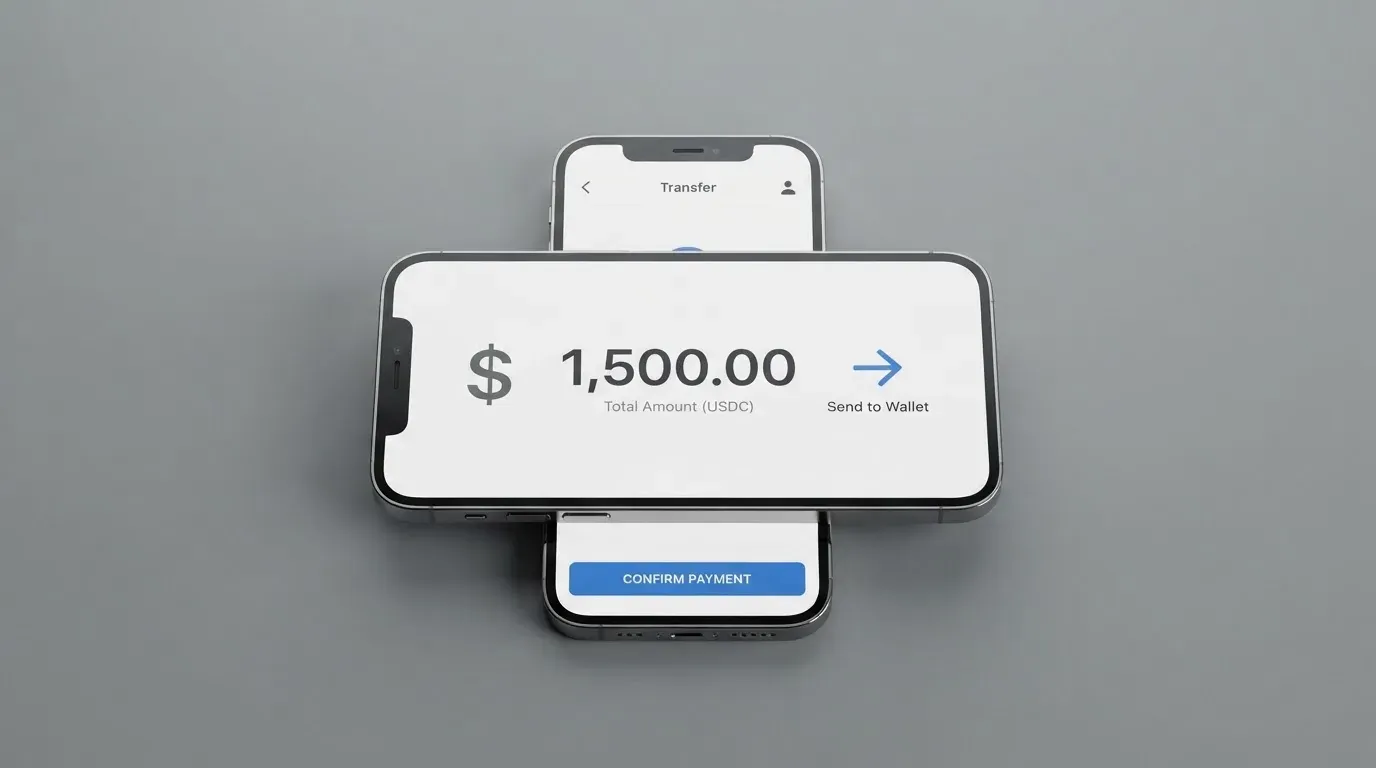
The list of supported coins is not published, and the networks those coins are sent on are not published either. For a user, that matters a lot, because sending a coin on the wrong network is one of the most common ways to lose money in crypto, and the rule is the same whether the receiving end is a card provider or a centralised exchange. The general background that applies to any crypto card is that a token sent on a chain the provider does not support, or to an address for a different chain, can be lost permanently, because blockchain transfers are irreversible. Some providers will attempt manual recovery, but there is no guarantee.
If Apex supports USDC, for example, it might accept it on Ethereum, on Polygon, on Base, on Solana, or on some subset of those. Circle, the issuer of USDC, lists the coin as natively supported on 38 networks, and Tether’s USDT is issued on Ethereum, Tron, Solana, Polygon, Avalanche and others. The card’s own app will tell you which combinations it actually accepts, but the company has not put that list on the public website, which means a first-time user cannot plan their top-up in advance.
A second point worth raising here is the difference between funding the card and withdrawing from it. The Apex FAQ has a section called Withdrawals & Transfers, hosted at /faq/withdrawals-transfers, which I did not read in detail. The public material I have does not say whether you can move the card balance back out to a bank account, to a crypto address, or to another card, nor what fee would apply. If your plan is to keep a balance on the Apex card and move it on later, that is a question to put to support before you load the card.
A third point is that Apex describes itself as a crypto exchange, and the wallet that holds your balance is, by default, a custodial wallet: the company holds the credentials and you trust it to look after the funds. With a custodial wallet the user must trust the provider completely, because a stolen private key has no built-in recovery and the network cannot freeze or return the funds. Custodial platforms have a record of failures in the wider industry, and the only protection in that model is the company’s solvency and its custody practices. Apex has not published a custody policy that I could find.
For a user who is used to the discipline of a hardware wallet, the right mental model for funding an Apex card is: only load the card with the amount you plan to spend in the next few days, treat the in-app balance as money held by a third party, and do not leave a long-term store of value sitting in the Apex wallet.
Paying with it every day
Once the card is issued, the public description of how it works is straightforward: it is a virtual dollar Mastercard, issued instantly, and the app text on the App Store describes it as a “virtual dollar MasterCard”. There is no physical card mentioned. That has practical consequences for everyday use.
Online shopping should work anywhere a Mastercard is accepted, because the card is, by every indication, a standard Mastercard number with a US-dollar balance behind it. The merchant sees a US-issued Mastercard, runs the transaction, and the cardholder pays in dollars. Three things can still go wrong, and they are worth being aware of even when the card itself is fine.
First, some merchants decline prepaid or foreign-issued cards automatically. The way merchants screen for that is by looking at the card’s BIN — the first six or eight digits of the card number identify the issuing institution and the country — and comparing it to the billing address. If a merchant’s policy is to refuse prepaid or non-domestic BINs, an Apex card could be declined at checkout even though the card itself is healthy. This is more common in the United States, Canada and the United Kingdom, where Address Verification Service compares parts of the billing address against the issuer’s records, and where foreign-issued cards are more likely to be rejected.
Second, online card payments are increasingly protected by 3-D Secure — the additional identity check that asks for a one-time code or a biometric confirmation. Mastercard’s brand for that is Identity Check, and the protocol that powers it is EMV 3-D Secure 2, published in 2016, which is now standard in the EU under strong customer authentication rules. The cardholder experience is that some payments go through with no extra step, and some trigger a confirmation in the issuer’s app. Apex has not described how 3-D Secure works on its card, and a user who is not prepared for an unexpected challenge at checkout can lose a purchase.
Third, because the card is dollar-denominated, any non-dollar purchase goes through the Mastercard wholesale rate, and the cardholder sees the conversion on the statement. The Apex foreign-exchange fee, if any, would be added on top of that wholesale rate. The published material does not say what that fee is, which is why I keep coming back to the cost section.
For the things that are not mentioned, the honest list is: Apple Pay, Google Pay, ATM access, contactless in-store payments, and the ability to add the card to a mobile wallet. None of these are described in the public material. A virtual-only card can in principle be tokenised into a phone wallet — that is the technical point of tokenisation, that the device account number stored in the phone’s secure element can stand in for the plastic card number — but I have not seen Apex confirm that the card works in Apple Pay or Google Pay, and a user who needs to tap to pay in a physical shop may find that the card is not set up for that.
For rewards, the published material is also silent. Some crypto cards pay cashback in the card’s own token, others pay in Bitcoin, others pay nothing. Apex’s position on rewards is not stated, and you should not assume a benefit that is not written down.
The mobile app itself, which is where the card lives, has a 4.5 out of 5 rating on the App Store with around 2,300 ratings, and the seller is listed as Apex Web Network Ltd. I could not obtain a Google Play rating on the same day. A 4.5 average is a good signal for an app that handles money, but it is the app rating, not the card rating: the people leaving those reviews are mostly commenting on trading, charting and login flow, not on whether their card payments went through.
What can go wrong
The first category of risk is the one any crypto card carries: counterparty risk. With a custodial wallet, the company holds the private keys to your funds, and if the company fails, your money can be lost along with the company’s other liabilities. The history of the wider industry includes Mt. Gox, where roughly $350 million was reported stolen between 2011 and 2014; Coincheck, where around $400 million was lost in 2018; and the Ronin Network hack of 2022, which was about $625 million. None of those are reasons to assume Apex will fail, but they are reasons to keep the balance on a custodial card small.
The second category is the network risk of the cards themselves. Visa and Mastercard do not issue crypto cards to consumers directly. They license issuers, and they can suspend a programme. Visa’s 2018 suspension of WaveCrest, a card issuer that supplied several crypto brands in Europe, closed every WaveCrest-issued Visa programme overnight. In November 2022, Visa said it had “terminated our global agreements with FTX” and the FTX US debit card programme was wound down by its issuer. The lesson is that a card that exists today may not exist tomorrow, and the user is the one who has to move the balance out.
The third category is regulatory risk, which is especially relevant for a card whose own regulatory home is not stated. In the EU, the Markets in Crypto-Assets Regulation (MiCA) took legal effect in June 2023, and the rules on asset-referenced tokens and e-money tokens applied from 30 June 2024. The remaining provisions, including the rules for crypto-asset service providers, applied from 30 December 2024. A transitional period runs until 1 July 2026 for providers already operating under national law, after which they need a MiCA authorisation or they must stop serving EU customers. Apex has not stated where it is incorporated, which licences it holds, or whether it has a MiCA authorisation, and that gap is one of the bigger practical risks for any user in Europe.
The fourth category is the everyday risk of the card being declined. A merchant category code (MCC) is a four-digit number that classifies a business by goods and services, and some issuers block certain MCCs by policy. MCC 7995 covers gambling, and many issuers block it on specific card products. Apex has not published a list of blocked categories, and a user who plans to use the card at a specific type of merchant has no way to know in advance whether the transaction will go through. A related risk is the hold that a declined authorisation can leave on the funds: an authorisation hold can remain for several days, typically up to seven, even though the transaction itself was rejected.
The fifth category is support. The company has a Help Center FAQ and a Contact Us page. The hours the support team operates and the languages it works in are not stated. If your card is declined at the airport on a Saturday night, the answer to “can someone help me” depends on whether the support team is staffed, and that question has no published answer.
The sixth category is the long list of things Apex has not stated at all: the issuing bank, the licence, the country of incorporation, the supported countries for the card, the fees, the limits, the supported coins, the networks, the ATM policy, the rewards policy, the dispute process, and the privacy and data-handling details behind the NDPR certificate. None of these are reasons to assume the worst, but they are reasons to keep the balance on the card as small as your spending allows.
One small thing the company does offer: the card can be frozen, unfrozen or permanently blocked in the card settings. That is a useful control, and it is the kind of instant freeze that is now standard on any consumer card. It is the one safety feature I can point to by name.
What to take instead
Because Apex discloses so little, the right way to compare it to other cards is to compare what those other cards disclose, and to compare them on three questions: who can get one, what does it cost, and what does it do for you in everyday use. Here is how three alternatives stack up.
| Card | Score | Where it works | Card type | What it costs | Top-up | Rewards |
|---|---|---|---|---|---|---|
| Apex | 4.2 / 10 | Not stated | Virtual dollar Mastercard | Not stated | Fiat or supported crypto in app | Not stated |
| Young Card | 5.7 / 10 | Not stated | Not stated officially | Not stated officially | Not stated for the card itself | Cashback in YNG tokens: Essential 0.1%, Gold 1.8%, Platinum 3.6% |
| Coinbase Card | 6.4 / 10 | US states except Hawaii | Visa prepaid debit, virtual or physical | No spending fees, no annual fees; spread applies on crypto conversion at payment | Bank account, paycheck deposit, or crypto balance on Coinbase (converted to USD) | Optional crypto rewards on every purchase, US card users only; rate varies and is shown in the app |
| OKX | 6.2 / 10 | EU plus Norway (Iceland and Liechtenstein excluded; one source says “entire EEA”, inconsistent) | Euro-denominated virtual Mastercard linked to OKX Pay | No card fee, no transaction fee, no OKX FX fee; conversion spread 0.1% per one explainer, 0.4% per another; conversion to euro at purchase | USDC or USDG held in OKX Pay; other coins must be converted first; no auto top-up, decline if balance insufficient | Cashback on USDG purchases only (USDC earns none), monthly caps in EUR up to 1,000 by tier |
The simplest read of the table is that Coinbase Card and OKX are the cards to look at first if you want a crypto card with a published fee schedule. Coinbase Card is available to US residents in every state except Hawaii, charges no spending fees and no annual fees, and applies a spread at the point of conversion — meaning the cost of paying with crypto is built into the exchange rate you see at checkout rather than a separate fee line. Coinbase does the identity checks required by the USA PATRIOT Act, and the rewards programme is optional and US-only. The catch is geographic: if you are not in the United States, Coinbase Card is not on the menu.
OKX is the more interesting comparison for a European user. It launched in the EU plus Norway on 28 January 2026, with Iceland and Liechtenstein excluded; one published explainer summarises the rollout as the “entire EEA”, which is inconsistent with the exclusion list and worth flagging. The card is a euro-denominated virtual Mastercard linked to OKX Pay, issued via an unnamed European licensed payment provider. The fee story is clearer: no card fee, no transaction fee, no OKX FX fee, and a conversion spread of 0.1% per the most recent explainer, against a 0.4% figure in the launch press release — the explainer is the newer number, but the inconsistency is real and worth being aware of. The funding model is also specific: only USDC or USDG held in OKX Pay can be spent, and other coins have to be converted first. There is no auto top-up, and a payment is declined if the balance is not enough. The rewards story is that cashback is paid only on USDG purchases, not on USDC purchases, and the rates and monthly caps vary by user tier.
Young Card sits in the middle of the table. The reward structure is published — Essential at 0.1%, Gold at 1.8%, Platinum at 3.6% — but the countries, the card type, the cost and the funding are not stated officially. That makes it a hard recommendation: the only thing I can tell you about Young Card with confidence is that it pays its cashback in YNG tokens, and the rest is a question to put to its support team.
If the appeal of Apex for you is that it is sold inside a crypto app and you can fund it from a balance you already hold, the closest alternative on the table is OKX, which follows the same logic with a clearer fee schedule. If the appeal is a US-dollar card you can use online anywhere, the closest alternative is Coinbase Card, again with a clearer fee schedule and a much larger user base. Apex, by comparison, is the option you would choose because you specifically want to use the Apex app and you are willing to take the rest on trust.
Who I would recommend it to
The honest recommendation is narrow.
Apex is the card I would suggest to a user in Nigeria, or in another country where Apex is confirmed to operate, who already trades crypto inside the Apex app, who wants an instant virtual dollar card to spend online, who is comfortable with a single company holding both the wallet and the card balance, and who is not planning to run a meaningful balance through the card. For that user, the card does what it says on the tin: it is a dollar Mastercard you can use online within minutes, funded from a balance you already have on the platform. The score of 4.2 is not a verdict that the card is bad — it is a verdict that the documentation is not yet good enough to take the card to a wider audience.
Apex is not the card I would suggest to a user in Europe, North America, or anywhere outside the markets the company is plausibly targeting, because the regulatory and disclosure story has too many gaps. It is not the card for a user who needs a physical card, who plans to use Apple Pay or Google Pay, who needs ATM access, who plans to spend in currencies other than dollars, or who plans to keep a balance on the card for more than a week. And it is not the card for a user who is not prepared to ask the support team, in writing, for the fees, the limits and the supported countries before they fund the wallet.
The single most important thing to do before installing the app is to send the support team a message — through the Contact Us page at /contact-us — asking three questions. First, is my country supported? Second, what are the fees on the card, and can you send me the fee schedule? Third, what is the issuing bank, and what licences does the platform hold? The answers to those three questions will tell you whether the card is for you, and the absence of an answer is itself an answer.
Frequently asked questions
What is Apex card?
Apex is a virtual dollar Mastercard that you create and use inside the Apex crypto app. You fund it from a fiat or crypto balance in the app, and you can spend the balance online anywhere Mastercard is accepted. The card is virtual-only, the app store text describes it as a “virtual dollar MasterCard”, and there is no physical card.
How does Apex card work?
You install the Apex app, create an account, fund a wallet on the platform with either fiat or supported crypto, and then create the card. The card is issued instantly, with a US-dollar balance behind it, and the app converts your crypto into dollars at the moment of purchase. The conversion rate and any fee on top of it are not stated in the public FAQ.
Is Apex a bank?
Apex is not described as a bank on the pages I read. The app seller is Apex Web Network Ltd., the site shows an NDPR (Nigeria Data Protection Regulation) certificate, and the company describes itself as a crypto exchange. The issuing bank behind the card and the licences the company holds are not stated.
Who owns Apex?
The app is published by Apex Web Network Ltd. The site does not give a parent company, a registration number, a country of incorporation or a named regulator. Without those, “who owns Apex” reduces to “the entity behind the Apex Web Network Ltd. app store listing”, which is not enough to do a proper ownership check.
Is Apex card available in my country?
The published FAQ and terms page do not list the supported countries. The starting data I had suggested Nigeria and a few African markets, and the app is published by a Nigerian-registered seller, but the company has not confirmed that publicly. The fastest way to find out is to ask the support team through the Contact Us page before you install the app.
Does Apex card require KYC?
The public material does not list the documents, but the app does mention that “limits depend on card type, verification level, and available balance”, which implies a tiered onboarding process. The tiers, the documents that unlock them and the limits on each tier are not published. You should expect a standard identity check (government ID, possibly a proof of address) and treat the unverified tier as having very low spending limits.
How do I top up Apex card?
Inside the app, you fund the card from a fiat wallet on the platform or from a supported crypto balance on the platform. The list of supported coins and the networks they are sent on are not published, so the practical answer is to open the app, see which coins and networks it accepts, and only then send a top-up. Send a small test first if the amount matters.
Is Apex card free?
The public pages do not say. There is no published fee schedule for issuance, monthly service, conversion, foreign exchange or ATM use. Until the company publishes its fees, the only honest answer is: the cost of using the card is unknown.
How do I add Apex card to Apple Wallet?
The public material does not say whether the card supports Apple Pay, Google Pay or any mobile wallet. Because the card is virtual-only and there is no physical card, the question is whether Apex has integrated with the tokenisation systems that Apple and Google run. The company has not confirmed this in the materials I read.
Is Apex card safe?
That depends on what you mean by safe. The card can be frozen, unfrozen or permanently blocked in the card settings, which is the standard instant-freeze control on a modern consumer card. The wider question of whether the platform is safe — what the custody story is, what licences it holds, which regulator oversees it, and what happens if the company fails — is not answered in the public material. As with any custodial crypto platform, the practical safety rule is to keep the balance on the card small.
Exchange card verdicts – cryptocardverdict
Content created by the «cryptocardverdict» team