
BingX card review: a USDT-spending Visa for crypto exchange users, weighed against its costs and limits
 Available in US
The BingX card is a Visa debit card tied to a crypto exchange. It draws on USDT held in a BingX Funding Account, converts that balance to fiat at the moment of payment, and settles purchases in US dollars. BingX offers it in a virtual and a metal version, both Apple Pay and Google Pay ready, with the metal card adding ATM access. It launched in July 2026 in partnership with Wirex, the banking-as-a-service provider that supplies the Visa principal membership behind the programme.
That pitch sounds clean, but the day-to-day picture is more uneven. The card is only available in certain regions without a published country list, top-up is locked to one stablecoin, and a lot of the everyday cost (conversion spread, FX mark-up, ATM fees after the first $200 a month) isn’t stated clearly in the terms. Add a Trustpilot score of 1.5 out of 5 across 766 reviews of the wider BingX platform, and you have a card whose convenience has to be measured against some open questions.
The conditions and figures in this review are current as of October 28, 2026.
Verdict: 5.8 out of 10
| Criterion | Mark | Why it matters |
|---|---|---|
| Who can get it | 7 / 10 | Open across the EEA, APAC, LATAM and “other selected regions”, but with no published country list. |
| Cost | 5 / 10 | Virtual card free to issue, no annual fee; Metal $180 with no stated monthly fee. ATM first $200/month free, then 2%. Spending and FX rates undisclosed. |
| Top-up options | 4 / 10 | USDT from the BingX Funding Account only. Other coins not supported yet. |
| Reliability and complaints | 4 / 10 | Issuer not named on the card’s own page; the launch blog credits Wirex. Trustpilot for BingX overall is 1.5/5 from 766 reviews, with frozen funds and account restrictions the recurring themes. |
| Everyday use | 9 / 10 | Virtual and metal Visa, Apple Pay and Google Pay on both, ATM access on metal, USDT-funded, settles in USD. |
| Total | 5.8 / 10 | A tidy spend-from-crypto experience held back by thin disclosure, USDT-only funding and the wider platform’s reputation. |
The card suits existing BingX users who already hold USDT in their Funding Account and want to spend it without first moving it to a bank. It’s not the right fit if you want a card that holds multiple currencies, draws from a self-custody wallet, or comes with a clearly published fee schedule before you sign up.
Who BingX will issue the card to
BingX describes availability as Europe (EEA), APAC, LATAM and “other selected regions”, with a note that the list can change and that you should contact support to confirm your country before applying. There is no static, public roster of supported or excluded countries on the card page itself.
An older BingX support page for a previous Euro Mastercard programme flagged KYC as unavailable in several countries including Cuba, Iran, Russia, Ukraine, Pakistan, Nigeria and mainland China. That programme is no longer the current card, but the geography of BingX’s compliance restrictions has clearly extended across that kind of list in the past, so the practical coverage is narrower than the four-region headline.
The terms require you to be at least 18, live in a supported country, and hold a BingX account. Identity verification has to meet local rules; the card programme reserves physical cards for selected customers. The KYC tiers that apply specifically to the Visa card, and the processing time for the application, aren’t stated on the public pages.
What this means for you: if you live outside the EEA, APAC or LATAM, treat the regional wording as a placeholder rather than a guarantee, and check with BingX support before you start KYC. The card is open to adults, but the issuer’s discretion over who actually receives a physical card is unusually wide.
How to get the BingX card
The signup flow has two practical steps: an account and a card. You need an existing BingX account, complete the identity verification the platform requires, then apply for the card from inside the app. The virtual card is issued instantly with no activation step. The metal card is mailed after application, in about 15 to 30 business days, to the address you provide; shipping is free for both versions under the current guide.
The terms don’t set out a Visa-specific KYC process or processing time. The wider account verification rules apply: you must meet age and residency conditions, and identity documents have to satisfy the rules of your country. The exact documents requested at each tier are not stated in the card materials.
What to check first: confirm with support that your country is currently supported, that the metal card is offered to non-VIP customers in your region, and that the address you intend to use will pass the platform’s checks. If you need a card quickly, start with the virtual version: it’s instant and supports the same Apple Pay and Google Pay tokenisation as the metal one.
What the BingX card really costs
The headline numbers are friendly. The virtual card is free, there’s no annual fee, and the metal card is $180 for non-VIP, non-agent users. There is no stated inactivity or closure fee. Beyond those headline numbers, the everyday cost picture is patchy: BingX has published a few fees and left others unstated, which makes a clean “this is what a coffee will cost you” calculation hard.
The card spends USDT from your BingX Funding Account, converted at a real-time rate. That conversion is itself a fee or spread, but the rate isn’t published in the card materials. For non-USD purchases, automatic currency conversion happens and the FX cost is possible, but again, no rate is stated. ATM access is a metal-card feature: a four-digit PIN is set at activation, the first $200 a month is free, then a 2% service fee applies. The published spending limits are $10,000 per transaction or per day and $30,000 a month, with metal-card ATM withdrawals capped at $500 a day and five transactions a day.
| Fee or limit | Amount |
|---|---|
| Virtual card issuance | Free |
| Metal card issuance | $180 (non-VIP, non-agent) |
| Annual fee | None stated |
| Inactivity or closure fee | None stated |
| Spending limit per transaction / per day | $10,000 |
| Spending limit per month | $30,000 |
| ATM (metal only): first $200/month | Free |
| ATM (metal only): above $200 | 2% service fee |
| ATM (metal only) daily cap | $500, 5 withdrawals |
| Spending and FX rates | Not stated |
| Multi-currency balance | Not stated |
| Top-up fee and minimum | Not stated |
| Replacement cost | Not stated |
What that means for everyday purchases: a $5 card payment at a US merchant goes through in USD with no stated fee, but the conversion of USDT to USD inside BingX will carry a spread that you can’t pre-check. A €40 dinner in Europe looks the same: a USDT-to-USD conversion at a non-public rate, then Visa’s automatic conversion to euros at its own wholesale rate, with BingX’s own FX mark-up not disclosed. A $200 ATM withdrawal is free on the metal card; the next $100 would cost $2 in service fees, and you’d be paying the card-network ATM fee on top, which is also not stated.
In short: the card looks cheap on issuance and on the first $200 of monthly ATM use, but the conversion, FX and per-purchase rates that make up the bulk of what you’d actually pay are not in the published terms. That gap is the most important thing to weigh against the convenience of spending USDT directly.
Top up and funding
The card draws on USDT in your BingX Funding Account, and only USDT. To get USDT there, you can deposit it from an external wallet or buy it inside BingX through Quick Buy or P2P and transfer it across. Other coins aren’t supported for top-up at the moment, so if you hold BTC, ETH or anything other than USDT, you’ll need to convert to USDT first.
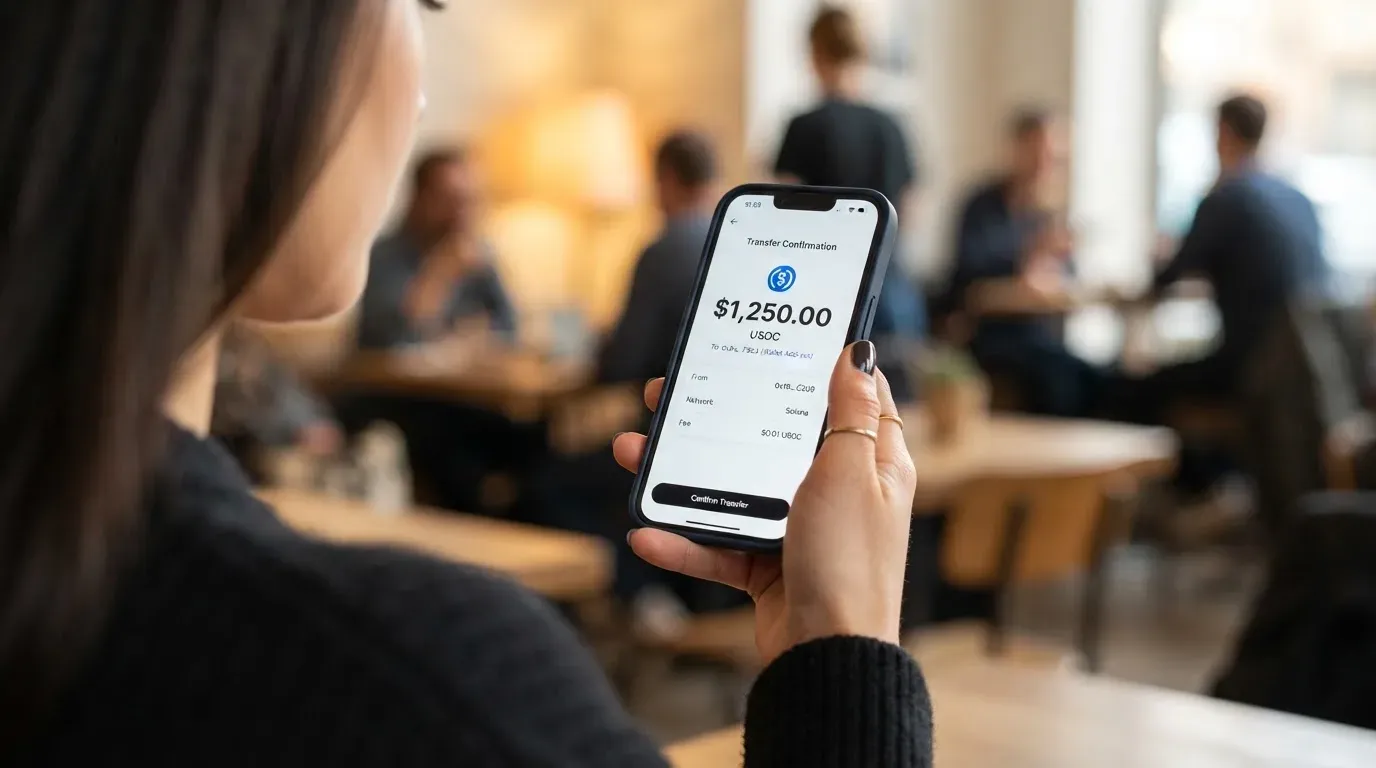
A few practical points are not stated in the card’s own materials: the top-up fee, the minimum top-up, the supported USDT networks (Tether issues on several blockchains including Ethereum, Tron, Solana, Polygon and Avalanche), and the speed at which a top-up lands. Because the card settles in USD, every top-up also depends on the USDT-to-USD conversion that BingX applies, and the rate for that conversion isn’t public.
If you stop using the card, the terms let you end participation by contacting Customer Support and going through closure, verification, repayment or cancellation steps. There is no stated timeline for the return of any balance, and no closure fee is listed.
What to check before your first top-up: confirm which USDT network BingX expects the deposit on, because sending USDT on the wrong network is one of the most common ways crypto deposits are lost; the provider’s own recovery options are limited, and blockchain transfers are irreversible. Have a small test deposit before moving a larger balance.
Paying with the BingX card every day
Both card types are Visa debit cards that settle in US dollars. Both support Apple Pay and Google Pay, so the typical in-store and online experience is tap-to-pay on a phone or watch, with the card tokenised rather than the raw PAN shared with the merchant. The metal card adds in-store use (the virtual card is generally for online and mobile-wallet use) and ATM access.
For non-USD purchases, the card network’s automatic currency conversion kicks in. The network rate is one thing; the issuer’s FX mark-up, if any, is another, and BingX has not published that mark-up. International card use can also draw extra scrutiny at the merchant: the BIN (the first six or eight digits of a card number that identify the issuer) reveals the issuing institution and country, and a mismatch between the issuer country and the cardholder’s billing address is a common reason for declines. Some merchants decline prepaid or foreign-BIN cards outright; BingX doesn’t publish a list of blocked merchant categories or countries, only that some merchants, regions or industries may decline for compliance reasons.
Cashback is the card’s main everyday reward. Virtual card holders earn 2% to 3% a month, metal card holders 3% to 5%, with the tier rising as your monthly spend increases. The tiers are separate from VIP status on the exchange. The tier-3 monthly cashback cap is $100 for the virtual card and $150 for the metal card, and eligible subscriptions earn 20% within that same cap. Other rewards and perks (insurance, lounge access, sign-up bonuses from the launch) are not stated in the card materials.
If a transaction goes wrong, the terms tell you to report it as soon as you’re aware; BingX investigates and may credit your account “within a reasonable period” with no specific number of days, and a refund can be reversed. Disputes with BingX go to 30 days of negotiation first, then to SIAC arbitration. Chargeback rights under Visa’s own rules aren’t restated in the card terms.
What this means for daily use: a tokenised mobile wallet payment at a US merchant is the smoothest case. A foreign-currency payment works, but the cost is opaque. A blocked or held transaction can take days to clear because the published dispute process has no fixed timeline, and the recovery depends on BingX’s own investigation rather than a card-network rule with a deadline.
What can go wrong with the BingX card
The biggest risks are at the platform level, not the card level. BingX’s own Trustpilot page sits at 1.5 out of 5, “Bad”, from 766 reviews, with 64% one-star ratings. The recurring themes in 2026 are restrictions and frozen funds blocking withdrawals, deductions for alleged improper gains or promotion violations, repeated ID and video verification, slow or generic customer support, forced liquidations, and at least one reported missing fiat deposit. None of those complaints are card-specific, but they touch the same funding account the card spends from, so they bear on the card directly.
The card terms don’t name the issuer on the card’s own page. BingX’s launch blog (13 July 2026) names Wirex as the banking-as-a-service partner, with Visa principal membership, so the practical issuer is Wirex or a Wirex-licensed entity, but you won’t find that on the page you click “agree” to. A history of crypto card programmes being closed by their network or issuer is part of the category: Visa terminated its global agreement with FTX in November 2022, and the FTX US debit card was wound down by its issuer; the 2018 WaveCrest suspension closed a long list of European crypto Visa programmes overnight. Programme closures typically allow a notice period, then stop spending and loading, then ask users to withdraw remaining balances, but there is no guarantee of how much runway a closure gives any individual user.
The card is custodial: your USDT sits in BingX’s Funding Account, not in your own wallet. That means you depend on BingX’s solvency, security and compliance decisions. BingX publishes a set of standard safeguards: a BingX Shield Fund, 3-D Secure, two-factor authentication, end-to-end encryption, instant transaction alerts, and a card freeze in Card Management if the card is lost or stolen, with support to follow. Authorization holds can last up to 30 days under the terms, which can briefly lock away part of your balance.
Customer support is via the Help Center and Customer Support channels, with no email, Telegram or hours published on the card pages. A slow, generic support response is one of the more common user complaints about BingX overall, and a card dispute that goes through BingX rather than Visa has no published day count.
What this means for you: don’t park a balance on the card that you can’t afford to be frozen for weeks while a verification or compliance review runs. Treat the cashback as a small bonus on spend you’d do anyway, not as a reason to keep large sums on the card.
What to take instead
The BingX card sits in a small group of spend-from-stablecoin cards, and the right alternative depends on what you actually need. Three options worth weighing.
Young Card is a token-rewards alternative rather than a cashback card. The score is 5.7 out of 10 in the same comparison set. Country availability, official card fees and the supported card types aren’t stated on the public materials, so the main differentiator is the rewards structure: cashback paid in YNG tokens, with the rate set by your Club tier, ranging from 0.1% at Essential up to 3.6% at Platinum. The catch is that the reward is a volatile token, not a fiat or stablecoin credit, and the Bronze and Silver tiers aren’t stated.
Coinbase Card is the more conservative option for US residents. It scores 6.4 out of 10. The card is a Visa prepaid debit, virtual or physical, available in all US states except Hawaii, and spends either cash or crypto, with every crypto payment converted to US dollars at the moment of purchase. There are no Coinbase transaction fees, no annual fees, and a spread applies only on the crypto conversion that happens behind the scenes. Funding is by linking a US bank account, by direct deposit, or by spending from an existing crypto balance. Optional crypto rewards on every purchase are US-card only, with a variable rate shown in-app and a rotating set of reward tokens. The drawback is geography: it’s a US-only product.
OKX is the European alternative, scoring 6.2 out of 10. It’s a Mastercard, euro-denominated virtual debit card linked to OKX Pay, available in the EU plus Norway (Iceland and Liechtenstein excluded, despite the explainer saying “entire EEA”), and issued via an unnamed European licensed payment provider. Card fees are none; the conversion spread is around 0.1% per the most recent explainer, or 0.4% per the launch press release, and conversion to euros happens at purchase. Funding is USDC or USDG held in OKX Pay, and only USDC or USDG; other coins need to be converted first, there’s no auto top-up, and a payment declines if the balance runs out. Cashback is on USDG purchases only (USDC earns none), with monthly caps in euros that vary by tier. The launch promo offered up to 20% cashback for VIPs and 15% for regular users for 30 days.
How to choose between them: if you’re in the US and want a fiat-cashback-friendly card with a clearer fee schedule, the Coinbase Card is the safer bet. If you’re in the EEA and want a euro-denominated Mastercard with USDC/USDG funding rather than USDT, OKX is the closer match. If you’re already a BingX user with USDT sitting in your Funding Account and you want to spend it directly, the BingX card is the path of least resistance, and the alternatives are an extra step of off-ramping and re-onboarding.
Who I’d recommend the BingX card to
The BingX card is a good fit for a narrow kind of user: someone who already has a BingX account, who already holds USDT in their Funding Account, and who wants to spend that balance directly at point-of-sale or online without first moving it to a bank. For that user, the card’s instant virtual issuance, mobile-wallet support, USD settlement and the metal card’s ATM access are convenient. The cashback tiers (2-3% on virtual, 3-5% on metal) are a small bonus on top of an existing spend pattern.
It’s a poor fit for several other readers. If you want a clearly published fee schedule before you sign up, the BingX card’s silence on conversion spreads, FX mark-up and per-purchase rates is a real gap. If you want a card that holds multiple currencies, BingX only settles in USD and converts at the network and issuer level. If you want a card that draws from a self-custody wallet, this is a custodial product and the USDT sits on the platform. If you’re sensitive to Trustpilot-grade reputation risk, a 1.5-out-of-5 platform rating on 766 reviews, with frozen funds and restrictions as the dominant complaint themes, is a fair reason to look elsewhere, especially when the card’s funds are in that same platform.
For the reader who’s on the fence, the short version is: use it as a thin spending layer on top of USDT you already have on BingX, don’t park a balance you can’t afford to have frozen, and treat the unstated conversion and FX costs as a real cost you’ll need to discover by testing before you scale up.
Frequently asked questions
What is the BingX card?
The BingX card is a Visa debit card that spends from a USDT balance held in your BingX Funding Account. It comes in a virtual version and a metal version; the metal card adds in-store use and ATM access. The card settles in US dollars, so non-USD purchases go through Visa’s automatic currency conversion at the network rate, with no FX mark-up disclosed by BingX. It launched in July 2026 in partnership with Wirex, the banking-as-a-service provider that supplies the Visa principal membership.
How does the BingX card work?
You fund your BingX Funding Account with USDT, either by depositing from an external wallet or by buying USDT through Quick Buy or P2P. The card draws on that USDT at the moment of payment, converts it to USD at a rate not published in the card terms, and the card network then handles the merchant payment. For non-USD purchases, an automatic currency conversion happens at the network level. The card balance cannot go below zero; the card behaves like a prepaid card funded by a crypto balance.
Who owns BingX?
BingX is a cryptocurrency exchange. The card programme is run by BingX in partnership with Wirex, which provides the banking-as-a-service infrastructure and the Visa principal membership; the card terms page itself names only “the applicable card issuer” under a Visa licence, while BingX’s launch blog explicitly credits Wirex as the issuer-side partner. BingX is not a bank, and the card funds are not deposit-insured.
Is the BingX card available in my country?
The card page says the card is available in Europe (EEA), APAC, LATAM and “other selected regions”, without publishing a country list. The card materials say the list can change and that you should contact support to confirm coverage for your country before applying. Older BingX support pages have flagged KYC as unavailable in places including Cuba, Iran, Russia, Ukraine, Pakistan, Nigeria and mainland China, so practical coverage is narrower than the four-region headline suggests.
Does the BingX card require KYC?
Yes. The card’s terms require identity verification that meets local rules, on top of the standard 18+ age and supported-country conditions. The specific documents requested at each KYC tier, and the processing time for the card application, are not stated in the card materials. The wider account verification rules apply, including sanctions screening and ongoing transaction monitoring under standard anti-money-laundering law.
How do I get the BingX card?
You need a BingX account, must complete the platform’s identity verification, and then apply for the card from inside the app. The virtual card is issued instantly with no activation step and works in Apple Pay and Google Pay right away. The metal card is mailed after application in about 15 to 30 business days to the address you provide; shipping is free under the current guide. The metal card is $180 for non-VIP, non-agent users.
How do I top up the BingX card?
The card is topped up by USDT in your BingX Funding Account. You can deposit USDT from an external wallet, or buy USDT through Quick Buy or P2P and transfer it to the Funding Account. Other coins aren’t supported for top-up at the moment; if you hold BTC, ETH or anything other than USDT, you’ll need to convert to USDT first. The top-up fee, minimum top-up and supported USDT networks are not stated in the card materials, so confirm with support which network to send on before your first deposit.
How do I add the BingX card to Apple Wallet or Google Pay?
Both the virtual and the metal card support Apple Pay and Google Pay. Adding the card is done from the BingX app’s Card Management area, where the tokenisation step happens and the card appears in your mobile wallet for tap-to-pay. The underlying card number is replaced by a device-specific number, so the raw PAN is not shared with merchants. You can freeze the card from the same Card Management screen if the phone is lost or stolen.
Is the BingX card safe?
The card itself uses standard safeguards: 3-D Secure, two-factor authentication, end-to-end encryption, instant transaction alerts, and an in-app freeze. The deeper risk is custodial: USDT sits in the BingX Funding Account, not in your own wallet, so you depend on the platform’s solvency and compliance decisions. BingX’s overall Trustpilot score is 1.5 out of 5 from 766 reviews, with frozen funds and account restrictions as the dominant complaint themes, which is the main reason to keep only a small working balance on the card.
How do I cancel the BingX card or close the account?
The terms let you end participation by contacting Customer Support and completing the closure, verification, repayment or cancellation steps they set out. There is no stated timeline for the return of any remaining balance and no closure fee listed. If you want to close the underlying BingX account, the account deletion flow goes through the platform’s account settings, with the card closure handled alongside it.
Exchange card verdicts – cryptocardverdict
Content created by the «cryptocardverdict» team