
A virtual Visa that only speaks USDC — useful in the Americas, limited everywhere else
 Available in US
Fuse is a payment card, not a bank account. The card itself is a virtual Visa debit denominated in US dollars, issued by Lead Bank in Missouri under a Visa U.S.A. licence, with Bridge Ventures LLC acting as the program manager and Squads Labs Inc. as the platform provider. What makes it different from most Visa debits is how you fund it: you do not move dollars in. You move USDC, a dollar-pegged stablecoin, from a “Main Account” inside the Fuse app into a “Card Account,” and the card spends from that balance. That simple design is also where most of the card’s limits come from, because almost every feature a person expects from a daily card — physical plastic, ATM withdrawals, multi-currency balances, Google Pay, cashback, tiered limits — is either absent or not described on the public pages.
This review walks through who can actually get the card, what it costs to run, how the USDC top-up flow works in practice, and where the everyday experience is rougher than the marketing implies. The conditions below are current as of October 28, 2026.
Verdict
Fuse earns 6.3 out of 10. The card does what it sets out to do — turn a USDC balance into a working Visa number — cheaply and without a monthly fee. Where it stumbles is breadth: the issuance footprint is small, the top-up surface is a single token, the card has no plastic and no ATM access, and there is essentially no public track record of customer experience beyond a handful of App Store comments. I would call it a useful tool for a specific kind of reader — someone in one of the 18 listed countries who already holds USDC and wants a virtual card to spend it — and a poor fit for anyone looking for a general-purpose daily card.
Here is the score breakdown.
| Criterion | Mark | Why it lands there |
|---|---|---|
| Who can get it | 5 / 10 | Issued in 18 jurisdictions across the Americas and a few African countries; large regions (Europe, most of Asia, UK, Australia) are not on the list. |
| Cost | 9 / 10 | No issuance fee, no monthly fee, no inactivity fee, no foreign transaction fee; the only thing the public pages do not disclose is the crypto conversion fee. |
| Top-up options | 4 / 10 | USDC only, moved from the Main Account to the Card Account; the network the transfer runs on is not stated on the public pages. |
| Reliability and complaints | 8 / 10 | Real bank (Lead Bank), licensed Visa programme, and a published cardholder agreement; but no Trustpilot page and a single user report of a closed account with around $600 stuck. |
| Everyday use | 4 / 10 | Virtual only, Apple Pay works, Google Pay is not mentioned, ATMs are unavailable, no cashback, no merchant-category restrictions published. |
| Total | 6.3 / 10 |
The reader who fits this card is an Americas-based person who is already comfortable holding USDC and who wants a USD-denominated virtual Visa to spend it. If that is not you, the rest of the review will show you where the friction lives.
Who can get the card
Fuse is residential, not citizenship-based, and the list is shorter than you might expect for a card positioned around a global stablecoin.
The card is available to residents of 18 jurisdictions: the United States (with New York and Alaska explicitly excluded), Argentina, Bolivia, Brazil, Colombia, Costa Rica, the Dominican Republic, Ecuador, El Salvador, Ghana, Guatemala, Honduras, Mexico, Panama, Nigeria, Paraguay, Peru and Uruguay. The public pages do not state a citizenship rule, so the practical test is whether you can prove residence in one of those countries. The cardholder agreement reserves the right to refuse service, and the app may ask for additional documents such as a driver’s licence at any time, but the list of documents and the processing time are not stated. If you are outside the 18 listed countries, the card is not on offer to you through normal channels; no waitlist or regional expansion roadmap exists.
There is also a soft restriction worth noting. The card is for adults (18+) and KYC is mandatory — there are no tiers or “light” sign-ups. Everyone goes through the same Bridge-hosted identity check.
How to get it
Getting a Fuse card is a three-step in-app process, and you do not need to mail in anything or wait for a card to arrive in the post.
You start by verifying your identity in the Fuse app. The information you provide at sign-up is name, address, date of birth and a government ID number. KYC is run through Bridge, the program manager, and the bank can ask for further documents — for example a driver’s licence — at any point after the account is open. The cardholder agreement does not publish a processing window or a list of rejection reasons.
Once your identity is verified, you create the virtual card inside the app. The card is a USD-denominated Visa debit; the disclaimer in the agreement describes it as a prepaid debit card. There is no physical card on offer, so you do not have to wait for delivery and you cannot ask for a replacement plastic if the virtual number is compromised — you can only freeze and replace the virtual card.
The final step is to fund the card. You move USDC from your Main Account to the Card Account. Until you do that, the card has nothing to spend, so the moment of first payment is also the moment of first top-up.
What it really costs
The good news is that the headline cost is unusually clean: there is no issuance fee, no monthly fee and no inactivity fee, and the cardholder agreement does not list an annual fee. The foreign-transaction fee, which is the line item that punishes people who travel or buy from foreign merchants, is 0% on the USD amount. The card support pages also state there are no top-up fees and no card transaction fees, although the cardholder agreement still warns that “fees may apply,” so the public pricing pages and the legal terms are not perfectly aligned.
The number that is missing is the one most people care about: the crypto conversion fee. Fuse works by selling USDC for USD at the moment of purchase, but no fee or spread for that conversion is publicly disclosed. The “fees may apply” language suggests the program manager or platform provider can charge something on top, but the amount is not stated. That is the single biggest pricing unknown on this card.
The other everyday costs are flat. There is no per-purchase fee, no ATM fee — because ATMs are not available at all — and no penalty for not using the card for a stretch of time. The published limits are a default daily spending cap of $2,000, a per-transaction cap of $2,000, and a monthly cap that is not stated. The FAQ says the daily limit may be increased after you have used the card for a while, and you can adjust it yourself in settings, up to $2,000.
Here is the cost picture in one place.
| Fee or limit | Amount |
|---|---|
| Card issuance | $0 |
| Monthly fee | $0.00 |
| Annual fee | Not listed |
| Inactivity fee | $0 |
| Foreign transaction (FX) | 0% |
| Per-purchase fee | None stated |
| Crypto conversion fee | Not stated |
| ATM withdrawal | Not available |
| Cash reload | $0 (no fiat top-up route) |
| Top-up fee | $0 (per support page) |
| Daily spending limit | $2,000 (adjustable up to $2,000) |
| Per-transaction limit | $2,000 |
| Monthly limit | Not stated |
Two everyday payments to picture this against. If you buy a $50 coffee in a US coffee shop with USDC in the Card Account, the visible costs are zero — no FX fee, no per-purchase fee — but the unseen cost is the spread on the USDC-to-USD sale, which the public pages do not quote. If you spend the same $50 in a country that uses a non-USD currency, the merchant’s acquirer will convert your USD charge into the local currency at the wholesale rate, and Fuse will not add its own FX mark-up; the spread is still the USDC conversion.
Top up: how to fund the card
The funding model is the defining feature of this card, and it is also the narrowest.
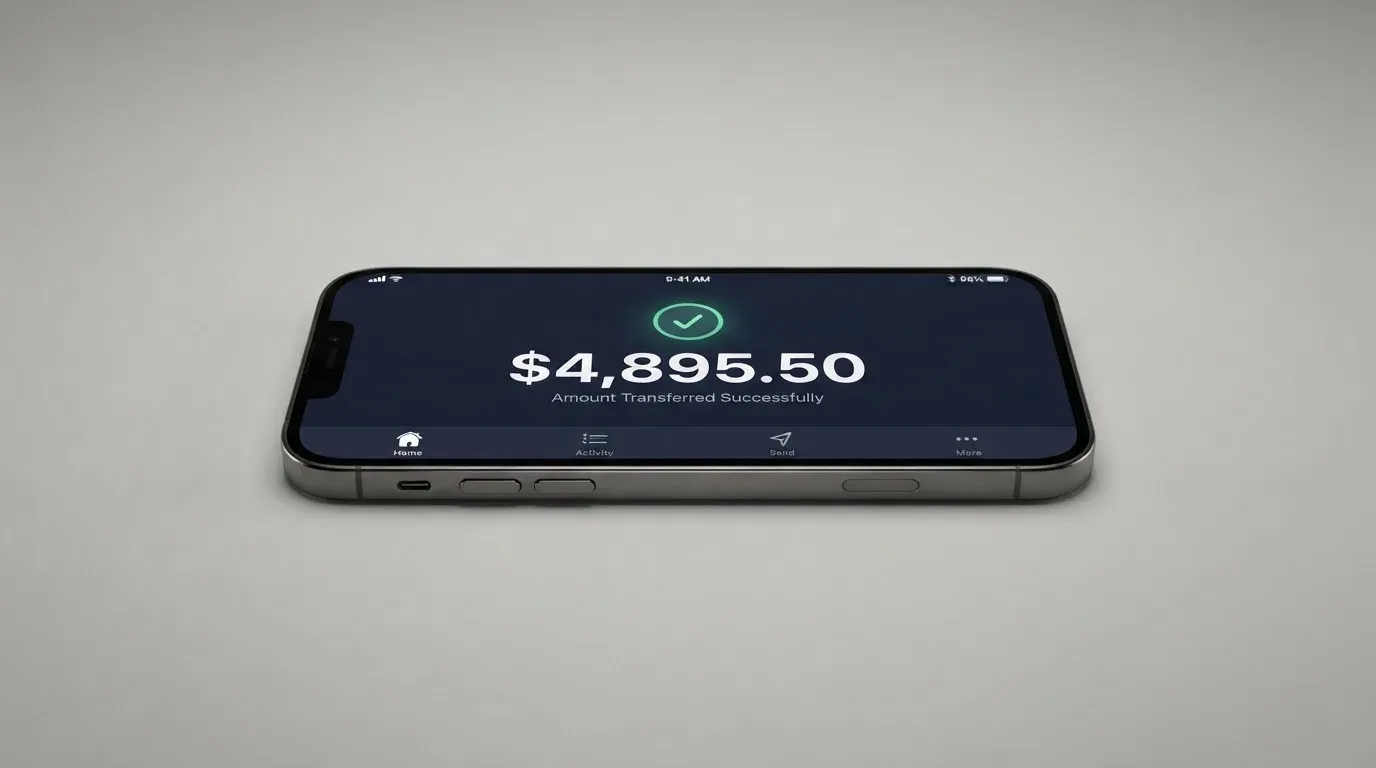
You can only fund the card with USDC, and only by transferring it inside the Fuse app from your Main Account to your Card Account. There is no bank transfer, no card-to-card top-up, no Apple Cash or Google Pay reload, and no way to load fiat directly. The transfer settles immediately and the balance is available to spend straight away.
The public pages do not say which blockchain the USDC transfer runs on. USDC exists on dozens of networks — Ethereum, Solana, Base, Polygon, Arbitrum, Avalanche and others — and the choice matters because sending USDC on the wrong network is one of the most common ways people lose crypto. Fuse is positioned in marketing as a “Solana Smart Wallet,” but that wording did not appear in the card or top-up pages I read, so treat the network as unconfirmed until Fuse publishes it in the app or the cardholder agreement. If you are funding the card, the only safe move is to send a small test amount first and confirm it lands in the Card Account before sending the rest.
There is a withdrawal route as well. You can move USDC from the Card Account back to the Main Account, and a five-minute security time lock applies. When you close the card, the remaining balance is returned to the platform provider’s wallet as stablecoin at no fee, but the bank may refuse to return balances under $1.00, and a pending transaction, an open dispute, an amount owed to Fuse or a hold on the account can block the closure. There is no minimum top-up listed, and no separate fee for moving USDC between accounts.
A few practical points worth keeping in mind.
- USDC only. If you hold USDT, DAI, ETH or any other token, you will need to convert to USDC somewhere else before topping up.
- No fiat on-ramp inside Fuse. You will need an external way to acquire USDC — an exchange, a wallet-to-wallet transfer, or earnings paid in USDC.
- Network choice is on you. Until Fuse publishes the supported network in the app, send a test transaction first.
- Refunds come back as stablecoin. If you dispute a merchant charge, the refund lands in your wallet as USDC, not as a dollar credit.
- On-chain network fees still apply. The blockchain, not Fuse, charges for moving USDC into the app.
Paying with it every day
The card is virtual, USD-only, and built to be added to a mobile wallet rather than swiped at a terminal.
Apple Pay is supported for in-person payments, and the card can be added to Apple Wallet the usual way: open the card in the Fuse app, follow the prompt to add to Apple Wallet, and authenticate with Face ID or Touch ID. Google Pay is not mentioned on the public pages I read, so if your phone runs Android, the in-store experience is to pay with the virtual card number online or to add the card to a different wallet that accepts it.
Online, the card behaves like any other Visa debit: you type the number, expiry and CVV into the checkout form, and you may be challenged with Visa Secure (Visa’s 3-D Secure brand) for an extra identity check on risky transactions. Because the card is prepaid, some merchants — particularly those that use Address Verification Service to compare the billing address against the issuer’s record — may decline it. AVS is mainly a US, Canadian and UK tool, and a foreign-issued prepaid BIN can look unusual to a merchant’s fraud rules. If a checkout fails for no obvious reason, that is one possible reason.
There is no cashback or rewards programme. The cardholder agreement does not list a points scheme, a sign-up bonus, or a percentage-back on spending. Pending amounts “become available in 24 hours” after clearing, and authorised transactions are deducted from the balance straight away; this is a pre-loaded balance card, so it cannot overdraw and there is no credit line.
ATM access is unavailable. The card support page says “Fuse Cards cannot be used at ATMs currently,” and the cardholder agreement lists ATM withdrawal and balance inquiry as n/a. If you need cash, you will need a different card or a different way to get it.
Dispute and error rights are spelled out in the agreement. Unauthorised use has to be reported within two business days to keep your liability at $50; later reports can raise that to $500. Billing errors have to be reported within 60 days. The bank aims to decide within 10 business days, with up to 45 days for new cards and 90 days for point-of-sale, foreign and new-card errors, and you are told the outcome within three business days of the investigation closing. If the bank extends its investigation, any credit owed to you is issued within 10 business days. Stop-payment requests are not allowed on card purchases, and merchant disputes go to the merchant first — the bank only steps in if the merchant does not resolve things. Refunds come back to the wallet as stablecoin, and there is no provisional credit for goods-and-services disputes while the investigation is open.
There is no published list of blocked merchant categories, and the agreement prohibits only illegal transactions and cash-back-at-POS, so gambling, adult content, crypto purchases and so on are not explicitly blocked at the card level. That is different from some rival cards, which publish an MCC blocklist. If a transaction is refused, it is more likely to be the merchant’s fraud rules than a Fuse policy.
The app itself is iPhone only and requires iOS 16.4 or later. The App Store listing for “Fuse – Solana Smart Wallet” in the Paraguay storefront did not show a star rating because there were not enough ratings at the time of reading; a third-party aggregator put the aggregate score at roughly 4.5–4.6 from around 35 ratings, but that figure is unofficial and not confirmed by the card. Android is not listed, so the only official way to manage the card is on an iPhone.
What can go wrong
The risk picture has two sides: the structural risks of the product, and the practical risks of using it.
Structurally, this is a prepaid card funded by a stablecoin, so the usual crypto-custody risks apply. Your USDC sits in Fuse’s platform-provider wallet between the moment it arrives and the moment the card spends it; the cardholder agreement states that funds in transit during the crypto-to-fiat conversion are not FDIC insured, and there is no deposit guarantee scheme covering them. If the platform provider fails, your balance could be tied up while the bankruptcy is unwound. Stablecoins are not risk-free either: Circle says USDC is redeemable 1:1 for USD and 100% backed by cash and cash equivalents, but stablecoins have depegged before, and the public pages do not commit Fuse to any particular redemption route if USDC itself loses its peg.
Then there is the company side. The card is issued by Lead Bank, a Missouri state-chartered bank, under a Visa U.S.A. licence. Bridge Ventures LLC runs the programme and Squads Labs Inc. is the platform provider. None of these names carry a track record of crypto-card incidents, but “no news” is not the same as “no risk.” A regulator can act against the issuer, a network can suspend a programme (Visa did this to FTX in November 2022 and to WaveCrest in 2018), and the cardholder agreement includes a binding arbitration clause with a class-action waiver, which means disputes go to individual arbitration rather than a courtroom.
On the customer-experience side, the public footprint is thin. There is no Trustpilot page, and no Reddit thread. The one concrete negative report is an App Store review about an account being closed with around $600 of USDC stuck inside, and an X user reporting unanswered support emails. That is a small sample, but the amount — six hundred dollars of stablecoin in a closed account — is a reminder that if the account closes unexpectedly, getting the balance back can take time and is not guaranteed if the closure is for cause.
The agreement also gives the bank wide discretion. It can block or cancel a card for suspected fraud, ask for further documents at any time, refuse to return balances under $1.00, and block closure if there is a pending transaction, an open dispute, an amount owed, or a hold on the account. The dispute window for billing errors is 60 days, and stop-payments are not allowed on card purchases.
In-app security is light but functional. You can freeze and unfreeze the card, set or reset the PIN, adjust the daily spending limit up to $2,000, and the product page mentions “smart account enforced spending limits.” Two-factor authentication is not mentioned on the pages I read; the bank relies on the KYC identity check and Visa Secure for online transactions. There is no overdraft facility, which is a feature, not a bug, given that the card is prepaid.
Support contacts are an email address ([email protected]) and a US phone number (833-237-8104). Hours are not stated on the public pages; the cardholder agreement refers to “business days” defined as Monday through Friday excluding US holidays. If you need help outside US business hours, you are on email.
What to take instead
Fuse is a virtual USDC-to-Visa card with no plastic, no ATM, no Google Pay, and an issuance footprint centred on the Americas. If any of those limits push the card out of your situation, three alternatives cover different parts of the same space.
TokenPocket (TP Card) — 5.8 / 10. A Visa debit for a list of European countries and territories (Germany, France, Spain, Switzerland, among others), and a Mastercard debit for Australia, Canada, Hong Kong, Japan, Taiwan, New Zealand, Singapore, South Korea and the UK, with the Americas region “planned for Q2 2025.” Cards are virtual only, no physical card mentioned, and balances are held in EUR24 and USD24 stablecoins on Arbitrum. The headline fee is “apart from these, TP Card does not charge any additional fees,” but there is a 1% fee on crypto deposits, described as refundable later through rewards or reduced transaction fees; the FX fee is not stated. No cashback is published. The narrower reach and the 1% deposit fee are the trade-offs against Fuse.
MetaMask Card — 7.1 / 10. Sign-up is open in 45 listed countries and territories, including Argentina, Brazil, Canada, Mexico, Germany, France, Spain and Uruguay, with other regions joining a waitlist. Proof of residency is required, and the FAQ notes that US and UK sign-ups are temporarily closed. The card is a Mastercard issued by Monovate with Crypto Life as the card provider, virtual first (instant), with a Metal card available to pre-order in the app after the virtual card is approved; one card per user. The virtual card is free, with no annual or maintenance fee; the Metal card is $199 a year. The card spends directly from a connected wallet on Linea, Base, Monad or Solana, and the named spendable tokens include mUSD, wETH, EURe, GBPe, USDC and USDT. Fees are described as “minimal” per transaction, with no MetaMask fees and no foreign transaction fee; the underlying rate is the Mastercard rate. Cashback is paid in mUSD into the Money Account: 1% on the virtual card, headline 3% on Metal (footnote: 3% on the first $10,000 of spend, then 1%), plus a $FLY bonus of 5× (Virtual) or 7× (Metal) through the Blackbird dining app. The wider token list and the cashback are the upside; the $199 annual fee on Metal and the closed US/UK sign-ups are the trade-offs.
KAST — 6.1 / 10. A residence-based programme that does not publish its country list publicly; you find out at KYC whether your country is supported, and the restricted-locations list is referenced but not named. The cards come in three tiers — Standard (Visa Platinum, free), Premium (Visa Infinite metal, $1,000 a year) and Private (Visa Infinite gold-plated, $10,000 a year) — billed annually upfront, with up to 10 cards per user and physical cards available. Account balance is in USD, stablecoin deposits convert 1:1 with a 0% spread. Top-up accepts USDT, USDC, PYUSD and RLUSD across Ethereum, Solana, Polygon, Arbitrum and Tron, although the terms of service say “currently USDT and USDC,” so the wider list is an app feature rather than a contractual commitment. The fee structure is granular: 0% on stablecoin top-up, card spend in USD, Apple/Google Pay and declined transactions, 0.5%–1.75% FX on non-USD spending, 0.10 USD on non-USD transactions under 25 USD, 0.50 USD on declined transactions for insufficient balance, $1 a month inactivity fee after 12 months, and $2 for extra virtual cards in some regions. Cashback is paid in USD: 1.5% on the first $2,000 a month for Standard, 2% on the first $10,000 a month for Premium, 3% on the first $40,000 a month for Private, plus KAST Points at +1% (Premium) and +2% (Private). The trade-off against Fuse is the price of the higher tiers and the lack of a public country list.
| Card | Score | Where it is available | Card type | Funding | Cashback | Standout trade-off |
|---|---|---|---|---|---|---|
| Fuse | 6.3 / 10 | 18 jurisdictions in the Americas and a few African countries | Virtual Visa | USDC only | None | No plastic, no ATM, narrow top-up surface |
| TokenPocket | 5.8 / 10 | Europe (Visa), APAC (Mastercard), Americas planned | Virtual only | Crypto on Arbitrum | None published | 1% crypto deposit fee |
| MetaMask Card | 7.1 / 10 | 45 countries/territories, US/UK closed | Virtual + Metal Mastercard | mUSD, wETH, EURe, GBPe, USDC, USDT on Linea, Base, Monad, Solana | 1% Virtual, 3% (capped) Metal | $199/year for Metal |
| KAST | 6.1 / 10 | Country list not published; find out at KYC | Virtual and physical, three tiers | USDT, USDC, PYUSD, RLUSD on multiple networks | 1.5%–3% USD, plus KAST Points on Premium/Private | $1,000–$10,000 annual fee on higher tiers |
Who I would recommend it to
If you live in one of the 18 listed countries, hold USDC already, want a virtual Visa to spend that USDC online or in stores through Apple Pay, and are comfortable with the limits I have walked through — no plastic, no ATM, no Google Pay, no cashback, an undisclosed conversion spread, and a thin public record of customer support — then Fuse does the basic job cheaply. The cost structure is genuinely good: no issuance fee, no monthly fee, no inactivity fee, no FX mark-up, no per-purchase fee. The single biggest reason to think twice is the unstated USDC conversion fee; if you move a lot of money through the card, that unknown becomes meaningful.
If you are outside the 18 listed countries, the card is not on offer. If you need cash from ATMs, the card is not on offer. If you want a physical card, the card is not on offer. If you want cashback, the card is not on offer. If you want a card that supports more than USDC, the card is not on offer. In any of those cases, the alternatives section points to cards that fit better, and the right next step is to read those reviews before deciding.
Frequently asked questions
What is the Fuse card?
Fuse is a virtual Visa debit card denominated in US dollars, issued by Lead Bank under a Visa U.S.A. licence with Bridge Ventures LLC as the program manager. It is funded with USDC, a US-dollar-pegged stablecoin, and the card spends from a USDC balance you move into a Card Account inside the Fuse app.
How does the Fuse card work?
You verify your identity through the Fuse app, create a virtual card, and transfer USDC from your Main Account to your Card Account. The card draws on that USDC balance; at the point of sale the USDC is converted to USD and the merchant is paid in dollars. You can add the card to Apple Pay for in-store payments, or use the number online.
Is Fuse a bank?
No. Fuse is a payment card programme, not a bank. The card is issued by Lead Bank, a Missouri state-chartered bank; Bridge Ventures LLC runs the programme and Squads Labs Inc. operates the platform. Funds in transit during the USDC-to-USD conversion are not FDIC insured.
Who owns Fuse?
The public pages do not identify a single owner. The card programme involves Lead Bank as the issuer, Bridge Ventures LLC as the program manager and Squads Labs Inc. as the platform provider, but the equity ownership of the Fuse brand is not stated.
Is the Fuse card available in my country?
The card is available to residents of 18 jurisdictions: the US (excluding New York and Alaska), Argentina, Bolivia, Brazil, Colombia, Costa Rica, the Dominican Republic, Ecuador, El Salvador, Ghana, Guatemala, Honduras, Mexico, Panama, Nigeria, Paraguay, Peru and Uruguay. If your country is not on that list, the card is not on offer through normal channels.
Does the Fuse card require KYC?
Yes. KYC is mandatory for every applicant and is run through Bridge, the program manager. The information collected at sign-up is name, address, date of birth and a government ID number; further documents, such as a driver’s licence, can be requested at any time after the account is open.
How do I top up the Fuse card?
Inside the Fuse app, transfer USDC from your Main Account to your Card Account. The transfer settles immediately and the balance becomes available to spend straight away. The public pages do not state which blockchain the USDC transfer runs on, so send a small test amount first to confirm the network and the address before sending the full balance.
How do I add the Fuse card to Apple Wallet?
Open the card in the Fuse app, tap the option to add to Apple Wallet, and authenticate with Face ID or Touch ID when prompted. Google Pay is not mentioned on the public pages, so the same option may not exist for Android users.
Is the Fuse card safe?
The card is issued by a real, Missouri-chartered bank under a Visa U.S.A. licence, and you can freeze the card, reset the PIN and adjust the daily spending limit in settings. The risks are the usual crypto-card risks: USDC is held by the platform provider between top-up and spend, the balance is not FDIC insured during the conversion, and the cardholder agreement includes binding arbitration with a class-action waiver. There is no public Trustpilot page and the public record of customer experience is thin.
Is the Fuse card worth it?
For someone in one of the 18 listed countries who already holds USDC and wants a cheap virtual Visa to spend it, the zero monthly fee and zero FX mark-up make it worth a look. For anyone who needs a physical card, ATM access, Google Pay, cashback, or a wider token list, the answer is no — and the alternatives section points to cards that fit those situations better.
Wallet card verdicts – cryptocardverdict
Content created by the «cryptocardverdict» team