
Spritz card review: a self-custody-friendly Visa that charges 1% to load
 Available in US
Spritz is one of the newer names in the crypto card space, and the angle it sells is straightforward: load stablecoins from chains you already use, spend the balance anywhere Visa is taken, and keep custody of your crypto until the moment you pay. The promise is appealing, especially if an ordinary bank card has been hard to get where you live. The reality, as always, lives in the fees, the small print, and the things the card does not say publicly.
This review walks through who can actually get a Spritz card, what it costs to load and spend, how the top-up works across chains, and where the gaps are. By the end you should know whether this card fits your situation or whether one of the alternatives in the comparison table makes more sense.
The conditions in this review are current as of October 28, 2026.
Verdict
Spritz scores 7.4 out of 10. That is a respectable middle-of-the-pack result for a crypto card, and it reflects a clear trade-off: the card is generous on everyday spending and on the number of chains you can load from, but it is thin on transparency around issuance, FX, ATM access, and who actually issues the programme.
If you hold USDC across several networks and you want a Visa that spends directly from your own wallet, Spritz is one of the more flexible options on the market right now. The fee structure rewards USDC on Arbitrum, Avalanche, Base, Optimism, Polygon, and Solana, all at the base 1% load fee with no extra adjustment. The everyday-use story is solid too: Apple Pay and Google Pay are supported, there is a virtual card, and the physical card carries Visa Signature benefits.
Where Spritz loses points is in the gaps. The issuing institution is not named in any of the official pages I could read. The FX fee is not stated. The ATM fee is not stated. Issuance cost is not stated. The help centre has no ATM article at all. And once you load money onto the card, you cannot get it back to crypto. Those are real limitations, and for some readers they will be deal-breakers.
Score breakdown
| Criterion | Score | Reason |
|---|---|---|
| Who can get it | 7 / 10 | Available by residence in many international countries, including 30 US states (unofficial); based on where you live, not where you are a citizen |
| Cost | 8 / 10 | No spending or maintenance fees; load fee 1% base with $2 minimum, USDC on six major networks at no extra charge; issuance, FX, and ATM fees are not publicly disclosed |
| Top-up options | 9 / 10 | Over 50,000 tokens across 5 chains; USDC and USDT on Tron, USDC on six EVM and non-EVM networks, plus Bitcoin, DASH, XRP, and Sui |
| Reliability and complaints | 6 / 10 | Spritz Finance operates the programme; the issuing bank is not named officially; loaded funds cannot be returned to crypto; Trustpilot sits at 4.0 out of 5 from 319 reviews (unofficial) |
| Everyday use | 7 / 10 | Apple Pay and Google Pay supported; virtual and physical card; the physical card is reportedly a limited release in the US; ATM access on the physical card only |
| Total | 7.4 / 10 | A flexible self-custody card that works well for USDC holders, with meaningful gaps in disclosed information |
The audience that benefits most is the self-custody holder who already keeps USDC on multiple chains and wants a card that meets that balance where it sits. If you are new to crypto, or if you want a card with published fees for every eventuality, this is not the easiest fit.
Will they give you the card
Eligibility for Spritz is based on residence, not citizenship. That is a meaningful distinction if you live in one country and hold a passport from another. The official blog says the card works in “many international countries and territories,” and the full list lives in the help-centre country table. Anyone whose country is not on that list cannot sign up.
Unofficial sources put the supported list at 42 countries, including 30 US states. The same sources flag six restricted territories: Belarus, Cuba, Iran, North Korea, Russia, Syria, and Venezuela. That kind of list is typical for crypto card programmes and usually tracks sanctions rules rather than commercial preferences. If you live in any of those jurisdictions, the card simply will not be issued to you.
Nigeria is listed but needs conditional approval, which suggests an extra layer of review for Nigerian applicants. If you are applying from Nigeria, expect the process to take longer and to require more documentation.
The minimum age is 18, and you need a verified account before you can activate the card. Verification means uploading an ID. The help centre notes that manual verification is available through support if the automated path does not work for you. Once verified, activation happens in the app at app.spritz.finance/card, and the blog says this happens “in minutes.”
What is not stated publicly is the set of documents the automated system will ask for. Unofficial reporting describes a government photo ID, a phone number, legal name, date of birth, ID number, residential address, and a live face check. Partner banks can layer on additional checks for citizenship, passport, and address. None of that is confirmed in the card’s own pages, so treat it as guidance rather than a guarantee.
Processing time, rejection reasons, and any tiered KYC levels are not described in the materials I could read. If you are denied, you will not get a published list of why, and there is no public second-chance process.
How to get it
The signup path is the standard crypto card flow: create an account, complete KYC, get verified, and activate the card in the app.
You will need to be at least 18, and the ID you upload has to match your real-world identity. The help centre is explicit that a verified account is required before you can move to card activation, and that manual verification is available if the automatic check stalls. The activation step itself happens at app.spritz.finance/card, which is the web app rather than a download. There is also an iOS app, though the official store pages were not readable during research, and third-party app ratings are mixed (unofficial reports put the App Store rating at around 3.2 to 3.4 out of 5 from a small number of ratings).
The card itself is described as “the premium Spritz Card,” a Visa, with both virtual and physical types referenced in the API documentation. Card funds are denominated and stored in USD, which means every load is converted to US dollars at the point of deposit, and every spend draws on that dollar balance. That is a common model for prepaid-style crypto cards, and it has a real consequence: once money sits on the card, it sits as USD inside Spritz’s system, not as crypto you control.
The physical card is the part where the picture gets murkier. The help centre does not publish a delivery time, a replacement fee, or a price for the physical card. Unofficial reporting describes the physical Spritz card as a limited release: an Alpha allocation of 3,000 cards for US customers, with no published price or delivery schedule. If you are outside the US or outside that 3,000-card window, the physical card may simply not be available to you yet. Virtual cards, by contrast, appear to be available broadly.
What is missing from the public materials is as important as what is there. There is no published processing time for KYC. There is no list of rejection reasons. There is no formal tiered system that upgrades your limits after more verification, and the limits themselves are described as fixed in the help centre. If you are someone who needs a predictable signup path with clear timelines, that opacity is something to factor in.
What it really costs: Fees
The headline on costs is good. Spending on the card and maintaining the account carry no Spritz fees, according to the official help centre. There is no annual or monthly fee disclosed. That alone puts Spritz ahead of several competitors that charge for either the card itself or for keeping it open.
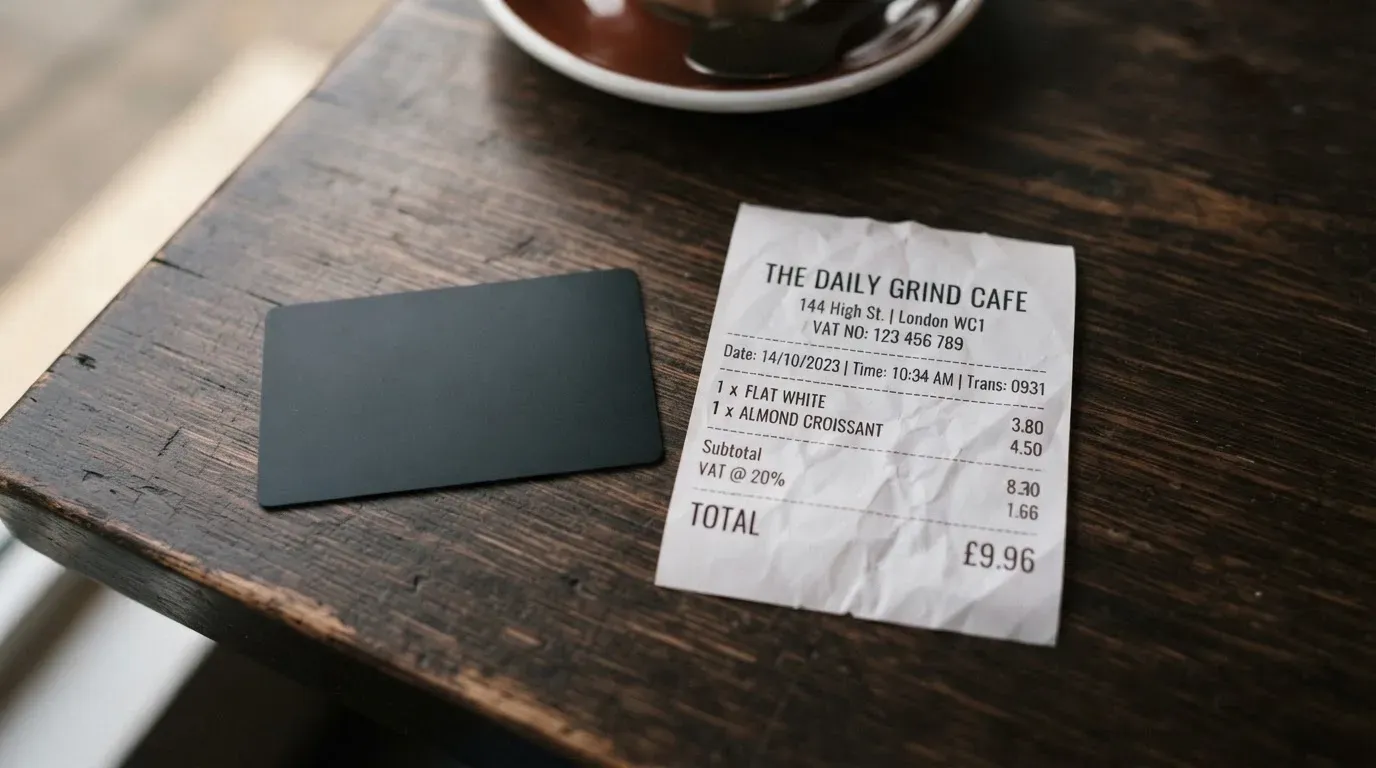
The cost that does apply is the load fee, and it has more moving parts than the headline number suggests.
Cost summary
| Fee or limit | Amount |
|---|---|
| Card issuance fee | Not stated |
| Annual / monthly maintenance fee | None disclosed |
| Load fee (base) | 1% (0.5% base + 0.5% virtual card load) |
| Minimum load fee | $2 (Bitcoin: $5) |
| USDC on Arbitrum, Avalanche, Base, Optimism, Polygon, Solana | +0% (base 1% only) |
| USDC on Tron | +0.5% |
| USDT on Tron | +1.5% |
| USDC on Sui | +1% |
| SUI on Sui | +2% |
| BSC (any token) | +1% |
| XRP | +1.5% |
| Ethereum (any token) | +0.5% |
| Bitcoin | +1.5% (minimum $5) |
| DASH | +1.25% |
| FX fee | Not stated |
| ATM fee | Not stated |
| Daily spending limit | $10,000 |
| Maximum card balance | $10,000 |
The base load fee is 1%, which is itself a combination of 0.5% plus a 0.5% virtual card load component, with a $2 minimum. That $2 minimum matters for small loads: if you load $100, the 1% would be $1, but the minimum kicks in and you pay $2. The $5 minimum for Bitcoin means even larger Bitcoin loads carry a floor fee.
What that means in practice depends on what you load. If you send USDC on Arbitrum, Avalanche, Base, Optimism, Polygon, or Solana, the only fee is the 1% base plus the $2 minimum if your load is small. If you send USDT on Tron, the fee is the 1% base plus 1.5%. If you send SUI on Sui, it is the 1% base plus 2%. These are not small differences, and the chain you choose changes the cost materially.
The blog also notes that load fees were waived for 30 days after launch. If you read this review long after launch, that promotion is no longer in effect.
Three everyday payments
To make the cost picture more concrete, here is what a typical week of spending looks like.
A $40 grocery run on USDC loaded from Arbitrum. The load fee on a $200 top-up would be 1%, or $2. There is no spending fee. The grocery spend itself costs nothing beyond the conversion that already happened at load. Total Spritz cost on that $40 purchase: roughly $0.20, baked into the load.
A $300 monthly bill paid by Apple Pay, funded from USDC on Base. The load fee on a $300 top-up is 1%, or $3 (above the $2 minimum, so no extra charge). No spending fee. Apple Pay itself adds nothing. Total: $3 on the load, nothing on the spend.
A $1,500 flight, funded from USDT on Tron. The load fee on a $1,500 top-up is 1% base plus 1.5% for USDT on Tron, or $37.50. No spending fee. The flight itself costs whatever the airline charges. The Spritz cost on that transaction is $37.50, all of it at the load stage. If you had loaded the same $1,500 from USDC on Arbitrum instead, the cost would have been $15, a difference of $22.50 on a single load.
The pattern is clear: the cost of a Spritz payment is decided when you load, not when you spend. Once the money is on the card, spending is free. That makes the chain choice at load time the single biggest fee decision you will make.
What is still missing from the public materials is the FX fee for non-USD transactions, the ATM fee, and the issuance fee. Unofficial sources suggest there is no Spritz fee on card purchases and that exchange rates apply abroad, but those are not confirmed on the card’s own pages. The help centre has no ATM article, so anyone planning to withdraw cash is operating without published information.
Limits are stated clearly. The SpritzCard has a $10,000 daily limit and a $10,000 maximum card balance, and the help centre is explicit that this cannot be increased at this time. Unofficial sources cite a $5,000 maximum per load and no stated spending cap, which conflicts with the official table. The official numbers are the ones to rely on.
How to top it up: Top up
The top-up path is the part of Spritz that genuinely stands out. The official blog says you can load from over 50,000 tokens across 5 chains, and the help-centre fee table backs that up with a concrete list of supported networks and tokens.
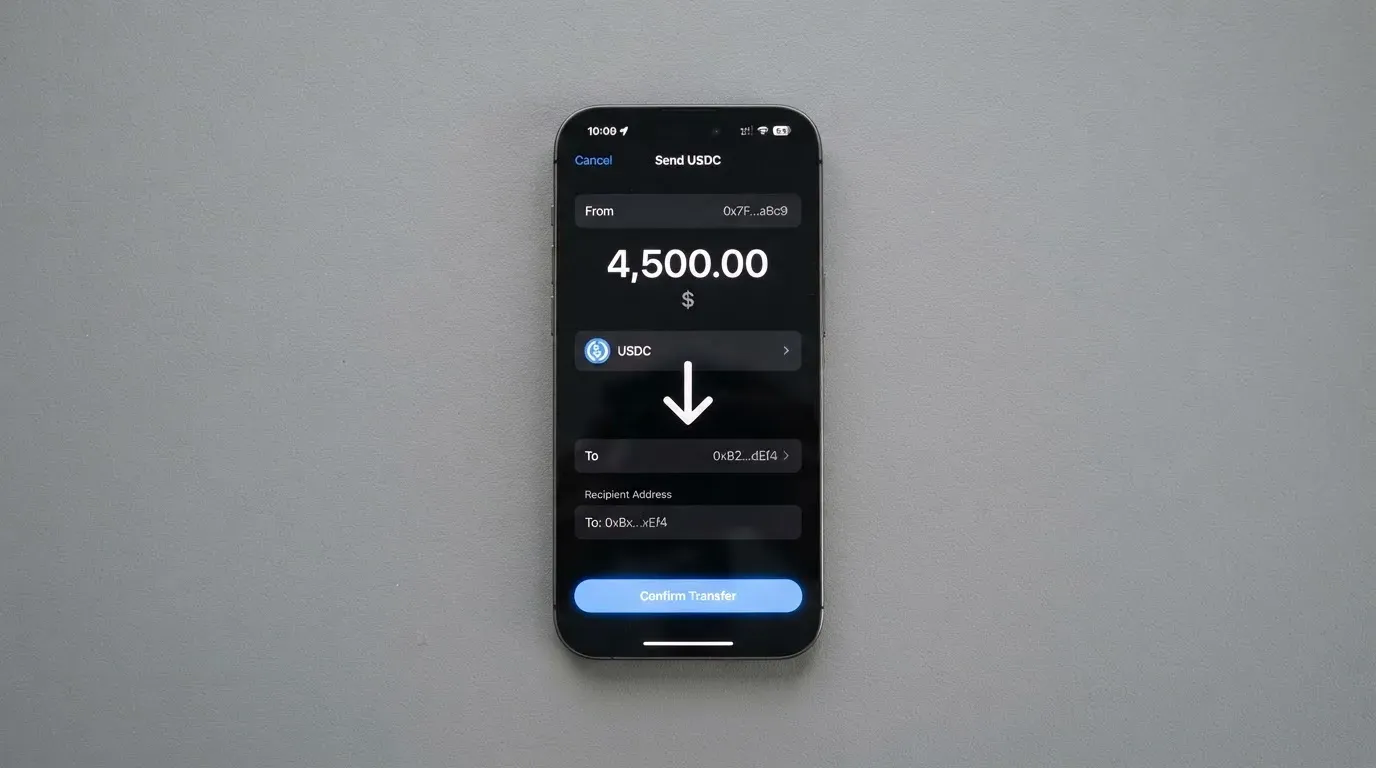
In practice, topping up works like this. You start from your own wallet, the one where you already hold your crypto. You send the token you want to load to a Spritz deposit address on one of the supported networks. The deposit is converted to USD via a quote (the help centre calls this the “card_deposit rail”) and credited to your card balance. You then spend that USD balance with the card.
The networks and tokens the help centre names are: Bitcoin, DASH, USDT and USDC on Tron, plus the fee-table networks Arbitrum, Avalanche, Base, Optimism, Polygon, Solana, Ethereum, Sui, BSC, Ripple, Tron, Bitcoin, and DASH. If you hold USDC, you have six networks at the base 1% fee, with no extra adjustment. If you hold USDT, Tron is your best-supported option but carries the 1.5% surcharge.
Beyond the load fee, you also pay the network fee for the on-chain transfer itself. The help centre separates these clearly: the gas fee goes to the blockchain, not to Spritz. On Ethereum, that gas fee can be meaningful; on Tron, it is usually small; on Solana and the L2s, it tends to be a few cents.
The minimum amount to load is not stated. The fiat top-up path is also not stated, though the help centre mentions a separate on-ramp with a 1% flat fee. If you want to load with a bank transfer or a card purchase, you would use that on-ramp, not the card’s own load mechanism.
One critical point deserves its own emphasis. Once funds are on your Spritz card, they cannot be returned or transferred back to crypto. The help centre is explicit: “Once funds are on your Spritz Card we cannot return or transfer them.” They must be spent. A bank off-ramp exists only for crypto sent via the Off-Ramp product, not for card balance. If you load $500 and change your mind, you do not have a $500 crypto balance waiting for you, you have a $500 USD balance that can only leave the card by being spent.
What happens to your balance if you close the account is not stated. That is a gap, and it matters if you are the kind of person who plans an exit before signing up.
Paying with it every day
The day-to-day experience is where Spritz behaves like a normal Visa. You can add the card to Apple Pay or Google Pay, and from there use it online, in-store, or in apps. The Visa network handles acceptance, so any merchant that takes Visa takes Spritz, subject to the usual restrictions.
The help centre does not publish a list of blocked merchant categories, but it does note that declines can come from merchant restrictions or 3-D Secure challenges. 3-D Secure is the extra step where your bank asks you to confirm a payment, usually with a one-time code or a biometric prompt. It is more common on online and app purchases than in physical stores.
Refunds should process back to the card within 7 business days, according to the help centre, after which you can contact support chat if the money has not reappeared. There is no separate chargeback process described. Unofficial sources say merchant refunds can take up to 30 business days, which is a wider range than the official 7.
On rewards, the official position is that there is no cashback programme stated, but the card carries Visa Signature benefits. Those include lounge access at certain airports, travel insurance, and purchase protection. The exact coverage depends on the issuing bank, which is not named publicly, so you should not assume a specific lounge list or a specific insurer without checking the guide that comes with your physical card.
Unofficial reporting describes a “Shopping Sprees” promotion: 5% cashback on airlines, hotels, restaurants, and travel agencies during a 3-day window, with a $20 cap per merchant, $40 per spree, and $80 per month, paid as Spritz Credits that you can withdraw. If that programme is real, it is a useful sweetener for travel spending, but it is not confirmed in the official materials.
The app situation is thin. The web app at app.spritz.finance is the primary interface, and there is an iOS app, but official store pages were not readable during research. Unofficial App Store ratings sit around 3.2 to 3.4 out of 5 from a small number of ratings, which is not a strong signal. If a smooth mobile experience matters to you, this is worth testing before you commit meaningful funds.
Support is reachable at [email protected], through a support chat, and via a “Book a call” form. Hours are not stated. If you are someone who needs 24/7 phone support, that is a gap.
What can go wrong
Every crypto card carries risks, and Spritz is no exception. The risks here fall into a few categories.
The first is transparency. Spritz Finance operates the card programme, but the issuing bank is not named on the official pages. Unofficial sources name Rain as the partner behind the Visa Signature card, but that is not confirmed by Spritz itself. Without a named issuer, you cannot easily check which regulator oversees the programme, which deposit guarantee (if any) covers your balance, or which jurisdiction’s law applies if something goes wrong.
The second is fund recovery. As covered in the top-up section, once money is on the card it cannot be returned to crypto. It must be spent. If the card programme is suspended, if the issuer has a problem, or if you simply change your mind, you do not have an obvious path to get your USD balance back into a wallet you control. This is the most important risk to understand before you load.
The third is card status. The help centre describes four card states: active, frozen, not_activated, and cancelled (cancelled is permanent). Freezing a card is a reversible step you can take yourself; cancelling it is not. PIN and card details are end-to-end encrypted, which is a positive security note, but custody and safeguarding of the underlying balance are not described. You do not know, from the public materials, how your USD balance is held.
The fourth is the physical card’s limited availability. Unofficial reporting describes a 3,000-card Alpha allocation for US customers. If the physical card is critical to your use case, that limited release is a real constraint, especially outside the US.
The fifth is the broader category risk that applies to any crypto card. Programme closures do happen. In 2018, Visa suspended WaveCrest in Europe, which closed every WaveCrest-issued card programme overnight. In November 2022, Visa terminated its global agreements with FTX, and the FTX US debit card was wound down by its issuer. These are not Spritz-specific risks, but they shape what “what if the programme ends” looks like for any crypto cardholder. When a programme closes, the typical pattern is a notice period, then spending and loading stop, and then users are asked to withdraw remaining balances. The speed and smoothness of that process depends on the issuer, which, in Spritz’s case, is not publicly named.
Complaint themes from unofficial user reports cluster around these points: loaded funds cannot be withdrawn back to crypto, Spritz Points (the loyalty currency) are not yet redeemable, cashback is limited, and the physical card is a limited release. Trustpilot sits at around 4.0 out of 5 from 319 reviews in some text and 3.8 from 253 in the rating box, which suggests a generally positive but not glowing reception.
What to take instead
If the gaps in Spritz do not sit well with you, three alternatives cover different priorities. Each is a different shape of product, and the table below compares them on the dimensions that matter most.
| Feature | Spritz | TokenPocket | MetaMask Card | KAST |
|---|---|---|---|---|
| Score | 7.4 / 10 | 5.8 / 10 | 7.1 / 10 | 6.1 / 10 |
| Card network | Visa | Visa or Mastercard | Mastercard | Visa |
| Geographic reach | ~42 countries (unofficial) | Europe (Visa); APAC and others (Mastercard) | 45 countries | Residence-based, list unpublished |
| Load fee | 1% base, $2 min, varies by chain | 1% deposit fee (refunded via rewards) | Minimal per-transaction fee (amount not stated) | 0% on stablecoins |
| Annual fee | None disclosed | None (apart from NFT creation) | Virtual free; Metal $199/year | Standard $0; Premium $1,000/year; Private $10,000/year |
| Cashback | Not stated officially | 1% deposit fee refunded via rewards | Virtual 1%; Metal 3% on first $10,000 then 1% (footnote) | Standard 1.5%; Premium 2%; Private 3% |
| Funded from | Self-custody wallet, 50,000+ tokens, 5 chains | TokenPocket wallet (Arbitrum) | Self-custody wallet, Linea, Base, Monad, Solana | Stablecoins on multiple chains |
TokenPocket is the budget option. The card runs on Arbitrum, the deposit fee is 1% (refunded later through rewards), and the published material is short on specifics: FX fees are not stated, cashback is not stated, and the exact networks supported are not listed. The score is 5.8, and the card suits someone who is already deep in the TokenPocket ecosystem and does not need a polished experience outside it.
MetaMask Card scores 7.1 and is the closest competitor in spirit. It is a Mastercard that spends directly from your connected wallet, on Linea, Base, Monad, or Solana. There is no MetaMask fee on top of network costs, the virtual card is free, and the Metal tier at $199 a year comes with 3% cashback on the first $10,000 spent (1% after that, per the footnote). The catch is geography: 45 countries are listed, the US and UK are temporarily closed to new sign-ups, and you need proof of residency. If you live in one of the listed countries and you already use MetaMask, this is the most natural alternative.
KAST is the premium option, with three tiers: Standard at $0 a year, Premium at $1,000, and Private at $10,000. Cashback scales from 1.5% to 3%. Stablecoin top-ups are 0%, non-USD FX is 0.5% to 1.75%, and there is a $0.50 fee on declined transactions for insufficient balance. The country list is not published, which is a real transparency gap. KAST suits someone who spends enough to justify the annual fee and who wants cashback paid in USD.
The short version: Spritz wins on top-up flexibility. MetaMask Card wins on transparency and ecosystem fit. KAST wins on cashback if you spend at the premium tier. TokenPocket is the fallback if you are already in that wallet.
Who I would recommend it to
Spritz is a good card for a specific kind of reader, and a poor card for several others.
It is a good fit if you already hold USDC across multiple chains and you want a Visa that meets that balance without forcing you to bridge to a single network first. The fact that USDC on Arbitrum, Avalanche, Base, Optimism, Polygon, and Solana all load at the base 1% fee is genuinely useful, and the support for Bitcoin, DASH, XRP, and Sui broadens the appeal for users whose portfolio is not purely stablecoins.
It is a good fit if you are self-custody-first and you do not want to deposit crypto onto a centralised exchange just to get a card. The flow is wallet to Spritz to spend, and the crypto stays in your control until the moment of conversion.
It is a poor fit if you need a physical card outside the US, or if you need the physical card at all. The limited release is a real constraint, and there is no published delivery time or replacement fee. If the physical card is your primary use case, wait until the rollout broadens or look at MetaMask Card or KAST.
It is a poor fit if you want a card with every fee published in advance. The FX fee, ATM fee, and issuance fee are not stated, and the help centre has no ATM article. If you travel often or withdraw cash regularly, you are operating in the dark.
It is a poor fit if you want to be able to move your balance back to crypto. The card balance is a one-way door. Load it, spend it, that is the model. Anyone who treats the card balance as temporary parking for crypto they might want back should not park there.
For the right reader, the self-custody USDC holder who spends mostly in USD through Apple Pay or Google Pay and does not need to withdraw cash, Spritz is a solid 7.4 out of 10. For everyone else, one of the alternatives above is likely a better match.
Frequently asked questions
What is the Spritz card?
The Spritz card is a Visa payment card linked to a crypto-funded USD balance. You load it from your own wallet, the crypto is converted to US dollars at the point of deposit, and you spend the dollar balance anywhere Visa is accepted, including through Apple Pay and Google Pay. The card is operated by Spritz Finance.
How does the Spritz card work?
You send crypto from your wallet to a Spritz deposit address on a supported network. The deposit is converted to USD at a quoted rate and credited to your card balance. You then spend that balance with the virtual or physical card, or through a mobile wallet. Once money is on the card it cannot be moved back to crypto.
Is Spritz a bank?
No. Spritz is a fintech company, Spritz Finance, that operates a card programme. The card-issuing institution is not named in the official pages, which means Spritz itself is not a bank and your card balance is not a bank deposit.
Who owns Spritz?
Spritz is operated by Spritz Finance. Ownership structure, investors, and parent company are not described in the public materials I could read.
Is the Spritz card available in my country?
The card is available by residence in a list of countries maintained in the help-centre country table. Unofficial sources put the list at 42 countries, including 30 US states, and flag six restricted territories: Belarus, Cuba, Iran, North Korea, Russia, Syria, and Venezuela. If your country is not on the list, the card is not available to you. Nigeria is listed but requires conditional approval.
How do I apply for the Spritz card?
You create an account, complete KYC with a government ID, wait for verification, and activate the card in the web app at app.spritz.finance/card. The minimum age is 18. Manual verification is available through support if the automated check stalls. Processing times are not publicly stated.
Does the Spritz card require KYC?
Yes. A verified account is required before you can activate the card. Unofficial reporting describes a government photo ID, phone, legal name, date of birth, ID number, address, and a live face check. The official help centre confirms ID upload and manual verification via support, but does not publish the full document list.
How do I top up the Spritz card?
You send crypto from your own wallet to a Spritz deposit address on a supported network. Over 50,000 tokens are supported across 5 chains, with the fee table naming USDC and USDT on Tron, USDC on six EVM and non-EVM networks, plus Bitcoin, DASH, XRP, and Sui. You also pay the network gas fee for the transfer itself.
How do I add the Spritz card to Apple Wallet or Google Pay?
The card supports Apple Pay and Google Pay. After activation in the app, you add the card through the standard wallet flow on your phone. From there you can pay in-store, in-app, and online wherever the wallet is accepted.
Is the Spritz card safe?
The card uses PIN and card details that are end-to-end encrypted, and you can freeze the card instantly if needed. The underlying balance, however, is held by a programme whose issuing institution is not publicly named, and once funds are on the card they cannot be returned to crypto. As with any prepaid-style product, the safety of your balance depends on the issuer’s solvency and safeguards, which are not disclosed in the official materials.
Wallet card verdicts – cryptocardverdict
Content created by the «cryptocardverdict» team