
A crypto-funded virtual card, strong on coins and thin on everything else
 Available in US
The Pay It Now card is a virtual Mastercard that you fund with cryptocurrency instead of from a bank account. You load coins from the PIN Network wallet, they are converted to USDC, and the card spends that USDC balance as dollars. There is no physical card, no cash machine, and no annual fee. What there is, on paper, is one of the broadest crypto funding menus in this category: more than fifty digital assets, including BTC, ETH, SOL, USDT, TRX and BNB.
Here is where I land after reading the card’s own pages and reports: 5.6 out of 10. That is not a bad score, but it is a card with two very strong halves and one weak one. Funding options score 9 out of 10, which is genuinely excellent — almost any coin you hold can become spendable money. Cost scores 7. Everything else is thin, and one is thin in a way that will decide the outcome for you.
Who does that suit? If you live in New Zealand or Australia, if your problem is that a normal bank card is hard to get or hard to use, and if you already hold crypto that you want to turn into everyday spending, this card does a real job at a fair price. Who it does not suit: anyone outside those two countries today, anyone who needs cash from an ATM, anyone who needs to add the card to Apple Pay, and anyone who wants a card they can load from a bank account.
The conditions described on this page are current as of October 28, 2026.
| Criterion | Mark | Why |
|---|---|---|
| Who can get it | 2 / 10 | Only New Zealand and Australia; the U.S. and Europe are described as plans, not products |
| Cost | 7 / 10 | Issuing 5.00 USDC, marked “FREE for a limited time”; no annual fee; 1.5% on purchases not in USD; conversion at a spread |
| Top-up options | 9 / 10 | 50+ digital assets (the FAQ says 40+), including BTC, ETH, SOL, USDT, TRX, BNB; all converted to USDC |
| Reliability and complaints | 6 / 10 | Regulated entities in both countries, Trustpilot 4.0/5 on 13 reviews; complaints about support and lost funds |
| Everyday use | 5 / 10 | Virtual Mastercard only, Google Pay works, new cards cannot be added to Apple Pay since 11 May 2026, no ATMs |
| Total | 5.6 / 10 | Strong on funding, weak on reach and on everyday convenience |
Who will they give the card to
Only PIN users in New Zealand and Australia. That is the eligibility the card states, and it is the single most important fact on this page if you are reading from anywhere else.
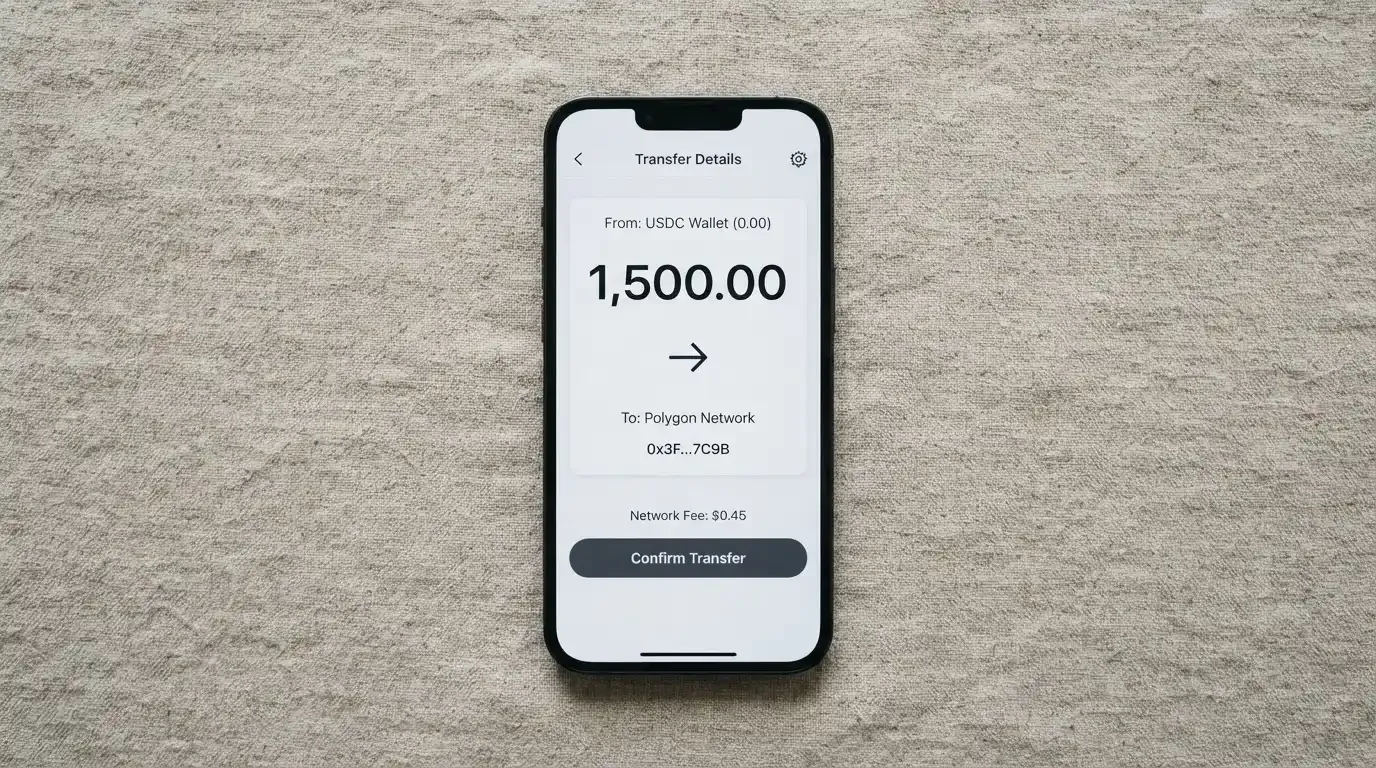
The company is working on expansion “into other regions, including the U.S. and Europe”. I want to be precise about what that sentence is and is not. It is a statement of intent. It is not a country list, not a date, not a sign-up link, and it does not change who can open an account today. If you are in Europe and you are hoping this card arrives next year, you are planning around a plan.
There is no citizenship-versus-residence split spelled out on the pages I read. What is stated is that the card is available to users in New Zealand and Australia. So treat country of residence as the gate, and expect to be asked for proof of where you live — which brings me to identity checks.
Also worth knowing before you start: this is a card for adults. Prepaid and debit cards in this category are generally available to people 18 and over, and some issuers set higher limits. Pay It Now does not publish a per-KYC-level limit table, so I cannot tell you what changes as your verification level rises.
How to get it
The sign-up path runs through the PIN Network app on iOS or Android, and it is short enough to describe in one breath. You install the app, open the Cards section, apply, complete the card provider’s identity verification, and top up. The card is issued within 10 minutes — the delivery figure the company publishes is “10 minutes” for the virtual card.
Two things about the verification deserve more attention than the “just a few minutes” line suggests.
The first is that there are two stages, not one. You complete PIN Network’s own KYC, and then the card provider runs additional KYC on top of it even if the platform check is already done. In practice that means two sets of documents rather than one. Get ready to upload identity papers twice.
The second is what the public pages do not say. The specific documents accepted, what counts as proof of address, and the age threshold are not stated. You will not find a checklist on the site; you will find out what is needed when you upload the first document and it is refused. That is a real, if small, friction point, and it is the kind of thing that turns into a support ticket — the thing several reviewers say they already had trouble with.
What you end up holding is a virtual, reloadable prepaid Mastercard. There is no physical version: physical cards are not available at this time. The balance is USDC, shown to you as a US dollar figure. You can create multiple virtual cards from the same wallet, which is useful for separating subscriptions or for spending limits you can actually enforce.
Behind it sit real licensed names, which is more than some cards in this category can offer:
- The card is issued by Immersve, under AFSL 545925.
- Pay It Now NZ LTD holds New Zealand FSP 1002374.
- Pay It Now AUS PTY LTD holds AFSL 700050, with AUSTRAC DCE100820697-002.
- Takeoff Media Limited distributes the card as Authorised Representative 1313795.
Worth pausing on that last name, because it comes back later. The card issuer and the distributor are not the same company as the brand you sign up under, and the money in your balance is held by Takeoff Media.
Fees and what a payment actually costs
Here is the cost picture in full, and then I will walk three everyday payments through it so you can see which fees actually bite.

Issuing the card costs 5.00 USDC, deducted from your app wallet balance, and the company marks it “FREE for a limited time”. That phrase does the work: it is free now, and the price is written down as 5.00 USDC, so treat 5.00 USDC as the real number and the free offer as a promotion. There are no annual fees. Cancellation is free.
| Fee or limit | Value |
|---|---|
| Card issuing | 5.00 USDC from app wallet balance, “FREE for a limited time” |
| Annual fee | None |
| Cancellation fee | None |
| Crypto-to-USDC conversion | Spread only, rate shown in the app |
| Purchase fee | 1.5% on purchases in currencies other than USD |
| Separate FX fee | None |
| ATM / cash withdrawal | Not stated; the card is virtual only |
| Transaction limits | USD 20,000 daily, USD 100,000 yearly |
| Value load limits | USD 5,000 daily, USD 100,000 yearly |
| Tiers | Single tier |
Three payments, three different outcomes:
A coffee in New Zealand, USD 6.00. Nothing extra. The transaction fee is 1.5% on purchases in currencies other than USD, so an USD purchase pays no transaction fee. The only cost you carry is whatever spread sat in the conversion when the coins became USDC, and that already happened at top-up.
A hotel night in Tokyo, USD 200.00. Here the 1.5% applies, so USD 3.00 goes on top. There is no separate FX fee on top of that — the card states none — but the merchant’s own currency conversion may not be the rate you get, and that difference is not something the card controls or discloses.
Anything bought online, in USD, from a merchant that does not recognise the card. No fee from the card side, but a decline is possible. This is the prepaid-and-foreign-BIN problem I return to in the risks section, and it costs you nothing and still costs you the sale.
The spread is the number to actually watch. No percentage is published, the rate is simply shown in the app at the moment of conversion, and a Trustpilot reviewer in April 2026 specifically complained about the spread being unclear. So the honest summary is: the card’s own fees are low and clearly documented, and the one cost that is neither fixed nor quantified is the conversion rate you get.
How to top it up
This is the strongest part of the product and the reason the funding score is 9 out of 10. You fund the card from the PIN Network wallet using more than fifty digital assets. The FAQ says forty-plus; the marketing says fifty-plus. Either way, BTC, ETH, SOL, USDT, TRX and BNB are all in there. Everything is converted to USDC, and the card spends the USDC.
Compare that with the category. Some rival cards list a handful of assets. A card that takes your chain-native tokens — including TRX, which matters because Tron is a common low-cost home for USDT — means you do not have to buy a specific token first to spend it. For someone whose whole reason for holding crypto is that they already hold a strange mix of coins, that is a real convenience, not a marketing line.
Two operational details. Deposits made through the Web3 smart contract can take up to ten minutes, so this is not instant and you should not stand at a till watching a number. And on-chain network fees for your deposit are charged by the blockchain, not by the card provider — that cost belongs to whichever chain you send on.
The limits are USD 5,000 per day for a top-up and USD 100,000 per year. No separate deposit fee is charged; the spread still applies. The minimum top-up is not stated, and whether you can top up with fiat directly is not stated either — everything described runs through the wallet and crypto.
If you want the money back out: withdrawal goes to your app wallet or to a bank account. A withdrawal to the PIN Wallet carries a fixed fee of 0.2 USDC. Worth noting that this is the one place in the whole cost picture where a small fixed fee exists, and it is small.
Paying with it every day
Day to day, you are spending a US dollar balance from a virtual Mastercard in the PIN Network app. Google Pay is compatible. Apple Pay is where the story breaks, and I want to be exact about it rather than vague.
From 11 May 2026, adding new cards to Apple Pay is unavailable “until further notice”. The company states this and has stated it officially. Existing cards already in Apple Wallet are unaffected, which tells you this is a programme-level suspension on new additions rather than a shutdown. If you are starting fresh today, you cannot put the card in Apple Wallet. If you added it before the date, it keeps working. Which side of that line you fall on decides how useful this card is to you.
Otherwise it behaves like a normal virtual card: pay online, pay in store, multiple cards from one wallet. There is no cash-out option, because there is no physical card to reach an ATM with. Whether the card is blocked at gambling, adult, or other restricted merchants is not stated, and blocked merchant categories vary by issuer in this category — so nobody can promise you this card will or will not be refused somewhere.
Rewards are not stated. There is no cashback scheme and no points described on the pages I read, which is worth factoring into any comparison with a card that does offer some.
The app itself is the PIN Network app on iOS and Android. I could not retrieve its store ratings on 2026-10-21 — the store pages did not load for me — so I have no view on how users rate the software that runs all of this.
What can go wrong
Start with the complaints, because they are the most concrete thing here. On Trustpilot the card sits at 4.0 out of 5 across thirteen reviews, read on 2026-10-21. Seventy-seven percent are five-star. The company has not replied to negative reviews. Thirteen reviews is a small sample and I will not pretend it proves anything statistically — but the themes inside it are consistent and they are the themes you would worry about anyway: unresponsive support, reported in February, April and July 2026; unexplained loss of funds, reported in July 2026; an unclear spread and an unanswered enquiry, reported in April 2026; and delays with held transactions in February 2026.
The official picture has one confirmed problem of its own: the Apple Pay additions paused from 11 May 2026, announced as a suspension for new Web3 Mastercards.
Now the structural risks, which are general to this kind of card rather than specific complaints about this one. The first is that your balance is custodial. Your USDC is held by Takeoff Media, and the card’s public pages do not state what safeguarding applies to it. That single sentence is the honest summary: the money sits with a company, not with you.
The second is that a card programme can be switched off. Visa and Mastercard do not issue cards to consumers themselves — they license issuers, and they can suspend a programme. Visa terminated its global agreements with FTX in November 2022 and the FTX US debit card was wound down. WaveCrest, a Visa issuer that supplied crypto card brands, was suspended by Visa in Europe in 2018, closing all its Visa programmes. When that happens, the pattern is a notice period, then spending and loading stop, then you are asked to withdraw what is left. Treat any balance on a crypto card as money you may need to move on short notice.
The third is that a declined payment can still hold your money. A declined authorisation may leave a hold that can sit for several days, typically up to seven. Virtual cards with a foreign issuer also get refused more often than people expect: merchants can look up the issuer and country from the card number, and some apply extra scrutiny or refuse prepaid and foreign cards outright. Address verification, which quietly rescues many online payments, is mostly a US, Canada and UK arrangement and is generally unavailable on foreign-issued cards.
If something goes wrong with a payment, the app has a “Report” button under the transaction, which opens a support ticket. The chargeback process and its time frames are not stated. That matters: a chargeback is a refund the issuer orders, and prepaid-card coverage varies and should not be assumed to be the same as a bank’s.
Support is tickets only. support.payitnow.io, plus a status page at support.payitnow.io/status. No phone line. Languages and opening hours are not stated. Given that unresolved tickets are a theme in the reviews, this is the part I would test early with a small balance rather than after a large transfer.
What to take instead
If you are outside New Zealand and Australia, or you need a physical card, or Apple Pay is central to how you pay, the honest answer is that this card is not the option. Here is how the three alternatives I looked at line up.
| Pay It Now | CardFlow | HyperCard | Card.fi | |
|---|---|---|---|---|
| Score | 5.6 / 10 | 4.9 / 10 | 4.7 / 10 | 6.6 / 10 |
| Who it is for | New Zealand and Australia users | Aimed at Nigeria and “Nigerians and global users” | No country list on official pages; app store says it works in “more than 176 countries” | Ships to “200+ countries”; terms bar countries subject to sanctions |
| Card form | Virtual Mastercard only | Virtual USD Mastercard | Prepaid “HyperCard”; network not stated | Virtual and physical, Classic, Premium, metal |
| Cost to open | 5.00 USDC, “FREE for a limited time” | “Creating a virtual card is completely free” | Not stated | Virtual Classic $49, Virtual Premium $249 |
| Funding | 50+ assets incl. BTC, ETH, SOL, USDT, TRX, BNB | BTC, USDT, ETH or Naira bank transfer; networks not stated | USDT, BTC, ETH in the app; networks not stated | 32 coins across 5 networks |
| Rewards | Not stated | Not stated | Not stated | Cashback 0.8%–2% depending on tier |
CardFlow scores 4.9. Its pitch is regional — “Nigeria’s smartest fintech card platform”, aimed at Nigerians and, in its own words, global users — and you can create a virtual card in 3 minutes, free. If you are in Nigeria and want a naira bank transfer to be a funding route, that is the thing it offers that Pay It Now does not. What it does not publish, on the pages I read, are its fees.
HyperCard scores 4.7, the lowest of the three. The card balance can be held in USD or EUR, and you deposit crypto in the app. But the official pages state no country list, no network, and no fees; the “more than 176 countries” line comes from the app store and describes where the card is accepted, not who can get one. Those are different questions, and the confusion between them is exactly the kind of thing that leaves you stuck at the application step.
Card.fi scores 6.6, the highest alternative and the one to look at first. It is the only one of the four with a physical card, metal options, and published rewards. Costs are explicit: Virtual Classic $49, Virtual Premium $249 one-off, with no monthly, annual, inactivity or minimum-balance fee. Funding is 32 coins across 5 networks, with a deposit address per card and conversion at market rate on arrival. Its trade-off is fees on every top-up — Classic 1.5% plus $1.00, Premium 1%; FX Classic 3.5%, Premium 2.5% — which, if you convert often, can cost meaningfully more than Pay It Now’s spread-only model. It also warns that sending on the wrong chain risks permanent loss of funds.
The comparison is roughly: Pay It Now wins on the number of coins you can spend from and on headline fees. Card.fi wins on almost everything else you can hold in your hand. For a reader outside the two countries, Card.fi’s reach may simply end the question.
Who I would recommend it to
I would recommend this card to someone specific, and it is not a broad audience.
If you live in New Zealand or Australia, you find ordinary bank cards difficult to get or difficult to use, and you would rather spend the crypto you already hold than sell it first, then this is a well-priced way to do it. Fifty-plus coins is the best funding menu in its class, the fees are low and honestly published, there is no annual charge, and the balance sits with licensed, named companies rather than an anonymous startup.
I would hold off if any of these are true of you. You are anywhere but New Zealand or Australia. You need a physical card or cash. You pay with your phone through Apple Pay. You want to load from a bank account — that route is not described. You want to be certain your balance is safeguarded, because the public pages do not say. Or you are the kind of person who wants rewards for spending, because there are none stated.
And one practical suggestion before you commit real money: put a small amount in, make one purchase, and file a support ticket to see how fast a reply comes. Support responsiveness is the thing reviewers complain about most, and it is the cheapest possible thing for you to test while it still costs you almost nothing.
Frequently asked questions
What is the Pay It Now card?
It is a virtual, reloadable prepaid Mastercard funded with cryptocurrency. You load coins from the PIN Network wallet, they convert to USDC, and the card spends that USDC balance as US dollars. There is no physical card. The issuer is Immersve under AFSL 545925, and the balance is held by Takeoff Media Limited.
Who owns Pay It Now?
Several related companies appear in the card’s own details. Pay It Now NZ LTD holds FSP 1002374 in New Zealand, and Pay It Now AUS PTY LTD holds AFSL 700050 with AUSTRAC DCE100820697-002 in Australia. Takeoff Media Limited distributes the card as Authorised Representative 1313795, and Immersve issues it.
Is Pay It Now a bank?
No. It is a card programme run by fintech and e-money entities, not a deposit-taking bank. That distinction matters for how your balance is treated: prepaid and e-money funds are not the same as bank deposits, and deposit guarantee schemes are a separate question from whether your money is safeguarded at all.
Is the Pay It Now card available in my country?
Only New Zealand and Australia right now. The card states expansion “into other regions, including the U.S. and Europe” is being worked on, which describes intent rather than availability. If you are not resident in one of those two countries, treat this card as closed to you for now.
Does getting the card require KYC?
Yes, and it happens twice. You complete PIN Network’s KYC and then the card provider runs additional KYC even if the platform check is done, so expect to supply documents in two places. The specific documents, proof-of-address rules and age threshold are not stated on the public pages.
How much does it cost to open and maintain?
Issuing costs 5.00 USDC from your app wallet balance, currently marked “FREE for a limited time”. There are no annual fees and cancellation is free. The costs to watch are a 1.5% fee on purchases not in USD and whatever conversion spread applies when your coins become USDC.
Can I add it to Apple Wallet?
New additions are not available. From 11 May 2026, adding new cards to Apple Pay is unavailable “until further notice”, which the company confirmed officially. Cards added before that date are stated to be unaffected, so if you already had it in Apple Wallet it should still work.
How do I top it up, and with what?
From the PIN Network wallet, using 50+ digital assets — the FAQ says 40+ — including BTC, ETH, SOL, USDT, TRX and BNB. Everything converts to USDC. Deposits through the Web3 smart contract can take up to ten minutes, and the maximum top-up is USD 5,000 per day. Whether fiat top-up is possible is not stated.
Is the card safe for my money?
It is a custodial product, so assess it that way. Your USDC balance is held by Takeoff Media, and the public pages do not state what safeguarding applies. On top of that, card programmes can be suspended by the network — the FTX card was wound down in 2022 — so keep only what you can withdraw quickly.
What if a payment goes wrong or funds disappear?
Use the “Report” button under the transaction in the app, which raises a support ticket at support.payitnow.io. The chargeback process and time frames are not stated, and prepaid-card coverage varies, so a refund should not be assumed. Support is ticket-only with no phone line, and responsiveness is a theme in user reviews.
Virtual card verdicts – cryptocardverdict
Content created by the «cryptocardverdict» team