
SPay is a virtual Visa with three priced tiers and up to 1.5% back, but a lot of it is still marked 'Coming soon'
 Available in US
SPay is a virtual Visa card you create in an app, fund with stablecoins or a couple of native coins, and then spend like an ordinary card — in US dollars, in Apple Pay, or wherever virtual cards are accepted. Around that core sit three priced tiers (Platinum, Signature, Infinite), a points scheme that returns up to 1.5% of what you spend, and a long list of things the card’s own pages still describe as “Coming soon”.
I went through those pages line by line. The short version: this is a competently built, clearly documented card for people outside the United States who want a tiered virtual Visa with rewards on everyday spending. It is not a bank, it does not publish a country list, and a good deal of the physical-card story — the plastic in your hand, the ATM — is not shipping yet. My score is 5.5 out of 10.
The conditions described below are current as of October 28, 2026.
Verdict: 5.5/10, and it depends heavily on where you live
The single most important thing to understand before anything else: SPay’s public pages do not say who can get the card. There is no country list on the card page. Where a list would normally sit, the card says “For current country coverage” and sends you to its Contact page. So the one question every applicant has — “is it available in my country?” — cannot be answered from what the card publishes. You have to ask them. That single gap does more to hold the score down than anything else.
What the card does state is narrower. Its terms say you must not be blocked or sanctioned by the United States (OFAC), and you must attest that you are not a US citizen. The card is described as intended for people outside the US. Whether it screens citizenship or residence — that is, whether your passport matters or your address matters — is not stated. Those are different tests, and the difference decides whether you are eligible.
Second, the score is dragged down by cost. The entry price is genuinely low: $9.99 one time for Platinum. But the foreign exchange fee runs up to 3%, and a separate cross-border fee runs up to 3%. For a card that spends in US dollars, that is the number that matters. If you are paid in euros, pounds, or dirhams and your everyday spending is local, you are paying a premium on your daily life every time you tap. That is not fatal — but it is the arithmetic of this card, and you should do it before you sign up, not after.
Where it scores well is top-up. USDT and USDC, both native networks, credit in minutes, in amounts from $10 to $500. That is a clean, well-supported set of options for someone already holding stablecoins.
Reliability is the hardest to judge on a young card. I found no official incidents, and a search for reviews turned up no SPay results at all — which reads more like “too new to have a reputation” than “trusted”. The App Store listing shows 5.0 out of 5 from exactly one rating. One rating is not a track record; it is a rounding error. Use it accordingly.
Everyday use is a 6. The virtual card works, Apple Pay works, Google Pay is described two different ways on two different pages of the same site. Cash-like transactions — crypto purchases, gambling, money transfers — “may be limited”. The physical card and the ATM are “Coming soon”.
| Criterion | Mark | Why |
|---|---|---|
| Who can get it | 5/10 | No country list; coverage by enquiry via the Contact page. Open to non-US citizens, closed to US citizens |
| Cost | 3/10 | $9.99 to $49.99 one time, $99 for the physical card, FX up to 3% plus cross-border up to 3% |
| Top-up options | 8/10 | USDT on Tron and Ethereum, USDC on Ethereum, native ETH and TRX; $10 to $500 from USDC balance |
| Reliability and complaints | 7/10 | Operated by NOVARA TECH L.L.C S.O.C, issued by Third National under a Visa licence; no complaints found; App Store 5.0 from one rating |
| Everyday use | 6/10 | Virtual Visa, Apple Pay live, Google Pay described inconsistently; physical card and ATM “Coming soon” |
| Total | 5.5/10 | A strong top-up story dragged down by an unpublished eligibility list and a high FX cost |
Who does this suit? Someone outside the US who already holds USDT or USDC, wants a virtual Visa with tiered perks rather than a bare-bones card, and is comfortable paying up to 3% on currency conversion in exchange for the rewards. Who does it not suit? Anyone in a hurry to know whether they qualify without asking; anyone whose spending is mostly in a non-dollar currency; anyone who needs cash from an ATM today; and anyone who needs a card for gambling, crypto purchases or money transfers, since those categories may be limited.
Who they will give the card to
Here is the honest answer, and it is shorter than you would like: ask them. The card page carries no country list. The pointer it gives is “For current country coverage” on the Contact page, which is a customer-service route, not a policy statement. It means the coverage may well exist and simply be unpublished, or it may be managed case by case. Either way, you cannot self-serve the answer.
What is stated is this. You must not be blocked or sanctioned by the United States under OFAC, and you must attest that you are not a US citizen. The card is built for people outside the US. Whether the card screens your nationality, your country of residence, or both, is not stated — and that distinction is the one that catches people out. Plenty of non-US citizens live in the US; plenty of US citizens live elsewhere. If you fall in either of those groups, this card’s wording does not tell you which test applies.
There is also a broader point worth holding on to, because it applies to this card and to the whole category. Nationality is recorded and screened separately from residence in this industry, because sanctions screening and issuer risk policy are applied to citizenship and country of birth as well as to country of address. Sanctions rules, in other words, are not about where you bank from. That is why “I’m just visiting” is not an answer to a sanctions question, and why a card that cannot tell you its coverage list is asking you to do work it should have done.
One more general fact that frames what is possible: prepaid and debit cards are generally available to adults aged 18 and over, and some issuers set higher minimums. SPay does not publish an age figure, and the verification steps it describes do not include one. If you are under 18, the answer is not stated here either.
How to get it
The process is app-based, and the card itself is created inside the app. You verify during onboarding, you create a virtual Visa card, and you can put it into Apple Pay. The unlocking of the app is done with Face ID or a 6-digit passcode.
Verification: yes, onboarding requires it. What that verification actually consists of is not stated. The card does not describe which documents are required, does not mention proof of address, and does not give an age threshold. This matters more than it sounds. When you cannot see the document list in advance, the honest way to approach it is to have a passport or national ID and something showing your address to hand, and to expect a possible request for more. I am not telling you what will be asked; I am telling you the card does not say, so plan for the stricter case.
The verification *tiers* — whether some people get a lighter check and others a heavier one — are not stated either. In this category, limits and checks often scale with what a provider can establish about you: name, date of birth, address, identification number, a sanctions check, and whether you are a politically exposed person are all part of standard customer due diligence in the EU, and the US customer identification programme asks for name, date of birth, address and an identification number, with electronic checks validating proof-of-address documents against records. If due diligence cannot be completed, the expected outcome is that the relationship does not proceed. So the practical reading of “verification required, details not published” is: assume your first application may not be your last one.
The card itself: a virtual Visa, created in the app, spending in US dollars. It is issued by Third National under licence from Visa. That structure is worth understanding—visa issuers hold the licence, not the crypto brands themselves, and visa does not issue these cards directly. Visa and Mastercard license issuers, and they can suspend a programme. The crypto brand in front of you is often only a programme manager or a front-end; the licence sits with the bank. So the entity that has to answer you when something goes wrong may not be the app you installed.
The physical card is a separate matter. It is teal plastic, listed at $99 one time, and marked “Coming soon”. Its stated purpose is tap-to-pay and ATM withdrawals. Per the card’s terms, delivery would go to your address and the card would be activated on arrival. Which countries it would ship to, and how long it would take, are not stated. Treat “Coming soon” as “not available”, and treat the $99 as a price for something you may not be able to buy yet.
Fees: what it really costs
The headline number is friendly and the running cost is not. SPay sells three tiers, each a one-time payment: Platinum $9.99, Signature $19.99, Infinite $49.99. The physical card is $99 one time. No monthly fee is stated — and here I must be precise, because “not stated” is not “there is none”. The card’s pages do not mention a monthly fee, an annual fee, an inactivity fee or a minimum balance; they also do not promise in terms that none exists.

The fees that *are* stated are the ones that matter most for a dollar-spending card:
- Foreign exchange fee: up to 3% on non-USD transactions
- Cross-border fee: up to 3%
- Crypto conversion / deposit fee: not listed
- ATM fee: not listed in the terms (the ATM does not exist yet anyway)
| Fee or limit | What it says |
|---|---|
| Platinum, one-time | $9.99 |
| Signature, one-time | $19.99 |
| Infinite, one-time | $49.99 |
| Physical card, one-time | $99 (“Coming soon”) |
| Monthly fee | not stated |
| Foreign exchange fee (non-USD) | up to 3% |
| Cross-border fee | up to 3% |
| Crypto conversion / deposit fee | not listed |
| ATM fee | not listed |
| Cash advances | unavailable per terms |
| Monthly cap — Platinum | $20,000 |
| Monthly cap — Signature | $50,000 |
| Monthly cap — Infinite | $100,000 |
| Your own limit | settable from $0 up to the cap |
| Daily and per-transaction caps | exist, amounts not listed |
Two everyday payments, worked through, so you can see where the fees bite.
A coffee abroad, paid in euros on a Platinum card. You tap a €4.50 coffee in a shop in a euro country. The card spends in US dollars, so the €4.50 is converted. The terms put the foreign exchange fee at up to 3%. The cross-border fee at up to 3% is also in the terms, and whether it applies to a transaction that stays inside the euro area is not something the card explains. Your rewards help: Platinum earns points on purchases at up to 1.5% back depending on tier, and 200 points equal $1 USDC. So the combined fees against a 1.5% rebate is a bad trade on a small purchase — the fixed fee side of it, if any applies at all, eats the rebate entirely. This is the payment where SPay is weakest.
A monthly online subscription in dollars, on Signature. Here the maths is friendlier. The charge is already in US dollars, so there is no conversion on your side, and the cross-border question depends on where the merchant’s acquiring bank sits — not stated by the card. Signature adds concierge service, the Luxury Hotel Collection, airport lounge access and higher limits than Platinum, at $19.99 once. If you pay a handful of dollar-denominated subscriptions and travel occasionally, the tier perks and the points can plausibly cover the conversion cost. This is where a dollar-spending card earns its keep.
A third case worth naming, because it is the one people ask about: spending the balance in a currency the card does not hold. The card spends in US dollars. Multi-currency balances are not stated — although the app can show balances in dirhams, which is a display question, not a spending one. So there is no stated way to hold and spend in dirhams or euros directly. Everything goes through dollars, and the FX fee applies.
How to Top up
Topping up is the strongest part of this card, and the reason my top-up mark is the highest in the table.
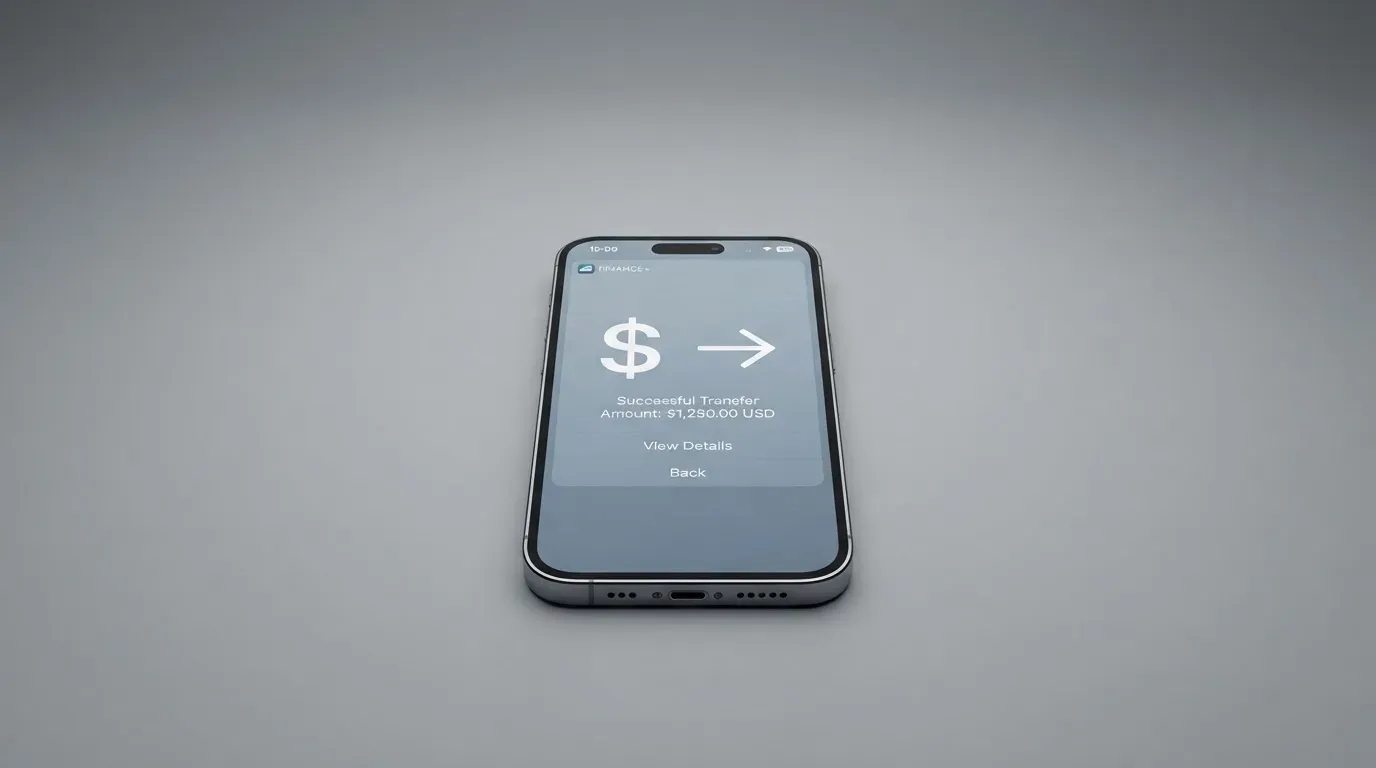
You deposit USDT on Tron (TRC-20) or Ethereum (ERC-20), USDC on Ethereum (ERC-20), or native ETH and TRX into the SPay wallet. You then move funds from your USDC balance onto the card, in amounts from $10 to $500, credited in minutes. Quick amounts run the same range: $10 to $500.
So the practical loop is: crypto in, USDC balance, card funded. Credit is fast. The ceiling per top-up is low enough ($500) that you will be back in the app regularly if you spend seriously, but that is a design choice, not a defect.
Three things the card does not tell you, and all three cost money if you guess:
- Deposit fee: not listed.
- Who pays the network fee: not stated. On-chain network fees for your deposit are charged by the blockchain, not by the card provider, so somebody pays them. If it is you, that comes out of the amount that arrives.
- Fiat top-up: not stated. There is no published route to add money from a bank account or card. If your only money is fiat, this is the question to ask first.
The network choice matters more than usual here, and one detail in particular catches people out. If you hold USDC on Tron — the TRC-20 version, the cheap and ubiquitous one — that is not a native option: Circle stopped supporting USDC on Tron in February 2024. This card accepts USDC on Ethereum. Sending Tron USDC where Ethereum USDC is expected is a mistake with real consequences, because blockchain transfers are irreversible and a deposit sent on a network the provider does not support, or to an address of another network, can be lost or need manual support recovery with no guarantee. Check the network twice.
One more route out, since you will want it eventually: withdrawals are sent as USDC on Base to any self-custody wallet. The fee is not listed, and what happens to a remaining balance if you close the account is not stated. Plan the exit before you need it.
Paying with it every day
Day-to-day, this is a virtual card with a wallet app attached, and that is the whole product.
Apple Pay: live. Worth understanding why that is a genuine benefit rather than a convenience. Apple Pay replaces your card number with a device-specific number stored in the phone’s Secure Element, never on Apple’s servers, and each payment uses a one-time dynamic code. So the card number itself is not what gets handed to the shop.
Google Pay: contradictory. The site says “in development”; the card page says both wallets work with virtual cards on creation. One of those is out of date. If Google Pay is your main wallet, test it before you rely on it.
Blocked or limited categories. Cash-like transactions — crypto purchases, gambling, money transfers — “may be limited”. Note the verb. This is not a clean block; it is a category the card declines to promise. In the wider industry, gambling has its own merchant category code, and issuers block it by policy rather than by law, with the list differing by issuer. If any part of your spending depends on those categories, assume they will fail and test them early.
Points. You earn on card purchases, up to 1.5% back depending on tier. 200 points = $1 USDC, redeemable from 1,000 points, credited to your card balance. Bonus points exist for referrals, for completing verification, and for a first card. Two practical notes: the redemption threshold means the first 1,000 points are not withdrawable, and the payout arrives as USDC to the card balance, not as free money you can keep.
Tier perks, for what they are worth. Platinum: purchase protection and extended warranty up to $10,000, price protection up to $2,000, worldwide auto rental insurance, 24/7 support. Signature adds concierge, Luxury Hotel Collection, airport lounge access and higher limits. Infinite adds travel accident insurance up to $1,500,000, baggage cover, priority concierge, purchase protection $20k and warranty $25k. These are the standard tier ladder of this category. Whether a claim pays out is a matter for the insurer’s terms, not the app’s marketing.
The app. On iOS it is 5.0 out of 5 from one rating (I read that on 2026-10-21), requires iPhone iOS 15.1 or later. A Google Play listing exists (com.spay.wallet) — I did not read its rating. Support runs through an in-app AI assistant that hands off to a human agent, and the app is fully localised in Arabic. There is a phone number, +971 55 947 6972.
When something goes wrong with a payment. Try the merchant first. For a disputed charge, report it within 60 days after it posts to your statement. Card-network chargeback rules apply, and won chargebacks are credited back to your SPay account. Keep that 60-day window in mind: it runs from when the charge appears on the statement, not when you noticed it. Do not assume prepaid-card protection equals the protection you get from a US debit or credit card — prepaid coverage varies and should not be taken for granted.
One last thing to expect on a card issued in one country and used in another: some merchants decline prepaid or foreign-issued cards because the issuer’s BIN lookup reveals the card type and the issuing country. If a payment is refused, that is often the reason, and it is not something you can fix by retrying.
What can go wrong
Eligibility is a genuine unknown. The card publishes no country list. You could complete verification and still discover a limit at funding time. That is the first risk, and the only one you cannot price in advance.
Currency cost is the second. Up to 3% FX plus up to 3% cross-border, on a card that spends in dollars. If your life is in another currency, this is a recurring tax on ordinary spending.
Your limit can go to zero. This one is stated clearly and deserves attention. The terms say the limit is set by SPay based on collateral, and can be reduced to $0 at any time. Your own limit, which you can set from $0 up to the cap, is a ceiling you impose; the tier caps — $20,000, $50,000, $100,000 monthly — are ceilings that can move down under you. Daily and per-transaction caps exist but the amounts are not listed, so you cannot know your real per-day ceiling before you need it.
Transfers are irreversible. A deposit on the wrong network, or to an address of a different network, can be lost or need manual recovery with no guarantee. Withdrawals also go out as USDC on Base only, fee not stated. Stablecoins are not censorship-proof either — Tether says it disables tokens in wallets on the OFAC sanctions list and has frozen funds tied to illicit activity.
Custody is not stated. Whether your keys are yours or the provider’s is not stated by the card. This is the most consequential silence on the page. Control of crypto belongs to whoever holds the private key or seed phrase; with a custodial wallet the provider holds the credentials and you must trust them completely. A seed phrase is the private key in plain form, and anyone who gets it can restore the wallet and spend the funds. Custodial platforms have a real history of failure — Mt. Gox (about US$350 million reported stolen, 2011-2014), Coincheck (about US$400 million, 2018), Ronin Network (US$625 million, 2022). Conversely, self-custody puts the risk on you: key loss, phishing, and clipboard-hijacking malware that silently swaps a copied address. The card’s published safeguards — passcode or Face ID unlock, push notifications for card activity, your own spending limit — are good, and they protect the *card*, not necessarily the *coins*.
The company behind it. Operated by NOVARA TECH L.L.C S.O.C. SPay says it is not a bank. As noted, the card issuer is Third National (licenced by Visa). The terms are governed by Puerto Rico law. That last point is not a nitpick: it tells you which legal system you are in if there is a dispute.
The track record is thin. I found no official incidents, and a search for SPay finance Visa card reviews turned up no SPay results. No Trustpilot page exists for SPay. No dated news or events were found — the app listing is new. None of that is a red flag; it is an absence of evidence, and with a card this young absence is the expected state. But it means you have no track record to lean on. The category’s history is instructive here: Visa terminated its global agreements with FTX on 13 November 2022 and the FTX US debit card was wound down; WaveCrest, a Visa card issuer that supplied crypto card brands, was suspended by Visa in Europe in 2018, closing all its Visa programmes. Programme closures follow a pattern — a notice period, then spending and loading stop, then users are asked to withdraw remaining balances. Keep an exit habit: withdraw what you do not need rather than leaving it parked.
Holds. A declined authorisation can leave a hold on your funds for several days, typically up to 7. A failed online payment can therefore sit on your balance while it clears.
Taxes. I am not giving tax advice, but the mechanism matters enough to know. The IRS treats digital assets as property, so exchanging them for goods, services or dollars generally produces a taxable gain or loss, measured in local fiat currency at fair market value on the date of the transaction. For personal holdings the result is a capital gain or loss, short-term if held a year or less. Read literally, each card payment funded from crypto may be its own disposal. Speak to an accountant in your own jurisdiction.
What to take instead
Three comparisons from the same category, so you can see what SPay’s 5.5 sits against. Note the score spread: CardFlow 4.9, HyperCard 4.7, Card.fi 6.6.
| Alternative | Score | Card | Cost | Top-up | Notable |
|---|---|---|---|---|---|
| SPay | 5.5/10 | Virtual Visa, dollar spend | $9.99 / $19.99 / $49.99 one-time; physical $99; FX up to 3%, cross-border up to 3% | USDT (Tron, Ethereum), USDC (Ethereum), ETH, TRX; $10-$500 | No country list; physical card “Coming soon” |
| CardFlow | 4.9/10 | Virtual USD Mastercard, created in about 3 minutes | Creating a virtual card is stated as free; monthly fee not stated; fees not stated | Bitcoin, USDT, ETH or Naira bank transfer; networks not stated | Aimed at Nigeria (“Nigerians and global users”); rewards not stated |
| HyperCard | 4.7/10 | Prepaid card, network not stated; balance in USD or EUR | Not stated; App Store page lists no fees | Crypto such as USDT, BTC, ETH in the app, converted to USD or EUR; networks not stated | Official pages state no country list; App Store says works in “more than 176 countries” — acceptance, not eligibility |
| Card.fi | 6.6/10 | Virtual Classic/Premium, physical Classic/Premium, metal; every physical order includes a virtual card | Virtual Classic $49, Virtual Premium $249 one-time; top-up 1.5% + $1.00 Classic, 1% Premium; FX 3.5% Classic, 2.5% Premium | 32 coins across 5 networks (Ethereum, Base, BNB Chain, Solana, Kaanch) | Sanctions-barred countries excluded; cashback 0.8%-2% by tier |
Reading across the row, three things stand out.
CardFlow is cheaper to start and narrower. Free virtual card creation, Mastercard rather than Visa, about 3 minutes to a working card. But it is aimed at Nigeria first and foremost, its fees are simply not published, and if you are not in that market the positioning may not fit.
HyperCard publishes the least of all. No country list on official pages, no network named on the store listing, no fees. The “more than 176 countries” line is about where the card is *accepted*, not who can open one — a distinction worth holding on to when any card page uses a big number.
Card.fi is the strongest of the four, and its terms are the clearest. It is the only one that names its exclusions outright: orders from or residents of a country subject to sanctions that would prohibit the service are barred. It accepts 32 coins across 5 networks with a deposit address per card, and it converts at market rate on arrival. It also has the lowest FX fee on its premium tier (2.5% against SPay’s up to 3%) and the richest rewards ladder — 0.8% to 2% cashback depending on tier, plus a headline 10% at coffee shops capped at 10 USDT/month, and interest “up to 18%” on Metal balances, variable. What it costs you upfront is more: $49 for a Virtual Classic against SPay’s $9.99, and it does not name a physical card price on the pages available. Note also its own warning that the wrong chain risks permanent loss — the same irreversible-transfer risk SPay carries.
So the comparison in one line: SPay has the cheapest entry price and the cleanest crypto deposit list; Card.fi has the clearest terms and the best rewards; HyperCard and CardFlow ask you to trust less-published information.
Who I would recommend it to
I would recommend SPay to a non-US resident who already holds USDT or USDC on Tron or Ethereum, who wants a virtual Visa with real tier perks rather than a bare card, and whose ordinary spending is at least partly in US dollars — a freelancer invoicing in dollars, someone paying for software and hosting, someone who travels to the US and wants a card that works on arrival. For that person the $9.99 entry, the minutes-fast top-up from a USDC balance and the up-to-1.5% back make a coherent package.
I would not recommend it to anyone who needs cash from an ATM, needs a physical card this month, needs Google Pay to work reliably, needs gambling or crypto-purchase payments to go through, needs dollar limits you can rely on — because the daily and per-transaction caps are not listed and the tier cap can be cut to $0 at any time — or needs to know today, without an email, whether they qualify.
Before you decide, do four things. Ask SPay directly whether your country of residence and your citizenship are both accepted, and get the answer in writing. Work out what 3% plus up to 3% costs you on a month of typical spending, and compare that against the 1.5% back — on small everyday purchases the fees win. Confirm whether your coins are on a network this card accepts, especially that any USDC you hold is on Ethereum and not Tron. And check whether you would be funding it from stablecoins at all, because the card does not publish a fiat top-up route.
One structural point to hold alongside all of it. A card like this usually rests on two licences, not one: the card is a payment service regulated separately, while the crypto side falls under crypto-asset rules. In the EU that means MiCA — its asset-referenced and e-money token rules applied from 30 June 2024, with crypto-asset service provider rules from 30 December 2024, e-money tokens issuable only by a credit institution or an electronic money institution, a transitional period running until 1 July 2026, and an interim public register of authorised providers, white papers and non-compliant entities that you can check. Card issuance here is under Puerto Rico law, not EU law, so MiCA will not be your protection here — but the register is still the closest thing to a way to check whether the entity behind an app is authorised somewhere. And the safeguard that does exist for your balance is not deposit insurance: e-money institutions must safeguard customer funds by segregating them or insuring them, and those funds are not bank deposits and may not be covered by a deposit guarantee scheme. Read that as what it is: your money is segregated and possibly insured, but it is not a bank deposit.
Frequently asked questions
What is SPay card?
SPay is an app-based financial card that creates a virtual Visa card you fund with crypto and spend like an ordinary card. You deposit USDT, USDC, ETH or TRX, move funds from your USDC balance onto the card, and then pay in stores, online or through Apple Pay. It is operated by NOVARA TECH L.L.C S.O.C, which states it is not a bank; the issuer is Third National. Three tiers are on offer: Platinum, Signature and Infinite.
Is SPay a bank, and who owns it?
No. SPay states explicitly that it is not a bank. The operator is NOVARA TECH L.L.C S.O.C, and the card itself is issued by Third National — the standard structure in this category, where the crypto brand acts as the programme manager and the licence sits with a licensed bank. The card’s terms are governed by Puerto Rico law, which matters if you ever have a dispute. If you want to check the regulatory picture in Europe, ESMA keeps an interim register of authorised providers.
Who can get an SPay card?
That is the card’s biggest published gap. There is no country list on the card page; it points instead to its Contact page for current country coverage, which means asking customer service. What the terms do say is that you must not be blocked or sanctioned by the US under OFAC, and must attest you are not a US citizen. Whether citizenship or residence is the test is not stated, and the two are different for many people.
Does SPay require KYC, and what documents do I need?
Verification is required during onboarding. Which documents, whether proof of address is needed, and whether there are different verification tiers are all not stated. Expect to be asked for identity documents and possibly address evidence, and expect that a first application may not be the last — if due diligence cannot be completed, the standard outcome is that the relationship does not proceed rather than that it waits quietly.
How much does an SPay card cost?
One time only: Platinum $9.99, Signature $19.99, Infinite $49.99, and $99 for the physical card, which is marked “Coming soon”. No monthly fee is stated. The running costs are the ones to watch: a foreign exchange fee of up to 3% on non-USD spending and a cross-border fee of up to 3%. A crypto conversion or deposit fee and an ATM fee are not listed.
How do I top up SPay, and which networks work?
You deposit USDT on Tron (TRC-20) or Ethereum (ERC-20), USDC on Ethereum (ERC-20), or native ETH and TRX into the SPay wallet, then move money from your USDC balance onto the card in amounts from $10 to $500, credited in minutes. Watch one trap: USDC on Tron is not a native option here, since Circle stopped supporting USDC on Tron in February 2024. Wrong-network deposits can be lost, because blockchain transfers are irreversible.
Is the SPay card safe, and can I withdraw my money?
Outgoing payments are protected by passcode or Face ID unlock, push notifications on card activity, and your own spending limit — but these protect the card, not necessarily the coins, because the custody model is not stated. Withdrawals are sent as USDC on Base to any self-custody wallet, with the fee not listed and remaining balances on account closure not stated. No official incidents were found, but no Trustpilot page exists either, so there is no reputation to lean on.
Is SPay card free, and is it worth it?
There is no free tier: the cheapest entry is $9.99 one time for Platinum. Whether it is worth it turns almost entirely on how you spend. If your spending is dollar-denominated, the points — up to 1.5% back, 200 points to $1 USDC, redeemable from 1,000 — can outrun the FX fee. If you spend locally in euros, pounds or dirhams, up to 3% FX plus up to 3% cross-border against 1.5% back is a losing trade on small purchases.
Can I add the SPay card to Apple Pay and use it at shops?
Apple Pay works, and it is the better half of the mobile wallet story: the card number is replaced by a device-specific number in the phone’s Secure Element and each payment uses a one-time code. Google Pay is described inconsistently — the site says “in development” while the card page says both wallets work on creation. At shops, some merchants decline prepaid or foreign-issued cards because the issuer lookup reveals the card type and country, so expect the occasional refusal.
What happens if a payment goes wrong or SPay closes?
For a bad payment, try the merchant first, then report the disputed charge within 60 days of it appearing on your statement; network chargeback rules apply and won chargebacks return to your SPay account. If a programme ever winds down, the pattern is a notice period, then spending and loading stop, then users are asked to withdraw remaining balances — which happened with the FTX US debit card and with WaveCrest’s Visa programmes. Keep only what you need in the balance.
Virtual card verdicts – cryptocardverdict
Content created by the «cryptocardverdict» team