
A US-issued Platinum Visa that spends a stablecoin balance, with a soft underbelly in support
 Available in US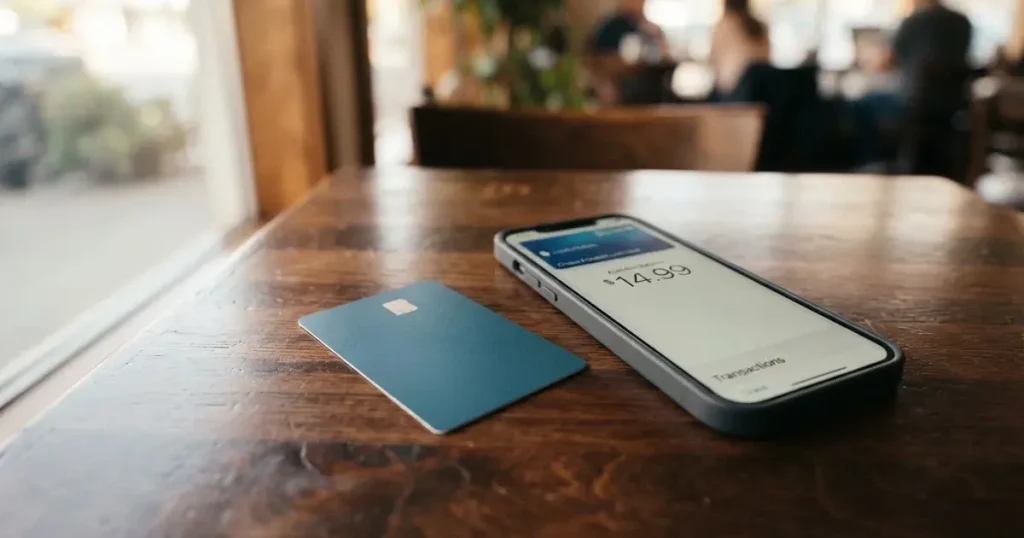
The Wallbit card is a virtual, US-issued Platinum Visa that draws on a balance you fund yourself, most naturally with USDC or USDT. Spending in dollars is free on every plan. Spending in anything else costs you the Visa exchange rate plus 2%. A $5 issuance fee buys the card, and there is no monthly fee on the free plan. The physical card is still listed as “Coming soon”, so what you are actually signing up for is a card number in your phone.
That is the honest shape of it: convenient, cheap in dollars, thin on support, and explicit about nothing when you go looking for the issuer’s name.
My score for Wallbit is 6.7 out of 10.
- It suits people who want a US account and a Visa they can top up with dollars held on-chain, and who are comfortable with a custodial balance rather than self-custody.
- It does not suit people who need a physical card, cash at ATMs as a habit, or a provider that will pick up the phone when a payment disappears.
Conditions stated here are current as of October 28, 2026.
The score, criterion by criterion
| Criterion | Mark | Why |
|---|---|---|
| Who can get it | 8 / 10 | Closed to residents or legal registrants of 17 named countries; the rule is residence or registration, not citizenship |
| Cost | 7 / 10 | $5 issuance, no maintenance, free USD spending, Visa rate plus 2% in other currencies, free deposits, 1% ATM with a $5 minimum |
| Top-up options | 6 / 10 | USDC and USDT free at 1:1, plus USD, EUR, SEPA, SWIFT, FedNow — but the card does not name the networks |
| Reliability and complaints | 5 / 10 | Registered US entities and SOC 2 Type I and II, no issuer named, and a Trustpilot 4.0 out of 69 reviews with account-closure reports |
| Everyday use | 7 / 10 | Virtual Visa with Apple Pay and Google Pay, NFC withdrawals capped at $250, physical card “Coming soon” |
| Total | 6.7 / 10 | A workable dollar-funded card with an unfinished physical side and thin support |
The split in that table is the whole story. The mechanics are good. The parts of the experience that require a human being to fix something are the weak point.
Who will they give you the card
Yes, there is a list, and it is a long one — which cuts both ways. For a start-up in this category, publishing the excluded countries is a mark of a real compliance function rather than a thin one. For you, it is a wall.
Wallbit does not serve residents or legal registrants of Belarus, mainland China, North Korea, Cuba, India, Iraq, Iran, Israel, Myanmar, Nepal, Nicaragua, Russia, Syria, Turkey, Ukraine, Venezuela or Vietnam. Countries on the FATF grey list are reviewed case by case and need compliance approval, which in practice means the answer is not always and not fast.
There is a second, narrower list that matters for travel rather than for opening: purchases are blocked in North Korea, Cuba, Iran, Russia, Syria, Ukraine and Venezuela. So an account that opens fine is still a card that will refuse to work in some places.
Two details worth pausing on. The rule is written as residence or legal registration, not citizenship — so the country your ID document comes from is not by itself the deciding factor, but where you actually live and where the company is registered are. And note that Israel, India, Turkey and Vietnam are on the closed list while the purchase block does not repeat them: exclusion from the account is broader than exclusion from the card.
If you are in one of the seventeen, stop here. Nothing later in this review changes that answer.
How to get it
The signup is short. You give an email address, a password, your full name and a phone number, plus an identity document issued by your country of residence. Wallbit says verification “typically takes up to one business day” — that is their wording, and “typically” is doing real work in it.
What the public pages do not say: whether proof of address is required, whether an age check is separate from the identity check, what the verification tiers are, or what the rejection reasons are. If you are refused, the card’s own guidance is not on the page I could read, so treat “why hasn’t my account been approved” as a question for support rather than something you can diagnose from the site.
Once in the app, activation is a tap: open the card button and choose “Activate my card”.
What comes back is a virtual card — the card itself is described as a “U.S.-issued Platinum Visa card”, and it pays in USD. There is no physical card. Physical card issuance and shipping are both listed as “Coming soon”, and that was still the wording on 2026-10-21, alongside blog guides dated September 2026. So the honest answer to “how do I get the Wallbit card” is: you get a number, in your phone, today.
What it really costs: Fees and the daily grind
Here is every number the card publishes about price, in one place.

| Fee or limit | What Wallbit states |
|---|---|
| Virtual card issuance | $5 one-time |
| Maintenance fee | None |
| Plans | Classic free; Pro $9.00/month; Max $19.00/month |
| Spending in USD | Free on all plans |
| Spending in another currency | Visa exchange rate plus 2% FX fee |
| Deposits | No fee, of any kind |
| ATM withdrawal | 1%, minimum $5 USD, plus 1% extra for non-USD; $250 per transaction |
| Withdrawing USDC | 2% on Classic; 1% on Pro and Max |
| Withdrawing USDT | 2% on Classic; 1.25% on Pro and Max |
| ACH withdrawal | 1%, minimum $5 on Classic; 0.5% on Pro and Max |
| Wire withdrawal | 1%, minimum $25 on Classic; 0.5% on Pro and Max |
| SEPA withdrawal | 1%, minimum $10 on Classic; 0.5% on Pro and Max |
| SWIFT withdrawal | 1%, minimum $25 on all plans |
| Inactivity fee | $2.00/month after 3 months |
| Daily spending limit | Exists, shown in the app; amount not stated |
Three everyday payments, so the percentages stop being abstract.
Coffee in a dollar city. Say $6. You pay $6. No fee, no plan requirement, no conversion to think about. This is the case the card is built for and it is genuinely clean.
A €40 subscription billed in euros. The Visa rate applies, then 2% on top. On €40 that is roughly €0.80 for the privilege of not converting by hand. The rate itself moves daily, so your bill moves with it. The account holds USD, EUR, USDT and USDC, which means you can hold euros without converting back and forth.
Withdrawing $200 in cash. The fee is 1% with a $5 minimum, so 1% of $200 is $2 and the $5 floor is what you actually pay — $205 leaves your balance, plus whatever the ATM operator adds on its own. And note the mechanics: cash withdrawal runs on contactless (NFC) with the virtual card, meaning you are not handing over a plastic card, you are tapping a phone. Under $250 per transaction is the ceiling.
Two costs that are easy to miss. The inactivity fee starts after three months and is small, but it applies to a balance you were not using. And the withdrawal table is where the paid plans earn their keep: Pro and Max cut withdrawal fees roughly in half, Max adds the highest APR on cash and a dedicated Account Executive on WhatsApp. Whether that is worth $9 or $19 a month depends entirely on how much you move.
How to Top up the card
Deposits are free. That is not a marketing line, it is the stated position: deposits of any kind carry no fee, and USDC or USDT go into the USD account free at 1:1.
The routes listed for getting money in:
- USDC or USDT into the USD account, free at 1:1
- USD
- EUR
- SEPA
- SWIFT
- FedNow
And here is the gap. The card’s pages do not name the networks for the stablecoin deposit. Not one is listed. This matters more than it sounds: a stablecoin transfer sent on a network the provider does not support, or to an address belonging to a different network, can be lost or need manual recovery with no guarantee attached. There is no such thing as a support ticket that reliably undoes a blockchain transaction.
So the practical rule is this: open the app, read the deposit screen for the network and address it shows you, and copy from that screen — not from a note, not from a saved address, not from memory. Whether the network fee is paid by you or by the provider is also not stated. The minimum deposit is not stated either.
What is settled: putting money in is free once you get it to the right place.
Paying with it every day
Everyday use is the card’s strongest suit, at 7 out of 10, and it earns that on a narrow base.
You add the card to Apple Pay or Google Pay and pay by phone. That is the intended experience, not a bonus feature — the ATM withdrawal path works the same way. The app exists on iOS and Android; its store ratings are not stated on the pages I read.
Two things to know about where it will and will not work. Some merchants require a US billing address, which is a category of merchant rather than a country of yours. And the blocked merchant categories are not stated — gambling is blocked on many issuer products by policy, but Wallbit does not publish its list, so I cannot tell you whether yours includes it or not.
On rewards, the answer is clean: no cashback is stated.
That is the end of the everyday picture, and it is worth noticing what is missing rather than what is there. The daily spending limit exists and is shown in the app, but the amounts are not published. The card’s own help centre has articles on declined and pending payments — which tells you those things happen — but the chargeback process and its time frames are not stated. One user report describes a missing payment trace for a PIX payment, which is a Brazilian transfer method, and there is a report of a declined authorisation leaving a hold on funds for days. None of that is a scandal; all of it is the cost of doing business with a card this young.
What can go wrong
Support is the thing to weigh most heavily, so I will start there rather than bury it.
Wallbit’s Trustpilot score is 4.0 out of 5 from 69 reviews, read on 2026-10-21, split 70% five-star and 23% one-star. Sixty-nine reviews is a small sample, and a small sample can swing on anything. But the themes in the one-star share are specific:
- An account closed after approval, citing compliance, reported in January 2026.
- Support emails going unanswered, and no phone line, reported in October 2025.
- No end-to-end identifier to trace a disputed Brazilian PIX payment, reported May to July 2026.
I found no official incident matching these. They are user reports, and user reports are unverified. What they tell you is what to ask about before you commit money, which I do below.
The company side is more reassuring and slightly strange. Wallbit LLC says that Wallbit and its banking and investment partners are registered in the United States. Brokerage runs through Alpaca Securities LLC (FINRA/SIPC); advisory runs through W2B, Inc., SEC-registered, CRD# 331220. SOC 2 Type I and II are cited. But the card issuer is not named. That single absence is why my reliability mark is 5 and not higher: you can see the wrapper, and you cannot see the party whose name is on your card. When a payment goes wrong at 2 a.m., the question “who is the issuer” is the first one worth asking, and here the answer is not on the page.
Your funds are custodial. Wallbit holds the credentials, so you are trusting them completely, and the usual failure modes of that arrangement — a provider failure, a hack, an irreversible transfer sent to the wrong place — apply to you. On the positive side, the app has card lock and unlock, and SIPC Excess cover of up to USD 75 million per account applies to investments held through the brokerage side. That cover is about securities, not about your card balance, and it is not a deposit guarantee.
Help is at help.wallbit.io, in English and Spanish as far as it goes.
No licence or issuer changes surfaced during checking. The physical card being “Coming soon” as of 2026-10-21 is the standing gap.
What to take instead
Three cards I looked at that solve different parts of the problem. None of them is a Wallbit substitute in the strict sense — they are the shape of the choice in front of you.
UNi Card, scoring 6.1 out of 10. Multicurrency, on the Mastercard network, spending from the UNi.Global account balance. No annual fee, no foreign transaction fee, and assets converted at live OTC rates with what the card calls no hidden exchange fees. Spend-to-Earn rewards up to 3% is stated, which is more than Wallbit offers outright. Weaknesses on paper: who qualifies is not stated, the funding route is not stated, and physical-versus-virtual is not stated.
Morse, scoring 7.5 out of 10 — the highest of the four I compared. A fully virtual Visa prepaid debit that spends from the Morse Balance in any currency, with zero foreign exchange fees or markups at the real Visa rate, and paying online or contactless free. Funding is broad: debit card, stablecoin transfer, account details in USD, EUR, MXN and COP (Brazil needs a CPF), and USDC, USDG and EURC free over Solana while other tokens and blockchains carry a fee. The wallet is self-custodial, which is the sharpest difference from Wallbit. Against that: issuance and monthly fees are not stated, rewards are not stated on the card pages, eligibility is by residence and a closed beta with an invite code covers Australia, Japan, New Zealand, Singapore, Switzerland, the United Kingdom and others, and the card is “available only in certain countries” with the list living in the app rather than on the page. Morse also cannot serve customers subject to US sanctions.
Bitpanda, scoring 6.5 out of 10. A physical Visa debit card, EUR only, one active card at a time, requiring a verified account and residence in a euro-area country — and users verified through “Bankident” cannot order. Account opening, monthly cost and first shipment are free; reissue is EUR 5.90 (EUR 9.90 for lost or stolen), each extra physical card EUR 10. The non-EUR FX fee is EUR 0 but “VISA mark-up fees apply”. It spends from a chosen main asset — crypto, precious metals or EUR — converted at payment with a minimum payment of EUR 1, which is a genuinely different model from pre-loading. On rewards the card’s own text disagrees with itself: 1% cashback on crypto spending in one place, “up to 2%” in another, with fiat, stocks, metals and stablecoins excluded.
| Wallbit | UNi Card | Morse | Bitpanda | |
|---|---|---|---|---|
| Score | 6.7 / 10 | 6.1 / 10 | 7.5 / 10 | 6.5 / 10 |
| Network | Visa | Mastercard | Visa | Visa |
| Form | Virtual (physical “Coming soon”) | Not stated | Fully virtual | Physical (virtual not stated) |
| Own currency | USD | Multicurrency | Any currency | EUR only |
| Stated FX cost | Visa rate + 2% | No FX fee, live OTC rate | Zero FX fees or markups | EUR 0 fee, Visa mark-up applies |
| Funding stated | USDC/USDT 1:1, USD, EUR, SEPA, SWIFT, FedNow | Not stated | Debit card, stablecoin, USD/EUR/MXN/COP, USDC/USDG/EURC over Solana | Fiat top-up, then spend from a chosen asset |
| Custody | Custodial | Not stated | Self-custodial wallet | Not stated |
If the thing you want is a US-issued Visa funded from dollars you hold on-chain, Wallbit is one of the short list. If the thing you want is no FX markup at all, or self-custody, or a physical card in your hand, another card on that table does it better.
Who I would recommend it to
I would recommend Wallbit to someone who already holds dollars in USDC or USDT, wants a US Visa number without a US residency problem, and is comfortable pressing the card against a phone at the till because that is the only way it exists today. Deposits are free, dollar spending is free, and the whole thing is a thin front end over a balance you can see.
I would not recommend it as your only card, and I would not recommend it to you without asking three questions first. What happens to my balance if the account is closed after approval? What is the issuer’s name? What is the daily spending limit? The card’s public pages answer none of them. A provider with 69 Trustpilot reviews and a reported January 2026 closure after approval is not a reason to walk away — it is a reason to hold a smaller balance than you were planning to and to know where your money goes if the worst happens.
The physical card being “Coming soon” is the detail that decides it for a lot of people. If you need plastic, there is no timeline to plan around, and Bitpanda or any euro-area physical option serves you today.
Frequently asked questions
What is the Wallbit card?
A virtual, US-issued Platinum Visa that spends a balance you load yourself, most easily with USDC or USDT at 1:1. It pays in dollars for free, and in other currencies at the Visa exchange rate plus 2%. There is no physical card — that is still listed as “Coming soon”, as of 2026-10-21. You manage it from the Wallbit app on iOS or Android, and you can add the card to Apple Pay or Google Pay.
How does the Wallbit card work?
You open an account, pass identity verification, activate the card in the app, and fund the balance. Deposits of any kind are free. From then on it behaves like a prepaid Visa: it draws on the balance you loaded and cannot overdraw it. Spending in USD costs nothing, in another currency it costs the Visa rate plus 2%, and ATM cash is 1% with a $5 minimum. No cashback is stated.
Is Wallbit a bank?
No. Wallbit LLC is a financial technology company, and the card’s own pages say Wallbit and its banking and investment partners are registered in the United States — partners, not a banking licence of its own. Brokerage runs through Alpaca Securities LLC (FINRA/SIPC) and advisory through W2B, Inc., SEC-registered, CRD# 331220. SOC 2 Type I and II are cited. The account is custodial, so your balance sits with the provider.
Who owns Wallbit?
The card identifies the company behind it as Wallbit LLC, and it does not publish the name of the bank that issues the card. That absence is the single most useful thing to remember when you weigh this provider: the investment side names Alpaca Securities LLC and W2B, Inc., but the issuer behind the Visa programme is not named on the public pages.
Does Wallbit card require KYC?
Yes — an email, password, full name, phone number and an identity document from your country of residence, with verification described as typically taking up to one business day. Whether proof of address is separately required, what the verification tiers are, and what the rejection reasons are, are not stated on the pages I read. Accounts also closed for compliance reasons are reported by users, which is normal for a regulated product and inconvenient regardless.
Is the Wallbit card available in my country?
Not in seventeen countries: Belarus, mainland China, North Korea, Cuba, India, Iraq, Iran, Israel, Myanmar, Nepal, Nicaragua, Russia, Syria, Turkey, Ukraine, Venezuela and Vietnam. The rule is residence or legal registration, not citizenship. FATF grey-list countries are reviewed case by case. Separately, purchases are blocked in North Korea, Cuba, Iran, Russia, Syria, Ukraine and Venezuela.
How do I top up the Wallbit card?
USDC or USDT go into the USD account free at 1:1, and USD, EUR, SEPA, SWIFT and FedNow are listed as sources. Deposits are free, of any kind. The minimum is not stated. Crucially, the card does not name the networks for the stablecoin deposit — so read the deposit screen in the app for the network and address, and send on exactly that. Blockchain transfers are irreversible.
What does it cost to use the Wallbit card?
The virtual card costs $5 to issue and there is no maintenance fee; Classic is free, Pro $9.00/month, Max $19.00/month. Spending in USD is free on every plan. Spending in another currency costs the Visa exchange rate plus 2%. ATM withdrawals are 1% with a $5 minimum, plus 1% extra for non-USD, capped at $250 per transaction. Deposits are free. A $2.00/month inactivity fee starts after three months.
Can I add the Wallbit card to Apple Wallet?
Yes — Apple Pay and Google Pay are supported, and paying by phone is the intended way to use the card, including for contactless ATM withdrawals, which are capped at $250 per transaction. Apple Pay stores a device-specific token in the Secure Element rather than your card number, and each payment carries a one-time code. Note that the physical card is still “Coming soon”, so this is the primary payment path, not a convenience on top of one.
Is the Wallbit card safe and worth it?
Worth it if you hold dollars in USDC, want a US Visa number and are comfortable with a custodial balance — deposits and dollar spending are both free. Be careful with it as your only card: support is thin, the issuer is not named, Trustpilot shows 4.0 out of 5 from 69 reviews with reports of an account closed after approval, and no physical card exists yet. Keep a smaller balance than planned and ask support directly what happens to your money if an account closes.
App and neobank card verdicts – cryptocardverdict
Content created by the «cryptocardverdict» team