
Crypto to spendable balance, but the fine print leaves a lot unsaid
 Available in US
AutoCard is a crypto card that turns digital assets into a spendable balance, and on paper it does the basics cleanly: a virtual card in seconds, a physical option in the app, and verification before your wallet can be funded. But strip away the app-store gloss and what you find is a service with real holes in it — no published fee schedule, no named network for the deposits it asks you to send, no named issuer, and a country list that narrows to India while waving at “other eligible jurisdictions” it never specifies. My score for it is 5.0 out of 10. That is not a scathing mark, but it is not a recommendation either. It is the score of a plausible idea executed with the transparency of a startup still finding its feet.
Whether that is good enough for you depends almost entirely on where you live and what you are trying to solve. If you are a resident of India who already holds USDT or USDC and wants a card that spends it, AutoCard is squarely aimed at you and does a reasonable job. If you are anywhere else, or if you want to know exactly what a payment will cost before you make it, you are being asked to take a lot on trust.
The conditions described below are current as of October 28, 2026.
The verdict: 5.0 out of 10, built for Indian residents funding with crypto
My overall mark for AutoCard is 5.0 / 10. That number is not a vibe; it is the sum of six criteria, each scored out of 10, and I want to show you the working because a bare score tells you nothing about where the weaknesses are.
| Criterion | Mark | Why |
|---|---|---|
| Who can get it | 3 / 10 | Cards are “exclusively available” to residents of India “or any other eligible jurisdiction as specified by the Company”; citizens and residents of China (including Hong Kong and Macao) are prohibited, as are Chinese IP addresses and phone numbers/IDs |
| Cost | 5 / 10 | The issuance fee is charged to the wallet “as specified on the Platform” but the amount is not named in the terms |
| Top-up options | 6 / 10 | Digital assets via “Deposit”, starting data USDT or USDC; networks are not disclosed |
| Reliability and complaints | 6 / 10 | ESTARTECH PTE. LTD., Singapore, with address and contact named; issuer and licences not named; no complaints found and no Trustpilot page |
| Everyday use | 6 / 10 | Virtual and physical card in the app, virtual created “in seconds”, limits customizable; Apple Pay, Google Pay and ATM are not disclosed |
| Total | 5.0 / 10 | A workable core wrapped in missing information |
The audience this suits is narrow and worth naming plainly: residents of India who fund cards with crypto. If that is you, the 5.0 softens somewhat, because you are inside the intended market and the country rules are at least stated clearly. Who it does not suit is everyone hunting for a fully published fee schedule, a named card network, a named issuing licence, or a service that will tell you which blockchain to send your deposit on before you send it. Those readers should look further down at the alternatives.
Notice the two lowest notes. Eligibility (3/10) is low because the promise of “other eligible jurisdictions” is hollow until the company says what they are, and a blanket exclusion on Chinese citizens, residents, IP addresses and phone numbers is unusually broad. Cost (5/10) is low for a plain reason: a card you are told has an issuance fee “as specified on the Platform”, with no figure in the terms, is a card whose price you cannot quote from its own documentation.
Will they give you the card? Only if you clear a tight, partly secret eligibility rule
The first question anyone asks is the blunt one: will I actually be approved? AutoCard’s answer is yes, but only inside a boundary the company keeps partly closed.
According to its Terms, last updated 14 January 2025, the cards are “exclusively available” to residents of India “or any other eligible jurisdiction as specified by the Company”, and you must have valid ID and contact details there. That “other eligible jurisdictions” phrase is doing a lot of quiet work. It implies a wider world than India, but the company never names those places on the page. You are told there is an eligibility list; you are not shown it. Then there is the exclusion side: the cards are prohibited for citizens or residents of China, including Hong Kong and Macao, and also for Chinese IP addresses or Chinese phone numbers and IDs. The minimum age is 18.
Two things to take from this. First, if you are an Indian resident with Indian ID and contact details, you are inside the core market and this is as close to a clear yes as you will get. Second, if you are hoping the “other jurisdictions” clause quietly includes your country, do not plan around it — the company reserves the right to define that list, and a rule it can change at its discretion is not a rule you can rely on. And if you are in China, Hong Kong or Macao, or use a Chinese IP or phone number, the door is closed by design, not by accident.
How to get it: verify first, then the wallet and card open up
Getting the card is a two-stage process, and the stage names matter because the order is enforced.
You start with a Verified Account. On sign-up you begin as an Unverified Account with just an email or phone number and a password. You cannot top up the wallet or apply for a card until you have verified. Verification means completing the KYC questionnaire and submitting documents under the Annex 1 KYC Policy. The sign-up page carries a clear “NEED TO KYC” heading, so the requirement is not a buried footnote. Foreign-language documents may need a certified translation at your own cost, and a PAN may be requested.
On what documents exactly, what proof of address, and what age proof — the card’s public pages do not say. You should assume you will need standard identity and address evidence and that the company may ask for more.
Once verified, you get both a virtual and a physical card in the app. The App Store listing describes virtual cards created “in seconds” and several cards managed in one place. The card network and currency are not stated on the site; the starting data points to a USD card balance. Delivery timelines for the physical card are not stated. So the mechanics are quick once you are through the door, but the door’s requirements and the card’s delivery are described in broad terms only.
Fees: what a payment really costs, and the prices that are missing
This is where I have to be most blunt. AutoCard publishes almost no numbers, and a crypto card’s whole value proposition depends on numbers. The card’s own documentation does not disclose a monthly fee, ATM fees, or a general fee schedule. The one fee it names is the issuance fee, and even that comes without a figure.

| Fee or limit | What the card states |
|---|---|
| Issuance fee | Paid from the Wallet, “as specified on the Platform”; the amount is not published in the terms |
| Monthly fee | Not stated |
| Conversion fee | Not stated; the wallet balance is shown in a fiat currency you select, converted at the Platform’s regularly updated rate |
| FX (foreign-exchange) fee | Not stated |
| ATM / cash withdrawal fee | Not stated |
| Spending limits | “Customizable spending limits” set by the user in the app; no figures given |
| Tiers | Not stated |
Let me be fair about what the app store listing does add: it promises “advanced encryption”, “secure payment processing”, and instant transaction notifications. Those are good security signals, though custody, two-factor authentication and card freeze are not stated.
Let me also be fair about what a balance means here. The wallet balance is displayed in a fiat currency of your choosing from the options offered, converted at the Platform’s regularly updated rate, while the Terms are explicit that the company operates only with virtual assets, not fiat. So you are spending a converted figure that depends on a rate the company updates, and the cost of that conversion is exactly the number the company does not print. A reader should treat “how much does a purchase cost me” as unanswerable from the published terms, and work it out in the app before relying on the card for anything important.
Top up: digital assets only, and the network is the question mark
Funding AutoCard is not complicated in concept and is incomplete in detail. The page shows a simple flow: “Deposit”, then “Spend”, using “digital assets”. The starting data named is USDT or USDC. Networks are not stated, and that omission is the single most consequential gap in this section, because blockchain transfers are irreversible — a deposit sent on a network the provider does not support, or to an address belonging to a different network, can be lost or need manual recovery with no guarantee.
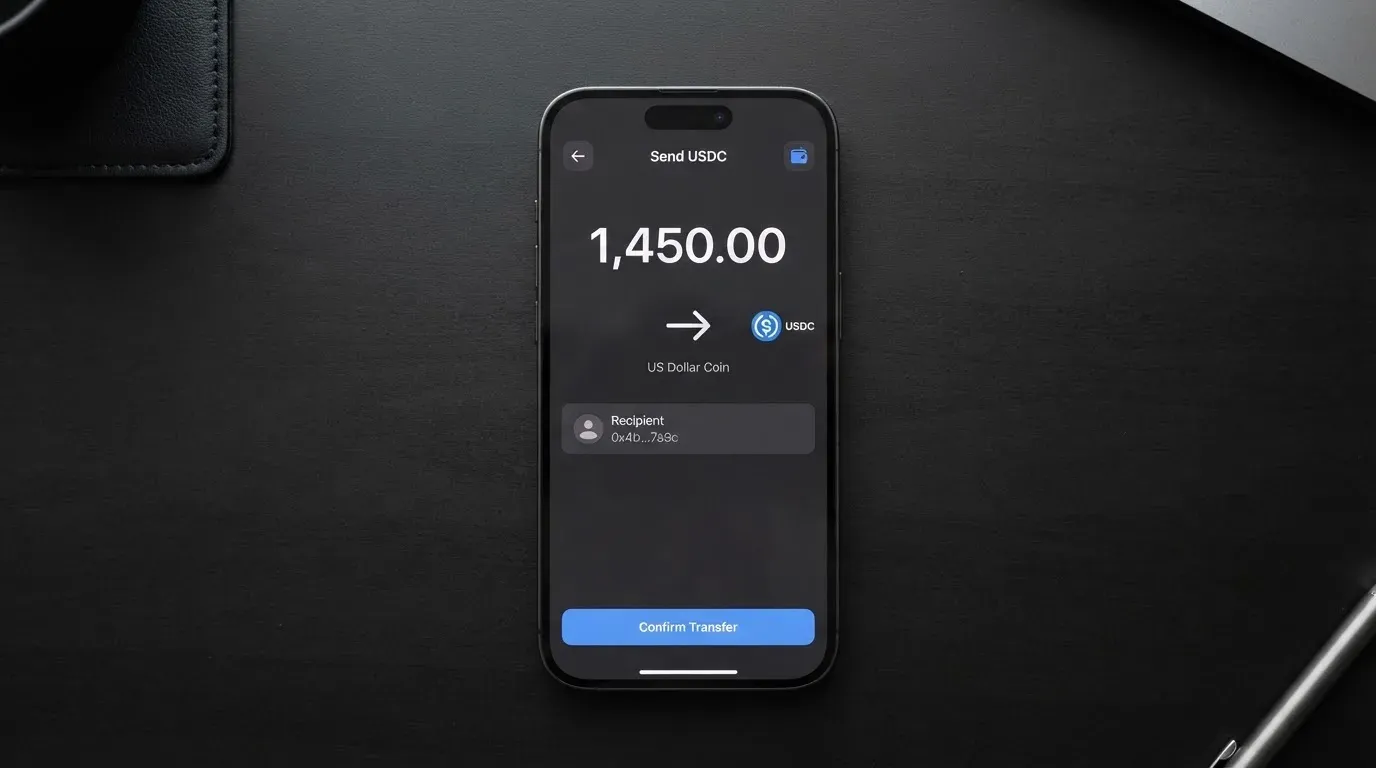
The process for funding your account is straightforward: you recharge your in-app wallet with virtual assets, and these funds are then allocated to your card. The issuance fee is also paid from your wallet balance. A top-up fee is not stated. Once funds are allocated to a virtual credit card, the Terms say the allocation is final and cannot be reversed or transferred back to the wallet; wallet balances cannot be withdrawn or transferred to external accounts unless the company explicitly permits it. That finality is the crux: you commit crypto to the card, and the way back to your own wallet is, by default, closed.
The choice of USDT or USDC as the starting assets is sensible, since these two together hold roughly 90% of stablecoin market capitalisation. But the absence of a named network means you, not the company, carry the risk of picking the right rail. Before your first deposit, work out which networks the provider actually supports — do not assume the chain you normally use is the one they accept.
Paying with it every day: quick and adjustable in the app, opaque beyond that
Day-to-day use is where AutoCard scores best, a 6/10, and that is largely because the app-store experience is genuinely convenient. You hold both a virtual and a physical card in the app, the virtual one arrives “in seconds”, you can run several cards in one place, and you set your own customizable spending limits. Spending notifications arrive instantly.
Beyond that, though, the picture thins. Apple Pay, Google Pay and ATM access are not disclosed — and those three touchpoints matter a great deal for daily life, since a card you cannot add to your phone wallet or withdraw cash from covers a narrower slice of real spending. The card network is not named. Wallet support, and any rewards or cashback on spending, are not stated; there is an “invitation and activation reward rules” page, but that is a referral scheme, not a spend reward, and its terms are separate.
One clause deserves a careful read before you ever tap the card. The Terms say the company “is not a party to any transactions between the Client and third parties”, does not handle claims about non-fulfilment by recipients, and bears no liability for such disputes; it may reverse transactions it deems suspicious. In plain terms: if a shop takes your money and does not deliver, AutoCard says that dispute is between you and the shop, not the company’s problem. That is a common prepaid-card posture, but it is a meaningful limit on recourse.
What can go wrong: the company, the missing licences, and the complaints that are simply absent
Reliability and complaints also scored 6/10, and the reasons cut both ways. The company behind AutoCard is ESTARTECH PTE. LTD., 68 Circular Road, #02-01, Singapore 049422, reachable at [email protected], which is also the App Store seller name. That is a real, named, traceable entity. But the issuing institution and the licences are not stated, so you cannot verify what authorises the card programme or under whose regulatory umbrella it runs.
On the service history side, the record is thin rather than bad. No complaints were found and there is no Trustpilot page. The iOS app was first released on 15 July 2025 and no other dated events surfaced. An absence of complaints on a young service with almost no public footprint is not a clean bill of health; it is simply not much of a signal either way.
The support picture matches the rest. The only listed contact is [email protected], and the app listing is English only — so if your documents are not in English, the certified-translation requirement I mentioned earlier becomes a real friction point. For a service that asks you to send irreversible blockchain transfers, “only an email address” is thin support.
The app itself: iOS “AutoCard – Crypto as Fiat”, free, version 1.3.15 dated 13 October 2026, requiring iOS 15.1 or later, with a rating of 5 from just 3 ratings. Android is distributed as an APK hosted on Amazon S3 (AutoCard_1.3.15.apk), not through a store listing. Both facts deserve a pause: three ratings is not a user base, and sideloading an Android build from a file host is a different trust posture from an app-store install.
Wider category risks apply here too, and they are worth naming because AutoCard is not insulated from them. Card programmes get suspended: Visa terminated its global agreements with FTX on 13 November 2022 and the FTX US debit card was wound down by its issuer, and WaveCrest, a Visa issuer that supplied crypto card brands, was suspended in Europe in 2018, closing all its Visa programmes. Programme closures typically give notice, then stop spending and loading, then ask users to withdraw remaining balances — and with AutoCard’s rule that wallet balances cannot be withdrawn unless the company permits, that final step is not fully in your control. Custodial platforms have a poor historical record (Mt. Gox, Coincheck, Ronin), and crypto transfers are irreversible with no built-in recovery for a stolen key. None of that is a prediction about AutoCard specifically; it is the terrain the product sits on.
What to take instead
If any of the gaps above are dealbreakers for you, these are the alternatives I compared, with their own marks.
| Alternative | Score | Who it targets | Card and cost | Funding |
|---|---|---|---|---|
| AutoCard | 5.0 / 10 | Residents of India (and unnamed other eligible jurisdictions) | Virtual and physical in-app; issuance fee “as specified on the Platform” | USDT or USDC; networks not stated |
| CardFlow | 4.9 / 10 | Nigeria (“Nigerians and global users”) | Virtual USD Mastercard in about 3 minutes; “Creating a virtual card is completely free” | Bitcoin, USDT, ETH or Naira bank transfer; networks not stated |
| HyperCard | 4.7 / 10 | Acceptance in “more than 176 countries”; no eligibility country list stated | Prepaid HyperCard, balance in USD or EUR; no fees listed | Crypto such as USDT, BTC, ETH; networks not stated |
| Card.fi | 6.6 / 10 | Ships to “200+ countries”; bars sanctioned countries | Virtual Classic $49 / Premium $249 one-time; no monthly fee | 32 coins across 5 networks; deposit address per card |
Reading across the table, CardFlow’s near-free virtual card is appealing but its fee details beyond that are not stated and it is aimed squarely at Nigeria. HyperCard markets broad acceptance but lists no eligibility countries and no fees, and its network is not named on the app page. Card.fi is the one that publishes the most — a clear one-time price, a full top-up and FX fee table, five named networks, and a separate address per card — which is why it scores highest here at 6.6. It also carries its own complexity: you must pick the right chain, and a wrong chain risks permanent loss.
The honest summary is that none of these cards is a fully transparent product, but Card.fi publishes the most numbers and AutoCard publishes the fewest. If your priority is knowing what you are paying before you pay it, that difference matters more than any single feature.
Who I would recommend it to
I would recommend AutoCard to a resident of India who holds USDT or USDC, wants a crypto-funded card, and is comfortable verifying identity, sending an irreversible on-chain deposit to a network they have confirmed in advance, and accepting that fees and details are thin. For that reader it is a competent, quick-to-set-up card with a sensible asset choice and adjustable limits.
I would not recommend it to someone who needs to know the exact cost of a payment in advance, who relies on Apple Pay, Google Pay or ATM withdrawals as part of daily life, who wants a named issuing bank and visible licence, or who lives outside India and is banking on the “other eligible jurisdictions” clause. Nor would I lean on its complaint record — there is not enough of one to lean on.
My honest advice to anyone still considering it: treat the app as the source of truth, not the marketing. Confirm the supported network, read the in-app fee schedule before you fund anything, and keep the balance you load small until you have seen a real payment go through end to end. If transparency is what you are buying, a card that publishes more numbers — Card.fi, for instance — is the safer buy even at a higher upfront price.
Frequently asked questions
What is AutoCard?
AutoCard is a crypto payment card that lets you convert digital assets into a spendable balance and pay with it, much like a prepaid card. You deposit crypto into a wallet in the app, the funds are allocated to a card, and the card is used for everyday purchases. It is offered by ESTARTECH PTE. LTD. in Singapore and the cards are described as exclusively available to residents of India and other eligible jurisdictions the company specifies.
How does the AutoCard card work?
You sign up, verify your identity through KYC, deposit digital assets such as USDT or USDC into your in-app wallet, and those funds are allocated to a card — virtual or physical — that you then spend. The wallet balance displays in a fiat currency you select, converted at the platform’s regularly updated rate. Because the model is a preloaded balance, the card spends only what is loaded onto it and cannot overdraw in the way a credit card might.
Is AutoCard a bank?
No. AutoCard describes itself as operating only with virtual assets, not fiat, and it is structured as a card programme manager rather than a bank. The company behind it, ESTARTECH PTE. LTD. in Singapore, is named with a full address, but the actual issuing institution and any banking or e-money licences are not stated on its public pages. That distinction matters, because it tells you who to hold accountable when something goes wrong.
Who owns AutoCard?
AutoCard is operated by ESTARTECH PTE. LTD., listed at 68 Circular Road, #02-01, Singapore 049422. The contact address [email protected] is also given as the App Store seller name, which ties the app listing to the same entity. Beyond that corporate identity, the public pages do not disclose who issues the card itself or under whose licence the programme runs.
Who can get an AutoCard card?
The cards are described as exclusively available to residents of India, or residents of any other eligible jurisdiction the company specifies, with valid ID and contact details there. You must be 18 or older. Citizens and residents of China, including Hong Kong and Macao, are prohibited, as are Chinese IP addresses and Chinese phone numbers or IDs. Because the wider eligible-country list is never published, eligibility outside India cannot be confirmed in advance.
Does the AutoCard card require KYC?
Yes. You begin as an Unverified Account with just an email or phone number and password, and the wallet cannot be funded or a card applied for until you complete a KYC questionnaire and submit documents under the Annex 1 KYC Policy. Foreign-language documents may require a certified translation at your cost, and a PAN may be requested. The exact document list is not published, so plan on standard identity and address evidence.
How much does the AutoCard card cost?
Here the card is unusually quiet. The issuance fee is charged to your wallet “as specified on the Platform”, but the amount is not published in the terms, and no monthly fee, conversion fee, or ATM fee is stated anywhere on the public pages. Spending limits are customizable but no figures are given, and there are no tiers described. The only way to know your actual cost is to read the fee schedule inside the app before you fund it.
How do I top up the AutoCard card?
You recharge your in-app wallet with digital assets — the starting data names USDT or USDC — and the funds are then allocated to your card. The important catch is that the supported networks are not stated on the site. Since blockchain transfers are irreversible, a deposit sent on an unsupported network or to a mismatched address can be lost. Confirm the network with the company before your first transfer. Also note that once funds are allocated to a card, that allocation is final and cannot be moved back to the wallet.
Can I use the AutoCard card in my country / is it safe?
Use depends on where the merchant is, not on your eligibility, so a card you legitimately hold may work abroad — though foreign-issued cards can be declined by some merchants. Safety is a matter of your own judgement: the app store listing claims advanced encryption and secure processing with instant notifications, but custody arrangements, two-factor authentication and card freeze are not stated, and the card sits on the same prepaid-programme terrain as FTX and WaveCrest, both of which were wound down. Do not treat any crypto card as risk-free.
How do I withdraw money from AutoCard?
Read this carefully, because it is not flexible. The terms say wallet balances cannot be withdrawn or transferred to external accounts unless explicitly permitted by the company, and that once funds are allocated to a virtual credit card the allocation is final and cannot be reversed. In practice this means money loaded onto the card is committed to being spent, and the route back out is at the company’s discretion rather than yours. That is the single biggest practical constraint on using this card.
Virtual card verdicts – cryptocardverdict
Content created by the «cryptocardverdict» team